The request path that sits where Add to Cart normally is
The most consequential line in Motor's changelog is short: version 2.0 records "Option Request instead Add to Cart." That describes an alternative to the cart button, in which a product is handled as something a visitor enquires about rather than something they buy on the spot.
It fits a lot of automotive stock. A bumper keyed to a model year, a tyre in a size you may not carry, a workshop booking with a variable scope — these do not resolve neatly into a price and a cart click. The vendor lists the request path as a thing you can use instead of selling, which is a different proposition from a theme that only styles a product grid.
The listing stops there. It does not say whether the request applies to every product or is chosen per item, so the demo is the place to see how it behaves before you build a catalogue around it.
Search and listing density for a parts catalogue
The same 2.0 release added Ajax search and a products-per-page setting. For a shop where buyers arrive knowing a part number, Ajax search shortens the route from query to result without a page reload, and the per-page control decides how many entries a listing shows before pagination starts.
The SKU handling is a smaller but telling change in that release: SKU on list view moved to the information area. If your buyers compare part numbers across a grid, that placement is the one to look at on the live demo.
Later releases kept adding catalogue furniture. Version 1.2.1 brought badges and brands, and version 1.2.2 added WooCommerce 3 support.
Three page builders named in different parts of the listing
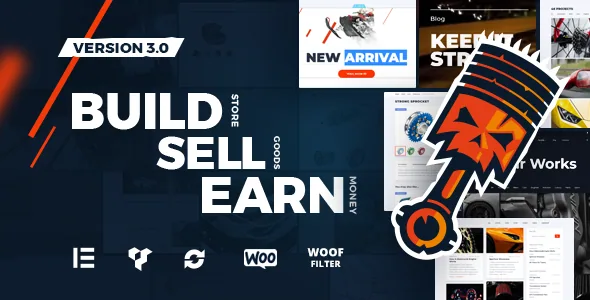
Motor's entry does not give a single answer to how you edit a page. The framework attribute reads Unyson. The feature list advertises "Visual Composer Page Builder." The version 3.0 changelog records "Elementor Page Builder" as an addition, and the compatibility attributes list Elementor and Elementor Pro.
Read together, that suggests a theme that began on Visual Composer inside the Unyson framework and later opened an Elementor route. Elementor and Visual Composer build pages in different ways, so the builder attached to the layouts you actually want is the thing to confirm on the demo. Moving a finished layout from one to the other is rework, not a switch.
Compare, quick view and wishlist on gallery items
Version 1.1 added compare, quick view and wishlist buttons to gallery view mode. For a shop selling near-identical parts, those three do distinct jobs: quick view opens a product without leaving the listing, compare holds several candidates side by side, and wishlist keeps a shortlist for someone who is not ready to buy.
Whether that matters depends on how wide your catalogue is and how price-sensitive your buyers are. A dealer with two hundred similar wheels will get more from compare than a single-brand accessories shop will.
Header and first-screen tools for a dealer homepage
The feature list names a styled Google map, which is where a forecourt address or a branch list usually lives on a dealership site. Version 1.1 added a sticky header, and 2.0 added a mega menu and a header cart widget, so a visitor scrolling a long inventory grid keeps both navigation and cart in reach.
2.0 also added a Live Customizer and caching plugin support. The caching line is worth noting when a catalogue page loads a stack of vehicle photography; how well it holds depends on your own caching setup, not on the claim alone.
The vendor also describes the code as semantic and search-oriented, which states an intent rather than a measurable ranking result.
Files in the package, and what the declared versions settle
The marketplace file list names PHP, HTML, CSS and JS files together with PSD and Layered PSD files. The design sources are the practical inclusion: demo artwork can be edited at source instead of rebuilt from the live page.
The declared software compatibility tops out at WordPress 5.7.x, running back through 5.6.x and 5.5.x to 4.9.x, and the vendor's listing carries an update date of 29 June 2025. That ceiling records what was declared, not how the theme behaves on a newer release. A staging install with your own plugin stack is the only honest test.
Compatibility attributes also name WPML. That is useful if you sell across languages or regions, but a listed integration does not mean every layout is already translated.
Questions & answers
Can Motor handle products you quote instead of sell?
The version 2.0 changelog lists "Option Request instead Add to Cart," which describes an enquiry path in place of immediate checkout. The listing does not say whether it is set globally or per product, so check the demo before relying on it.
Which page builder does Motor use?
The entry names three in different places: Unyson as the framework attribute, Visual Composer in the feature list, and Elementor in the 3.0 changelog and compatibility attributes. The listing never states which builder the demo pages use, so confirm the layouts you want first.
Does the WordPress 5.7.x ceiling mean the theme breaks on newer releases?
No. The list records what was declared and stops at 5.7.x, the way the vendor's three builder mentions sit in the same entry at different times. It is not evidence of failure on later versions, and not a claim of support either. Test on staging with your own plugins.
What is included with the theme files?
PHP, HTML, CSS and JS files, plus PSD and Layered PSD sources for the demo artwork. Contact Form 7 and Font Awesome are named in the feature list.


