Albums and gigs are records here, not pages
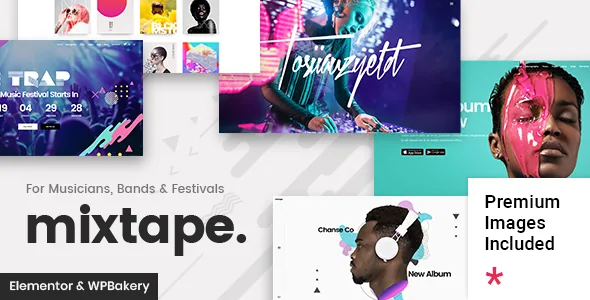
The vendor's feature list gives Mixtape two custom post types of its own: Albums and Events. That single choice sets the order of work on a music site. You decide which releases exist, then attach artwork, track information and outbound store links to each one; you decide which dates exist, then attach a venue, a map and a ticket state to each. Pages then come later, pulling those records into lists.
It is a different starting point from themes built around a general portfolio or a gallery plugin. If your site is essentially a band's release catalogue plus a tour listing, the structure is already waiting. If you mainly need to hand clients private photo galleries or publish a treatment menu, Mixtape's content model gives you nothing extra.
Everything below is drawn from the marketplace description and release log as observed in November 2026. Treat the feature list as the vendor's claims about the product, not as a report of testing on a particular host.
What goes on an album record
The description lists lyrics as an album field, four album layouts, and connections to a set of music shops: iTunes, Google Play, Bandcamp, Spotify, Amazon Mp3 and Deezer. Read together, an album entry becomes a small destination of its own — cover art and layout choice, the track text a fan came looking for, and buttons out to wherever the record can be bought or streamed.
Those store links are fields you fill per release, which matters if your catalogue is split across platforms. An older record that lives only on Bandcamp and a new single on streaming services can both sit in the same list without a custom template for each.
Four layouts for one album means the visual treatment is a per-record choice rather than a global setting, so a deluxe reissue and a two-track single need not share a composition.
The elements that display a release
The vendor separates album display into several shortcodes rather than one: Albums List for the catalogue, Album for a single entry, Album Disc for the disc or tracklist presentation, Audio Playlist for a player feed, and Album Player for playback. Artists List pulls the people rather than the releases.
That separation is worth understanding before you build, because each element is placed independently in a page. A homepage can hold an Albums List, a single Album block and an Audio Playlist in whatever order suits the design, instead of being locked into one archive layout.
No audio hosting or streaming service is named in the supplied description, so how the audio playlist sources its files is a question to settle against the vendor documentation before you commit to a player-led homepage.
Tours, one-off shows and ticket state
Events get their own set of fields: a ticket status you set per event, custom map pins, and an Events List shortcode for the listing. A countdown shortcode sits alongside, which suits a festival build where the date is the main thing on the page.
The map pins are the more practical detail. A tour with dates in several cities can show where each show happens rather than describing the venue in text, and the theme also lists a customisable Google Map shortcode for map blocks outside the event listing.
What the description does not claim is any selling or booking mechanism for tickets. WooCommerce appears in the compatibility list, but nothing in the feature list ties ticketing to it. The ticket status reads as a label attached to an event — on sale, sold out, cancelled — with purchase happening elsewhere. If you need to process payments for admission on the site, plan for that separately.
Two builders, and who supplies them
The vendor states that WPBakery Page Builder and Slider Revolution come included, and assigns them values in the sales copy. The marketplace's own files field, by contrast, names only PHP, CSS and JS files. Both statements can be accurate at once: the file-type field lists theme code, while bundled plugins are installed from the vendor's setup process. Which plugins arrive with a given copy is a question about the package you hold, not something either field settles.
Elementor is listed separately as compatible, and the changelog records that compatibility arriving in version 2.0, including a fix in 2.2 for an Elementor album list's load-more behaviour. So album and event display exist on either builder path, though the shortcodes themselves are theme elements, not builder-native blocks.
Slider Revolution is where the full-screen work lives: the description names a full-screen slider with parallax, image and video slides, and image movement animation.
The purchase-code gate, and a widget that outlived its plugin
The changelog for version 2.0 states plainly that theme options, custom post types and shortcodes are disabled if the theme purchase code is not registered on a live server. That is a significant operational fact, because albums and events are custom post types and the album and event displays are shortcodes. A copy of the theme without a registered code would, on the vendor's own account, lose the very features this article has been describing.
Separately, version 2.3 records the removal of the Select Instagram Feed plugin because of Instagram API changes, while the feature list still names an Instagram feed widget. The changelog is the more recent statement, so treat the widget listing as stale and do not build a homepage section around an Instagram feed without checking current documentation.
Version 2.3, dated January 2026, also adds a WPML configuration file and WooCommerce 10.x compatibility, and the compatibility fields declare WordPress 6.5 through 7.0 as well as Contact Form 7 and WPML. Those are stored declarations, not results from your server.
Judge it on one release, played through
The album player and audio playlist are where this theme either works for you or does not, and the changelog shows they have needed attention: version 2.2 fixed a progress bar that was not showing and improved the album player's colour option dependencies. Version 1.6.3 and 1.6.4 fixed load-more behaviour for artist titles and store icons in album listings.
That history is a reasonable argument for testing with real material — one album, its lyrics, its store links and its audio — before committing a full catalogue. A release with correct links and a working player is the actual product here; the surrounding header and font options are secondary.
Questions & answers
Does Mixtape sell tickets to events itself?
Nothing in the supplied description claims a ticketing or booking engine. Events carry a ticket status field, so the theme can label a show as on sale or sold out, but the mechanics of taking payment are not described. WooCommerce is listed as compatible, though no link between WooCommerce and the Events type is stated.
Can I build album pages in Elementor instead of WPBakery?
Elementor compatibility is listed, and the changelog shows it was added in version 2.0 with a later fix for an Elementor album list. The album and event displays are theme shortcodes rather than Elementor widgets, so you would place them inside Elementor layouts rather than edit them with Elementor controls.
Why does the feature list mention an Instagram widget the changelog says was removed?
Version 2.3 records removing the Select Instagram Feed plugin because of Instagram API changes, while the older feature list still names an Instagram feed widget. The release note is the later statement, so check the vendor documentation before planning a section that depends on it.