Order value is the design brief
Most WooCommerce themes sell you a shop layout and leave the selling to your copy. Minimog's marketplace description reads the other way round. Its named selling mechanics are Product Bundles, Frequently Bought Together and Product Quantity Discount, and the vendor describes each in terms of what appears on the product page rather than what appears in a widget panel.
Bundles are meant to be recommended on the product page with a single click that adds the whole set at a bundle price. Frequently Bought Together combinations are shown on product pages and, per the vendor, can be reused on the homepage and cart page. Quantity discounts are tiered — the vendor's example is "Buy 3, get 10% off" — with the next tier displayed so the shopper can see how close they are.
That framing tells you who the theme is built for: a catalogue where a single item is rarely the whole purchase. Apparel, beauty, homeware and hobby stores can use these mechanics directly. A store selling one-off made-to-order pieces has less to do with them.
The slide-out cart as an objection-handling screen
The vendor calls the fly cart a cart that "rescues its own abandoners" and lists what it can hold: a shipping calculator, a free-shipping goal progress bar, a cart countdown timer, coupons, customer notes and gift cards — all reachable without leaving the page.
Consider what that changes about where you send traffic. If your shipping cost is the usual reason people leave, a shopper who reaches this drawer can price delivery before committing to the checkout form. If your promotion depends on a threshold, the progress bar turns that threshold into a visible target instead of a line in the terms page. Gift cards and customer notes in the same panel mean these are shopping-cart decisions, not afterthoughts on a separate page.
The catch is density. A drawer holding a calculator, a progress bar, a timer, coupons, a note field and gift-card entry is a lot of interactive furniture in a narrow column. Decide which two or three of those you actually run, because each one adds something the shopper has to read before pressing checkout.
Product page modules, and the cost of switching them all on
Minimog lists more than ten product page layouts and fills them with a long inventory: video galleries, 360-degree views, per-variation image galleries, colour/image/label swatches, size guides, custom tabs, delivery estimates, trust badges, a sticky add-to-cart bar that follows the scroll, and a Buy Now button that skips the cart.
Two of these change behaviour rather than appearance. Buy Now bypasses the cart entirely, which is useful for a shopper who already knows the product but leaves the cart-based cross-sell and free-shipping messaging out of that journey. The sticky bar keeps the add-to-cart action reachable through a long description, which matters most on pages that carry specifications and comparison tables.
There is also user-generated content on the page: a Product Q&A section and reviews that accept image attachments. Both are only as good as the moderation behind them, and both add another reason for a visitor to scroll past the buy button. The practical approach is to start with the modules your category needs and treat the rest as optional.
Where Elementor fits, and what the 120+ widgets really buy you
The theme is Gutenberg-optimised according to the marketplace attributes, and the vendor positions Elementor as the visual layer: 120+ custom widgets, over 30 of them WooCommerce-specific — product carousels and grids, category showcases, product filters, a mini cart, single-product building blocks, brand carousels and slideshows. Add 12 header styles, 30+ footer styles, a mega menu, and unlimited colour and typography settings, and Revolution Slider ships inside the vendor's bundle.
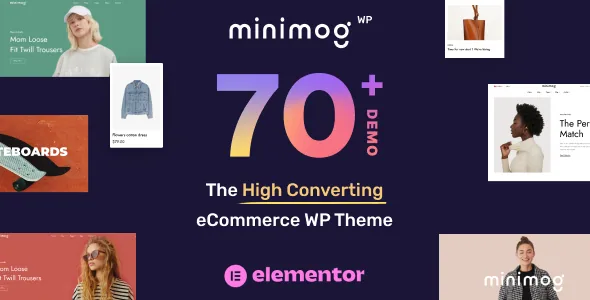
Useful as that list is, the count is not the deciding factor. The vendor's own workflow is to import one of the 80+ demos in a click and then replace its content. That makes the demo library the real starting point and the widgets the tools you use to diverge from it. A shop that plans to rebuild pages from scratch rather than adapt a demo is buying a different value — more widgets to assemble, but also more design decisions to make unaided.
The vendor also mentions live option search in the admin panel. On a theme with this many settings, that's a small feature with daily consequences.
Running it on a cached site, with captcha and keyboard users in mind
Version 4 adds a captcha layer the vendor says covers up to ten form types — login, registration, checkout, reviews, comments and product questions among them — using Google reCAPTCHA v2 or v3, or Cloudflare Turnstile. That's a place where a shop normally installs another plugin, so having it inside the theme reduces the number of moving parts, provided you're happy with one of those two providers.
The same release addresses two things that often break on cached stores. The vendor states that the fly cart, popups and forms keep working on fully cached pages through automatic security-token refresh, and separately that ARIA dialogs are used for the cart drawer and search popup alongside skip links and full keyboard navigation.
Those are vendor claims, not results from a test on this site. Cache behaviour in particular is configuration-dependent: the security-token refresh has to cooperate with whatever page cache or CDN you run. If you rely on aggressive full-page caching, plan to check the drawer and forms on a staging copy before launch.
One more detail worth noting for search: the vendor says "Load more" pagination is built to be crawlable and that filter URLs are excluded from crawling, with a single H1 on archive pages. That's the kind of thing an SEO audit picks up late, so it's better to confirm than to assume.
Declared compatibility, as of 3 November 2026
Marketplace attributes observed on 3 November 2026 list WooCommerce 5.x through 10.x and WordPress 6.0.x through 7.0.x, with Elementor, Elementor Pro, WPML, WPForms, Contact Form 7, Jetpack and Bootstrap 5.x in the compatible-with field. The vendor text goes further than the attributes — Dokan and Dokan Pro for multivendor stores, WooCommerce Simple Auctions, Subscriptions, WooPayments, Germanized for EU shops, plus Polylang and TranslatePress alongside WPML, a multi-currency switcher, RTL support and a GDPR cookie consent bar.
Note that the vendor describes testing up to WordPress 7.0 and WooCommerce 11 in its own copy, while the marketplace version field stops at WooCommerce 10.x and the latest recorded release is 4.5.7. Where those two lists disagree, treat the marketplace attributes as the more conservative statement and confirm the specific versions you depend on with the vendor.
Included files are typed as PHP, CSS and JavaScript. The demo photography and the bundled premium plugins belong to the vendor's own package description; what a particular distribution contains is a separate question from what the listing promises.
Questions & answers
Does Minimog require Elementor to work?
The vendor builds the design layer around Elementor and ships 120+ custom widgets for it, and the marketplace records the theme as Gutenberg-optimised as well. Neither the attributes nor the vendor text state that Elementor is mandatory for every part of the theme, so if you plan to avoid Elementor entirely, ask before assuming the demos and layouts work without it.
Can I run the theme with Dokan and still use the bundle features?
The vendor lists Dokan and Dokan Pro integration for multivendor stores, and separately describes product bundles and frequently-bought-together combinations as theme features. Nothing in the supplied evidence says how those mechanics behave inside individual vendor storefronts, so test that combination on a staging site if your marketplace depends on it.


