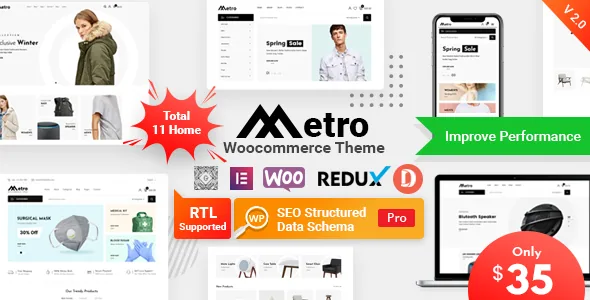
The variation display is the actual product argument
RadiusTheme's own framing for Metro centres on variable products. The vendor says the theme bundles WooCommerce Variation Swatches Pro and WooCommerce Variation Images Gallery Pro "to enhance your shop page experience," and states that the two plugins plus WP SEO Structured Data Schema Pro would otherwise have cost $107 combined. Those are vendor claims about what the package contains, not a price you pay here.
The practical effect is on how a shopper picks a size or colour. Swatches replace dropdown selects with visual choices, and a variation image gallery swaps the product image as the shopper moves between variations. Both are display decisions you would otherwise handle with separate extensions, and having them ship with the theme means one less compatibility question at the start. Because the plugins are RadiusTheme's own products, they also appear by name in the changelog, which is a useful way to see how regularly they moved.
A layout matrix, with counts that disagree in the vendor's own copy
Metro is sold on choice of page layouts rather than a freeform canvas. The description paragraph says 7 multi-page homepages, 7 category and archive layouts, 2 product-detail designs, 3 blog pages and 6 header styles accommodating more than 10 variations. The feature list further down the same listing says 13 home pages, 10 header styles and 7 archive layouts.
The two sets cannot both be current, and the discrepancy is worth knowing before you plan a build around a specific number. Treat the counts as an indication of scope, not a specification. What the theme does clearly offer is a One-Click Demo Importer the vendor scopes to 7 home pages, so a realistic expectation is that you pick a demo and adapt it rather than assemble a store from blank templates.
Header control sits in two places: a Redux-powered admin panel and the WordPress Customizer, which the vendor lists alongside unlimited colour combinations and Google Web Fonts.
Multivendor is a plugin decision, not a theme setting
The vendor states Dokan Multivendor support and describes what that plugin contributes: front-end product and order management for vendors, a withdrawal system, individual vendor stores, ticketing and shipping management. Metro supplies styling and templates around that; the marketplace mechanics belong to Dokan. If you are weighing whether to run a marketplace at all, that is the decision to settle first, because it changes your product data, order flow and support burden far more than any layout choice.
Single-vendor shops get a separate set of shop tools from Shopbuilder, which entered the package in the November 2023 changelog entry and brought Compare, Quick View and Wishlist with it. Quick View suits a catalogue where shoppers scan many items; Wishlist implies customer accounts you are willing to maintain. Both are additions to the shop experience rather than default expectations, so confirm they are active in the build you inspect.
What the changelog shows about upkeep
The release record is the most useful part of the listing for judging a theme you did not write. Metro's entries run from 2020 through the 2.15 line, and several are maintenance rather than cosmetics. Version 2.14, dated 3 December 2025, records fixes for Local File Inclusion, Cross-Site Scripting and an archive AJAX loading issue, along with updated copies of the variation plugins and LayerSlider. Version 2.9 fixed PHP 8.2.1 compatibility, and the 2.12 and 2.15 entries both list "WooCommerce Outdated" template synchronisation.
That pattern tells you two things. First, the theme's WooCommerce templates need periodic catching up, as any store theme's do; an install left behind will eventually show mismatched shop templates. Second, the bundled plugins are updated as part of theme releases, which ties their versions to the theme's release cadence. It does not tell you what state any particular archive sits at, so verify the files you receive against the marketplace listing's current version before you deploy.
Inside the theme folder: a child theme, fonts, and no demo photography
The marketplace lists PHP, CSS and JavaScript files, a responsive layout with four-plus columns, widget-ready and high-resolution status, and "Well Documented" for documentation. The vendor also states a child theme is included, which matters if you intend to modify templates and want those edits to survive an update. Active widgets and a dynamic page header are listed as theme features, so page-level and widget-area configuration is part of the normal workflow rather than an add-on.
One exclusion is stated plainly: "Premium images are not included, only use for demo purposes." A store's product photography and lifestyle shots will therefore come from your own library, and the demo will not look like the demo until you supply comparable images. The fonts named are Roboto and Josefin Sans, with icons from Font Awesome and Flaticon. For translation, the vendor lists WPML support and a POT file, and the changelog records a 2021 fix for multi-lingual taxonomy support.
How far the declared compatibility stretches
Marketplace attributes observed on 4 November 2026 list WordPress 4.9.x through 7.0.x, Elementor, WPML and Bootstrap 4.x, with Chrome, Firefox, Safari, Opera and IE11 named as browsers. The IE11 entry is a legacy note rather than a design goal; it reflects the theme's age more than its ambitions. The WordPress range runs back to 4.9, which is unusually deep, and no WooCommerce version range appears among the attributes at all.
A declaration of intent is not a tested matrix. Your WooCommerce version, PHP version and plugin stack are the variables that matter, and Metro's own changelog shows how often WooCommerce templates needed realigning. A staging copy with your real products, payment plugins and language setup is the only reliable check before a launch.
Questions & answers
Do I need to install the variation swatch and image gallery plugins separately?
The vendor describes both as bundled with the theme, and the changelog shows them being updated as part of theme releases. Whether they arrive pre-activated depends on the package you receive, so check the plugin list after installation rather than assuming.
Is the one-click demo import required?
No. The importer is a way to start from a finished layout the vendor scopes to 7 home pages. If you would rather build from your own page structure, the theme's templates and Elementor building still apply; the demo content is a starting point, not a dependency.
Can I use Metro for a multi-vendor marketplace?
The vendor states Dokan Multivendor support, including front-end vendor product and order management, withdrawals and individual vendor stores. Those functions come from Dokan, so confirm the plugin's own requirements and current version before committing to that model.


