A clinical theme built on shortcodes, not blocks
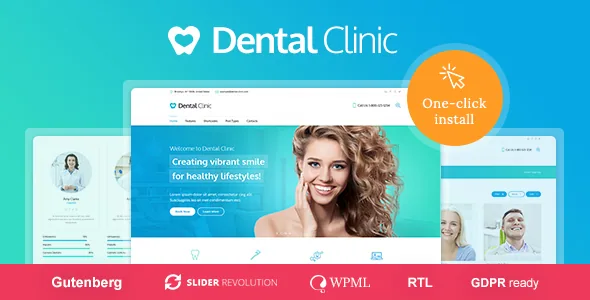
The vendor's own emphasis for Dental Clinic is not dentistry at all — it is the page-assembly system. Pages are built from 99+ custom shortcodes dropped into the CMSMasters Visual Content Composer, which the description calls a drag-and-drop visual interface. That is a different working rhythm from block editing: you insert theme-defined elements and configure them in panels rather than nesting core blocks.
So the dental vocabulary — services, practitioners, clinic pages, product listings — arrives mostly as demo content and shortcode configurations, not as bespoke dental logic. If your practice needs appointment scheduling, patient records or insurance handling, none of that is described here; the theme supplies the presentation layer and leaves clinical operations to plugins or outside systems.
One thing worth untangling before you plan an edit session: the marketplace attributes observed on 4 November 2026 mark Gutenberg Optimized as Yes, while the vendor's feature description is written entirely around shortcodes and the custom composer. Those two statements can coexist, but they do not tell you how much of a page you can comfortably maintain in WordPress's block editor. Check the installed theme's demo pages rather than assuming either path.
What the composer changes about building a clinic page
The Composer's value shows up in layout control. The vendor's metadata describes setting a custom layout that stretches to any width, arranging content in many columns, and assigning animation to parts of the content. For a clinic homepage — a hero, a services grid, practitioner cards, a testimonials block, opening hours — that is a practical sequence of insertable parts rather than a hand-built template.
The cost is that the page's structure lives in shortcode syntax inside the content. That affects portability: moving a page to another theme means rebuilding it, and moving the site away from the composer means the shortcodes stop rendering. If your team is comfortable with a visual builder and stays on this theme, that is the normal trade. If you expect to switch frameworks later, budget for a rebuild.
Themes' shortcode libraries also age in a particular way — the elements are maintained by the theme author, so new interface features in WordPress do not automatically reach them. Nothing in the supplied evidence describes how the composer handles current WordPress editing features, so treat that as a question to answer against the demo.
Profiles and Projects as the content backbone
Beyond standard posts and pages, Dental Clinic registers two custom post types: Profiles and Projects. The vendor presents them as a pairing for presenting content, and on a clinic site the mapping is fairly direct — Profiles for the people (dentists, hygienists, specialists), Projects for treatments or case work you want to show with more structure than a blog post.
Using them well means planning taxonomies and templates early. The evidence does not detail what fields each post type carries, so the practical question is whether a Profile gives you enough to present credentials and specialisms without extra plugins, or whether you extend it with custom fields. If your clinic publishes before-and-after case work, Projects is where that would sit.
The blog is separate from both, and the vendor's metadata notes it can take several layouts, alongside a Portfolio that can be set as a grid or masonry layout with variable element padding. Those options matter most if the site doubles as a marketing channel with regular articles.
Slider licences and the Mega Menu arrive with the theme
Two bundled items change what you would otherwise buy. The vendor states that Revolution Slider and Layer Slider are included, and the theme ships its own Custom Mega Menu plugin. For a practice that wants an image-led homepage and a navigation menu that exposes services, locations and team pages in a single dropdown, that covers a meaningful part of the build without extra licences.
A word of caution on bundling: bundled plugin copies are typically tied to the theme's distribution, so their update path usually follows the theme rather than your own plugin licence. The supplied evidence does not describe update arrangements, so confirm how slider updates reach you before you commit to either slider as a core part of the design.
The Mega Menu is the quieter of the two but probably used more. Clinic navigation tends to be deep — services split by treatment type, multiple locations, team by specialism — and a mega menu that supports columns and grouped links handles that better than a stacked dropdown.
Brand control: retina assets, per-page backgrounds, menu colours
The vendor lists Retina Ready as a feature, which on a clinical site is not vanity. Portrait photography of practitioners and close-up treatment imagery are exactly the assets where soft edges show, and the theme declares support for high-resolution displays. The marketplace attributes separately mark High Resolution as Yes.
Page backgrounds are configurable per page and post, or globally, with a choice of colour or image plus repeat type and positioning. That gives you a way to differentiate service pages without designing new templates for each one.
Menu colouring is finer than usual: the vendor describes unlimited colour options for the main navigation and other elements, with the ability to set any colour on each menu element. For a practice with an established brand palette, that means the navigation can match it item by item rather than through a single accent colour.
What the package includes, and what it does not
The clearest boundary the vendor draws is about imagery: all content images are not included in the main download. The demo relies heavily on clinical photography, so plan for a shoot or properly licensed stock before launch. A theme that looks convincing in preview will look unfinished with placeholder images in the same slots.
The ThemeForest file list names PHP, CSS and JS files, and the vendor's own description adds a detailed knowledgebase with admin and front-end screenshots. WordPress compatibility, as declared in the marketplace attributes observed on 4 November 2026, spans 6.8.x, 6.9.x and 7.0.x, and WPML is the only plugin listed under Compatible With — a narrower declaration than it first appears, since it does not mean other plugins are unsupported, only that compatibility was not declared for them.
Multilanguage and RTL readiness are claimed in the vendor metadata. For a bilingual practice, the WPML compatibility line is the relevant one; RTL readiness matters if you publish in Arabic or Hebrew.
HubSpot is a recommendation, not part of the build
The vendor recommends the HubSpot WordPress plugin for connecting the site to HubSpot's contacts, live chat, forms and email campaigns. Recommended is the operative word: it is not described as bundled, and nothing in the evidence suggests the theme depends on it.
That distinction matters for scoping. A clinic that already runs HubSpot gains a documented path to put forms and chat on the site. A clinic that does not is free to use WordPress's own forms tooling or another provider, because the theme's core function — page assembly, content types, navigation, sliders — does not rest on that plugin.
Beyond that, what the theme covers is the public-facing site. Patient communication, booking logic and record keeping sit outside the theme, and the evidence does not describe any of them.
Questions & answers
Do I need to know shortcodes to use Dental Clinic?
The theme's pages are assembled from shortcodes inside the CMSMasters Visual Content Composer, which the vendor describes as a drag-and-drop visual interface. You are choosing and configuring elements visually, but the output is stored as shortcodes in the page content — so you will encounter them, and pages built this way do not transfer cleanly to a different theme.
Are the slider plugins included, and are they licensed separately?
The vendor states that Revolution Slider and Layer Slider are included with the theme. The supplied evidence does not describe how updates to those bundled copies are delivered, so if either slider is central to your design, confirm the update arrangement before you rely on it.
Does the theme include the photos shown in the demo?
No. The vendor notes that all content images are not included in the main download. The demo's clinical photography has to be replaced with your own shoot or licensed stock.