A store, or a place where other people sell
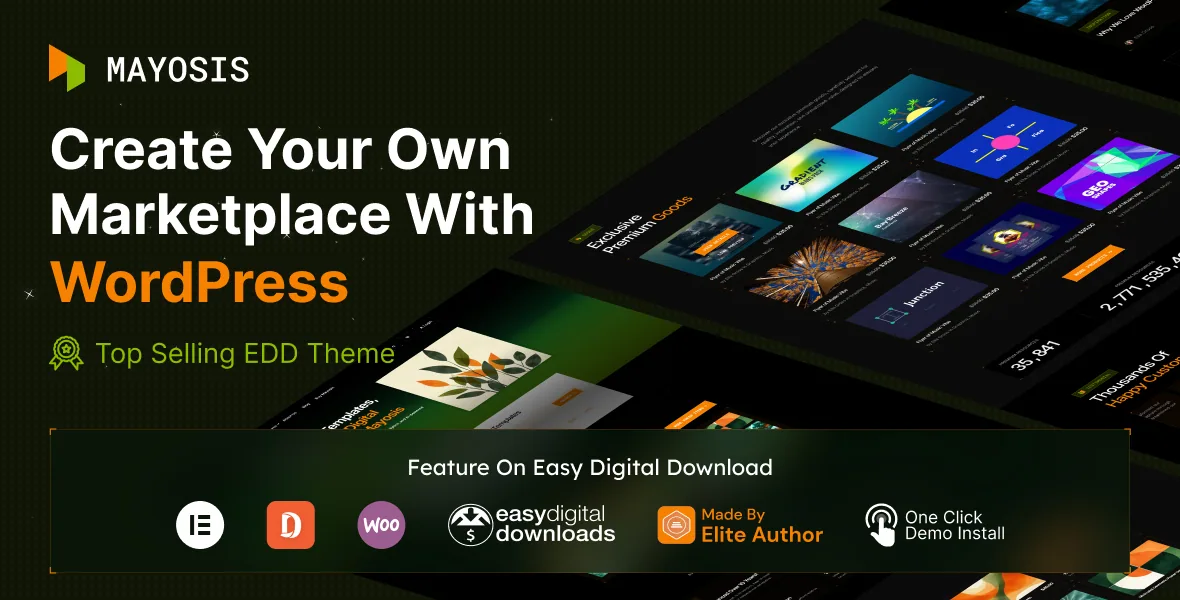
The vendor's description does not open with layouts. It opens with a question about who puts products on the site. Mayosis is described as a WordPress theme built on Easy Digital Downloads for selling templates, artwork, tutorials, music, ebooks, stock photography, footage, code and software — and then, in the same paragraph, as a way to run a marketplace where other people list their products on your site.
The mechanism for that second version is named precisely: an additional Easy Digital Downloads extension called FES (Front End Submission), with EDD Commission also listed as supported. Those are extensions, not features folded into the theme. So the real fork in planning is whether you are the only seller or the operator of a platform. A single-seller shop needs product, checkout and download pages. A platform needs submission forms, seller records, commission accounting and a moderation step before anything goes live. Mayosis arranges its templates and widgets around both, but the submission side depends on extensions you install and configure separately.
That distinction is worth settling before you look at demos, because it decides which plugin settings you will be living in for the length of the project.
Where digital media gets specific
A download store is not a shop that happens to sell files. Previews carry the sale, and different file types need different players. The changelog shows the theme has been developed with that in mind: version 3.7.5 added an audio grid and an audio archive grid, and version 4.5.0 added an EDD audio product style and an image gallery list style. Video playback problems recur across releases — hover-play on related and search pages fixed in 4.2.2, further video play fixes in 5.4.5 — which tells you video product previews are a supported, actively maintained surface rather than an afterthought.
Two other items from the vendor's feature list change how a catalogue reads. "Offer Freebies Along with Premium Products" means the theme is set up for a mixed catalogue where some downloads cost nothing, which is a common way to build an audience before charging. "Counter/Statistics for Products or Downloads" puts download figures into the product presentation, a detail marketplaces lean on heavily because it signals what other buyers chose.
If your catalogue is mostly podcasts, sample packs, motion clips or photo sets, these are the parts worth examining in the demo. If you sell nothing but documents, they matter far less.
Easy Digital Downloads and WooCommerce both appear, and that is a decision
The vendor's description is unambiguous that Easy Digital Downloads is the foundation: it lists "Full Easy Digital Downloads Integration" as an exclusive feature and refers readers to free EDD as the base. The compatibility attributes observed on 4 November 2026, however, also name WooCommerce 6.x and 7.x, and the release history shows a sustained WooCommerce line of work — compatibility added in 4.5.0 alongside Dokan support, a WooCommerce demo added later, sticky single-product bars, and a string of cart and ajax search fixes.
Sitting alongside that, the release notes record support added for more than one vendor plugin: Dokan in 4.5.0, Marketking in 4.5.1 and 4.5.3, and Vendora in version 6.0 (23 June 2026). These are described in the changelog as support additions, each on its own release line. They do not describe a site running every vendor plugin at once.
What that means practically: you choose one commerce engine and one vendor plugin, and the theme has prepared assets for several of them. It is not a claim that EDD and WooCommerce features combine, and a mixed setup is not something the vendor describes. Treat the two stacks as parallel paths with different demos behind them.
Pages are built in WPBakery, with the theme options elsewhere
The marketplace description names WPBakery Page Builder as the visual page builder bundled with the theme, and describes building pages "without knowing a single piece of code." Advanced Custom Fields Pro is listed as included, which is how product and vendor fields get structured, and the site-wide layer — logos, header behaviour, colours — runs through the WordPress Customizer according to the feature list. A child theme facility is also listed, useful if you expect to change templates rather than only style them.
Elementor and Elementor Pro appear in the compatibility attributes, and changelog entries from 4.5.0 onward add Elementor widgets — WooCommerce Elementor widgets, an author widget, a category widget colour option, a product single gallery fix. Read that as a second builder being supported for parts of the build, not a replacement for the described default: the vendor's own product description still presents WPBakery as the editing route. Whichever you pick, the practical question is the same — how much of a product page you can restyle without editing PHP. The bundled builder plus ACF fields is the vendor's answer to that, and the theme's own product templates are where you would test it.
The files field lists PHP, HTML, CSS and JavaScript, and documentation is described as well documented.
What the evidence does and does not settle
Everything above about features comes from the vendor's marketplace description and its changelog. The compatibility list is a set of stored claims observed on 4 November 2026, including WordPress versions from 5.0.x through 7.0.x, Bootstrap 5.x, and browsers from Chrome to IE10. None of that is a runtime test on a fresh install.
The changelog also shows the shape of the maintenance: demo data and bundled plugins are updated on most releases, and fixes touch both EDD and WooCommerce product displays repeatedly. That is normal for a theme carrying two commerce integrations and several vendor plugin paths, and it also means the version you install matters when you read any release note.
For a decision, two things are worth checking yourself against the demo rather than assuming from this list: how a product page for your own file type looks once your images and previews are in it, and whether the vendor submission flow you need is covered by the extensions you plan to license.
Questions & answers
Does Mayosis turn my store into a multi-vendor marketplace on its own?
No. The vendor describes front-end seller submission as coming from the Easy Digital Downloads FES extension, with EDD Commission also listed as supported. Those are separate extensions you install and configure; the theme provides the marketplace-oriented templates and presentation around them.
Should I use Easy Digital Downloads or WooCommerce with Mayosis?
The vendor's description builds the theme on Easy Digital Downloads and lists full EDD integration as an exclusive feature. WooCommerce 6.x and 7.x appear in the compatibility attributes and have their own demo, so support exists for both. Pick one engine for your catalogue rather than expecting the two feature sets to combine.
Can I sell free downloads alongside paid ones?
The vendor's feature list includes offering freebies alongside premium products, and a separate counter/statistics feature for products or downloads. Both are presented as theme features rather than something you assemble yourself, though the demo is where you would confirm how the free items appear in your catalogue layout.


