Two builds in one package, and why that changes which demo you pick
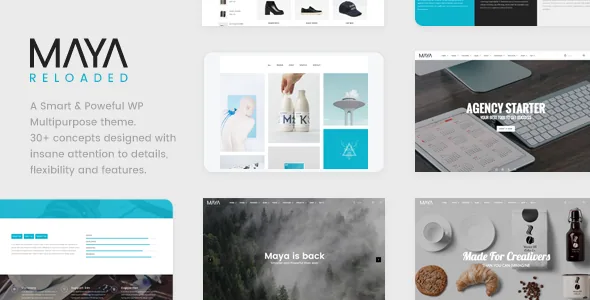
The most useful line in the vendor description is not a feature. It is a note: "Maya Reloaded" is a restyle of Maya, the vendor calls the result "really different from the older one," and the older version is included in the package as well.
Most multipurpose themes revise quietly and leave one design language behind. Here the split is documented and both branches ship together, which means the demos on display are not all from the same generation. Before you settle on a concept, work out whether the layout you like is shown in the Reloaded build or only in the older Maya. Assembling pages from both on one site will read as two themes stitched together, because they are.
The same applies to documentation. If a guide points at a screen you cannot find, the likely reason is that it belongs to the other build.
The onepage system offers labels or icons, and that is a content decision
A single-page site is mostly a navigation problem: everything sits in one scroll, so the menu has to tell visitors what exists further down. Maya's vendor lists a "Double Onepage system" with two treatments, a classic menu and an icons navbar.
Text labels explain sections that need naming — services, process, fees, contact. An icon navbar lets a long visual page read faster, but it asks visitors to interpret symbols before they scroll. For a photographer with four obvious sections, icons can carry it. For a consultant whose sections need a sentence of context, labels do the work an icon cannot.
The vendor also lists 4+ menu styles and an advanced grid system, so this choice sits inside a wider navigation surface rather than being the whole of it.
Thirty-plus concepts are starting points to combine, not finished sites
The description counts 30+ concepts and 100+ layouts, then names the set: classic, marketing, agency, consultants, corporate, business, membership, creative, freelance, portfolio, portfolio minimal, journal, diary, interior design, food and restaurant, nature and bio, flat, YouTube, Vimeo, fashion shop, personal, magazine, wedding, architecture, fitness, presentation, onepage and navigator, plus three about pages, three contact pages, a maintenance page and a 404 page.
The wording to hold onto is "ready to go or combine." The vendor frames these as material to compose in Visual Composer, not as separate installable sites. A wedding concept and a portfolio concept draw on the same underlying elements arranged differently, so overlap between categories is the normal outcome rather than a flaw.
Read the list against your own project. An architecture studio has an obvious anchor in the architecture concept. A fitness layout repurposed for a corporate site still needs its own imagery and typographic decisions before it stops looking borrowed.
What Visual Composer editing actually gives you on a portfolio or journal page
Pages are built in Visual Composer / WPBakery Page Builder, and the vendor says Maya adds 20+ custom elements to it. The description also names Revolution Slider, The Grid for post layouts and a Google Maps element for the builder.
The media side is where the theme's character shows. Parallax effects, video backgrounds, realtime image crops, GSAP animation, and support for galleries, sliders, YouTube, Vimeo, HTML5 and self-hosted video, SoundCloud, Spotify and embed codes all point to image-heavy, motion-heavy pages rather than quiet editorial layouts. If your site is mostly long text, much of that toolkit will go unused.
Layout variations are listed as grid, masonry, carousel and slider. Those are four different reading experiences for an index, and the difference is worth testing with your own images: masonry absorbs uneven image heights, a slider shows one frame and hides the rest, and a carousel invites browsing in place.
Unlimited sidebars is the options-panel claim with daily consequences
Behind the concepts sits a control layer the vendor calls a smart options panel, with unlimited sidebars, unlimited colours and typography setups, and unlimited Google Map styles. The theme runs on the vendor's own Nucleus framework, with GSAP handling animation.
Unlimited sidebars matters more than it sounds. Sidebar areas become something you define per context — a shop column, a journal column, a portfolio filter column — instead of picking between the usual left or right slot. Colour and typography controls act as site-wide defaults, so re-skinning a concept to your brand is a settings exercise rather than a stylesheet rewrite.
Translation Ready, RTL Ready and nine icon packages round out the surface, with all Google Fonts included. The vendor also lists a maintenance page with countdown, which saves deciding on a plugin during a launch.
The declared stack ends at WordPress 5.9.x
The compatibility attributes recorded from the marketplace on 4 November 2026 list WordPress 4.9.x through 5.9.x, with the vendor's last update dated 10 November 2019. That is the range the vendor declared; it is not a measurement of how the theme behaves on later releases.
For a new project this is the fact that shapes everything else. A theme whose stated ceiling is 5.9.x suits a site where you control the environment or are deliberately rebuilding an older one. It is a poor assumption that it will stay current without further work.
Gutenberg Optimized is marked No, which means the vendor does not advertise block-editor optimisation. It does not prove the block editor fails here. Composer content is stored in the composer's own format regardless, so you should expect to edit pages in the builder.
Elementor and Elementor Pro also appear in the compatibility attributes, while the description builds the theme around Visual Composer. The record does not say how the Elementor claim relates to the shipped demos, so treat it as a separate question from how Maya's own layouts are assembled. WooCommerce is declared at 6.x.x and WPML is named; both are compatibility statements rather than tested results.
What the marketplace record describes beyond the design
The listing records the files as PHP, HTML, CSS and JS, the theme as widget-ready and responsive, and the layout as four-plus columns. Declared browsers run from IE10 and IE11 through Firefox, Safari, Opera, Chrome and Edge.
One item in the description needs care. Dokan compatibility appears as a vendor statement inside a feature list; if a multi-vendor shop is part of your plan, treat it as something to verify in your own build rather than a supported configuration. The vendor's figures for bundled plugin value describe what the marketplace product includes, not anything confirmed by the compatibility attributes.
Questions & answers
Do I get both the Reloaded restyle and the older Maya?
The vendor states that the older version is included alongside the restyle, and calls the two really different. Because of that, check which build each demo and each documentation page belongs to before you commit to a layout.
Can I use the block editor instead of Visual Composer?
The marketplace marks Gutenberg Optimized as No, meaning the vendor does not advertise block-editor optimisation. It does not establish that the block editor is broken or unavailable. Pages built with the composer's elements will still be edited in the composer.
Is the theme a sensible choice for a shop?
WooCommerce is declared at 6.x.x and the vendor description mentions Dokan compatibility. Both are vendor statements rather than outcomes tested against current plugin versions, so a shop build needs verification before you rely on it.