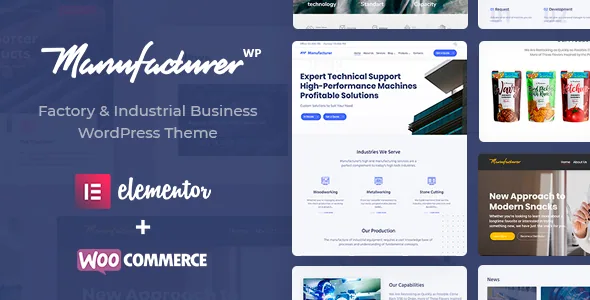
A product page that can sell, quote or take an order elsewhere
Most industrial themes treat the shop as an add-on to a corporate brochure. StylemixThemes lists the centre of Manufacturer differently: "Products Catalog with Online/Offline Order via WooCommerce," alongside "Enquiry form on the Product page," "3 Layouts for Product page" and "Related Products." Read together, those lines describe a template that does not assume every visitor wants to check out. A buyer pricing a machine often needs a quotation before a purchase order, so an enquiry form sitting beside the specification is the part that earns its place on the page.
The offline ordering half of that phrase is worth pausing on. It is a vendor feature line, and the description does not explain whether it means orders taken by phone or email and entered manually, a catalogue-only presentation, or something wired into the WooCommerce flow. If your sales route runs through distributors or reps rather than a cart, settle that question before you build the catalogue around it.
The vendor also names "tailor made content blocks for services, projects, market research, online shop, and portfolio cases." That is a broader page vocabulary than a shop alone: research write-ups and project references have a place in the layout, not just product entries.
Why three product layouts matter in a parts catalogue
Three product page layouts sounds like a minor feature until you test it against how industrial goods differ. A single component with a datasheet reads differently from a machine with a large gallery, and differently again from an item sold in variants through WooCommerce. Assigning a layout per product means the catalogue does not have to bend every entry into one arrangement.
Related Products is listed as its own feature, and in a catalogue built around compatibility that is the useful one. Someone reading about a bearing or a pump is often looking for the part that fits it, so a related-items area gives that path somewhere to go.
The vendor's one-click demo importer is described as loading a full demo plus its related plugins in one step. A caveat comes attached: the vendor states that some photos and images are excluded from demo import because of licensing restrictions. Import a demo for structure and page composition, and plan on supplying your own factory and product photography.
Saving a specification section once and reusing it
The vendor describes the theme as built on Elementor, with "50+ Elementor Widgets," "40+ Elementor Page Templates" and "150+ Elementor Prebuilt Blocks." The three numbers do different jobs. Widgets are the pieces you drag into a page, templates are whole page arrangements to start from, and prebuilt blocks are sections you assemble into a layout.
The claim with the most day-to-day weight is layout reuse: the vendor says you can save custom page layouts to reuse on other pages or posts. For a manufacturer with a repeated product structure, a saved technical-specification section or a recurring enquiry band saves rebuilding the same block across dozens of items.
Headers and footers have their own builders, listed as unlimited. That is where a site with several catalogues, regions or language sections can give each area a different navigation treatment instead of forcing one global header.
The industrial extras: pinned map, icon export, GDPR plugin
Three entries in the vendor list are specific to an industrial site rather than a generic business theme.
The "Custom Pinned Map Module with Visual Positioning" is described as a map block or widget with user-friendly positioning options, so a plant, distributor or showroom can be marked on a map you configure. The supplied description does not name a map provider or say whether an API key is needed, so confirm that before you plan a locations page around it.
"CSV/XML ICO Data Export" is the odd one. ICO is an icon file format, and the vendor places the line near custom SVG icons and FontAwesome icons, which reads as an icon-related export rather than a catalogue data feed. It is not described anywhere as a product export tool, so do not build a stock or price feed plan on it.
A premium GDPR plugin is described as included, and the vendor uses it to claim compatibility with EU data protection rules. If compliance sign-off depends on that plugin, check what actually ships before committing.
WordPress and WooCommerce ranges as the marketplace records them
The marketplace attributes record support for WordPress 6.1.x through 6.6.x and for WooCommerce 7.x.x and 8.x.x, captured on 4 November 2026. Those are vendor declarations carried by the listing, not the result of installing the theme against your stack. If your site already runs a later WordPress release, the declaration does not cover it.
Gutenberg Optimized is recorded as No. That flag describes whether the theme's layouts were built and tuned for block-first editing; it does not disable the block editor. The vendor's own description puts page composition in Elementor and its front-end editor, with colour and font options handled through theme options.
Internet Explorer 11 still appears in the vendor's browser list next to Firefox, Safari, Opera, Chrome and Edge, which says more about when the list was written than about current demand. The files are listed as Layered PSD, PSD, PHP, CSS and JS, so the design sources come with the theme.
Choosing between a shop and a quoting catalogue
The decision that separates buyers here is not visual. If your products are standard items with prices and shipping, the WooCommerce side carries the site and the enquiry form is a secondary contact route. If your products are configured, quoted or sold through distributors, the catalogue and the enquiry form do the work while the shop stays optional.
Manufacturer's feature list supports both readings, which is useful and also the reason to be specific about which one you are building before you import a demo. The offline ordering line sits between the two and needs clarification from the vendor before it becomes part of anyone's sales process.
Questions & answers
Does Manufacturer need WooCommerce to run a product catalogue?
The vendor lists the product catalogue together with online and offline ordering via WooCommerce, and WooCommerce also appears in the plugin compatibility list. Nothing in the supplied description describes a separate catalogue module that works without it, so plan on WooCommerce being installed if you want product listings.
Can pages be edited in the block editor instead of Elementor?
Gutenberg Optimized is recorded as No, which refers to whether the theme's own layouts were designed and tuned for block-first editing. It is not a statement that the block editor is unavailable. The vendor frames Elementor and its front-end editor as the place where pages are built and customised.
Are demo images included in the one-click import?
Not all of them. The vendor states that some photos and images are left out of demo import because of licensing restrictions. The import gives you layout and structure; product and facility photography usually has to come from your own library.


