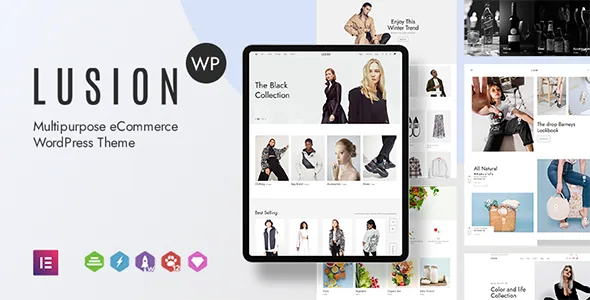
Sticky add to cart, image zoom and gallery controls
Lusion's release history is where its shop features are easiest to see. Each one arrives as a separate entry rather than as a bullet in a features list: a sticky add to cart in version 1.2.6, a mini cart that appears when a shopper adds an item in 1.3.9, product image zoom in 1.2.5, and a setting for how many thumbnails the single product gallery shows in 1.5.0. Version 1.2.9 added sticky-image and full-width product layouts.
Those are ordinary usability decisions with visible consequences. Sticky add to cart keeps the purchase button in view on a long product page. The thumbnail setting changes how much of the gallery previews before a shopper clicks. Zoom changes how a detail such as fabric or stitching can be inspected. If your product pages carry long descriptions or large image sets, the combination is the part of Lusion worth evaluating first.
The same changelog lists a fake sale popup in 1.2.8. The vendor's own wording calls it fake, so it simulates a sales notification rather than reporting real activity. Whether that suits your store is a merchandising call, and in some markets a trust question.
Elementor handles page sections, and the wording is specific
The marketplace description says built-in Elementor lets you customise any sections of the page at the front end. Read that literally: it describes page sections, not the WooCommerce shop archive, cart or checkout templates. Themes that do offer builder control over those templates usually say so directly, and Lusion's description does not make that claim.
So the design work here splits in two. Marketing pages, homepages and campaign layouts are shaped in Elementor. The storefront's behaviour is adjusted through the theme's own options, which is why features such as sticky add to cart appear as settings in the changelog rather than as builder widgets. Before committing, it is worth deciding whether that division of labour matches how you want to work.
A calendar of landing layouts already built
Lusion's changelog records a steady accumulation of layouts tied to dates: Valentine and Valentine 2, Mother's Day, Easter Day and Easter Day 2, Father's Day, Memorial Day, Independence Day and Independence Day 2, Labor Day, Back to School 1 and 2, Halloween, Christmas Toy, Super Bowl Sunday and its sequel, Martin Luther King Jr Day, President's Day, and a Happy New Year homepage. Single-product layouts follow the same pattern, branded around Smart Watch, Fashion, Cosmetics and Digital.
These entries belong to 2020 and 2021 releases, so they record what the theme added at the time rather than what the current demo preview leads with. The useful inference is narrower than "multipurpose": the theme has a history of campaign pages you can adapt when a promotional date matters. For a shop selling party supplies, gifts or seasonal decorations, that history is directly relevant. For a store with one stable look all year, those layouts will mostly sit unused, and the gallery and cart options above are the more practical draw.
WooCommerce file updates are the recurring item
The most repeated line in Lusion's changelog is an update to the bundled WooCommerce template files. Versions 2.1.0 through 2.2.1 each record it, and 2.0.8 names WooCommerce 8.1.x specifically while 2.0.4 names 7.9.0. Between them come small CSS fixes and occasional real repairs: a product image that failed to change when a shopper selected an attribute (2.0.9), category names missing from quick view and single product pages (2.0.4), filter options not appearing on mobile (2.0.4), and an error thrown when WooCommerce was not installed at all (2.0.6).
Overridden WooCommerce templates are a common source of breakage after a plugin update, so a log that names that file sync repeatedly suggests the maintainers treat it as routine work. It is a record of past maintenance, not a test against the WooCommerce version on your site. Treat it as evidence of attention and verify on your own stack.
From five recommended plugins to one toolkit
Version 2.1.6, dated 6 January 2025, changes what the theme recommends alongside WooCommerce: WooSwatches, YITH WooCommerce Compare, YITH WooCommerce Quick View, YITH WooCommerce Wishlist and Advanced AJAX Product Filters for WooCommerce are replaced by a single plugin, Woo Booster Toolkit. If you are following an older Lusion tutorial or carrying a plugin list across from a previous install, that is the line to update against.
An earlier consolidation went further. Version 2.0.0 moved to ArrowPress Core 2.0.0, removed the Kirki and ArrowPress Importer plugins, folded demo import and performance work into the core plugin, and added update notices for the theme and its plugins. The theme's supporting code has therefore been merging into fewer pieces over time. A Lusion build needs ArrowPress Core, and from 2.1.6 the shop extras are expected from Woo Booster Toolkit rather than a handful of third-party plugins.
Declared compatibility, observed November 2026
The structured compatibility field, as seen on the marketplace in November 2026, lists Elementor and Elementor Pro along with Contact Form 7, WooCommerce from 9.x back to 5.x, Bootstrap 5.x and 4.x, and WordPress from 7.0.x back to 5.7.x. It also marks Gutenberg Optimized and Widget Ready as yes and the documentation as well documented.
These are declarations stored with the listing, not results from running Lusion against your PHP version, plugin set or host. One gap is worth noting: the WooCommerce range stops at 9.x while the WordPress range reaches 7.0.x. Whether that reflects the vendor's testing or an outdated field is not something the listing answers, so if your shop runs a newer WooCommerce release, check it on staging before building around the shop templates.
What to check on a staging copy
The decisions worth testing are specific. Add a variable product with attributes and confirm the gallery image changes when an option is picked, since that exact fault appears in the changelog for 2.0.9. Set the thumbnail count and see whether the product page still reads well at that number. Turn on sticky add to cart on a long description and check it does not obscure the footer or a mobile browser's controls.
Then import one campaign landing layout and one product layout, place a section in Elementor, and see whether the split between builder-edited pages and theme-option storefront behaviour is comfortable for whoever will maintain the site. Lusion's evidence describes a maintained, option-driven shop theme with a deep bench of seasonal layouts; this short pass tells you whether the parts line up with your catalogue.
Questions & answers
Can I edit the shop archive, cart and checkout templates in Elementor with Lusion?
The vendor's wording covers customising sections of a page from the front end. The description does not claim Elementor editing for WooCommerce archive, cart or checkout templates, so treat that as something to confirm on a staging install rather than assume.
What happened to the plugin bundle Lusion used to recommend?
Version 2.1.6 replaced WooSwatches, YITH WooCommerce Compare, Quick View and Wishlist, and Advanced AJAX Product Filters for WooCommerce with a single plugin, Woo Booster Toolkit. Version 2.0.0 had already removed Kirki and ArrowPress Importer and folded their work into ArrowPress Core 2.0.0.
Are the Valentine, Halloween and Christmas layouts part of the current demo?
They appear in changelog entries from 2020 and 2021, which show the layouts were added then. The log does not say which of them the current preview highlights, so check the live demo before planning a campaign around a specific one.
Is the fake sale popup a real sales notification?
No. The vendor labels it fake, so it displays a simulated purchase notice. Decide deliberately whether you want that on your store, since invented urgency carries trust and, in some markets, consumer-protection implications.