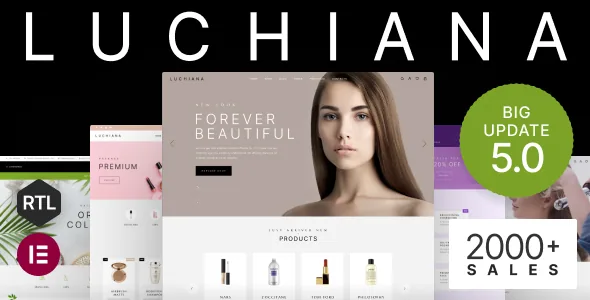
The catalog filters are where Luchiana earns its keep
Beauty products are hard to browse. A shopper arrives knowing a shade family and a finish, not a product name, and a grid of jars looks much the same at thumbnail size. Luchiana's feature list and changelog spend more entries on that problem than on hero sections.
The centre of it is a sidebar widget the vendor calls "Luchiana Filter by Attribute", introduced in version 3.0. It reads the attribute types defined by the Variation Swatches for WooCommerce plugin and renders them as filters — colour, image, button or checkbox. In practice that means the same swatch your shopper sees on a product page can also steer the catalog listing, so a shade chip in the sidebar corresponds to the chip on the card.
Later releases added two things worth knowing before you plan a category tree. Version 5.3 introduced a product category sidebar widget with collapsing and expanding subcategories, and an "Inline Layout" option for the colour and image attribute filter. The first keeps a deep makeup or skincare taxonomy navigable without a wall of links; the second puts swatch filters in a row rather than a stacked list, which suits a shop where colour choice is the primary decision. Version 4.26 added bi-color swatches for products that need two tones in one control.
Badges, quick view and video on the product card
Above the filter layer sits a set of controls that decide how much a shopper learns before opening a product page. The vendor lists Product QuickView, Product Wishlist and Product Video as key features; the changelog shows the card and page were extended further as the theme matured.
Version 5.0 added the ability to put a custom badge on a product, so a card can carry a label the vendor's own vocabulary does not cover — a limited run, a refill, a set. Version 4.25 added inline video in the grid as well as on the product page, and version 4.18 added a setting for where the product video sits among the thumbnails. Version 4.23 extended this with a custom product tab and a custom product section, both built from an HTML block.
Grouped together, these let a cosmetics listing carry texture and swatch footage closer to the top of the funnel, where a shopper is scanning rather than reading. They are vendor-described controls; nothing in the supplied material shows how any of them look in a finished build.
What a phone shopper actually gets
The changelog keeps returning to small screens, and the pattern is more specific than "responsive". Version 4.8 replaced the mobile product grid with a two-products-per-row layout that shows the buttons, rather than hiding them behind a tap. Version 3.17 added a popup cart on mobile. Version 5.1 added sticky buttons at the bottom on mobile, including a sticky Add to Cart button.
Those three changes answer three separate complaints: cramped grids that force a scroll to compare shades, a cart that is invisible until page load, and a buy action that sits above the fold of a long product description. The mobile optimisation entries in 2.19 and the Safari iOS 15.3 fix in 3.10 belong to the same thread — the vendor has treated phones as a place to do work, not a fallback to declare.
WooCommerce template refreshes recur across the changelog, with the most recent entry at 5.16 titled "Updated: WooCommerce templates". Treat that as a signal the theme tracks WooCommerce releases, not as proof it matches your particular plugin stack.
Elementor, seven home pages and five headers
The framing system around those shop controls is conventional but broad. The vendor describes the theme as built for the Elementor Page Builder with prepared blocks, and lists seven different home pages, five headers, a multi-column mega menu and a one-click demo import.
A seventh home page arrived as "Natural" in version 5.0, alongside smaller layout controls such as a fullwidth option in the mega menu and a custom header button. The header itself accumulated options in both directions — a Login/My Account button in the top bar (4.13), adjustable mobile header height for static and sticky positions (3.20), a logo scale reduction in the desktop sticky menu (4.0).
The marketplace attributes record "Gutenberg Optimized: No". Read that as a statement about the vendor's block-editor work rather than as a lockout: the theme's editing model is Elementor, and pages you compose there are the ones its blocks and widgets are designed for. Whether content pages still work in the block editor is a question to settle on your own install.
Declared compatibility and the multilingual side
Luchiana lists more WordPress and WooCommerce versions than most themes bother to enumerate: WordPress 4.9.x through 7.1.x and WooCommerce 5.x.x through 10.x.x, plus Contact Form 7, Elementor and WPML. Those attributes were recorded on the marketplace on 4 November 2026 and are vendor declarations made at the time of the item update, not results from testing on your server.
The multilingual support goes further in the changelog than the attribute list suggests. WPML, TranslatePress and Polylang all appear, and version 5.3 added support for WPML's Advanced Translation Editor — the interface that lets a translator work through segments rather than duplicating whole pages. RTL is a named feature, which matters for an Arabic or Hebrew storefront, though the supplied material does not show how an RTL layout holds up across the seven home pages.
WPC Frequently Bought Together is listed in both the feature list and the changelog, where version 4.13 records its addition — relevant for cosmetics, where a cleanser and its toner are a natural bundle.
Maintenance history and what the package holds
The changelog is unusually long and unusually candid, and two recent entries are worth weighing. Version 5.11 fixed a vulnerability related to the Recently Viewed Products section; version 5.10 improved accessibility scores in PageSpeed Insights. Earlier entries include a fix for a critical error tied to a MetaBox plugin update (5.7) and the caching fix that made recently viewed products work with cache enabled (4.31). A theme that logs this kind of work publicly is easier to assess than one that only advertises features.
What ships, according to the marketplace file list, is PHP, CSS and JS files, with a child theme named in the feature list and documentation marked as well documented. The vendor states that images in the previews — apart from patterns and icons — are for preview purposes only and are not included in the purchase files. For a cosmetics storefront that is not a small footnote: your product photography and shade swatch images have to come from you, and the demo's model shots will not arrive with the theme.
Questions & answers
Does Luchiana's attribute filter work without the Variation Swatches plugin?
The vendor describes the "Luchiana Filter by Attribute" widget as supporting the attribute types of the Variation Swatches for WooCommerce plugin — colour, image, button and checkbox. That phrasing ties the filter's richer swatch rendering to that plugin's attribute types, so plan on installing it if you want swatch-style filters rather than plain attribute lists.
How many home page layouts does Luchiana include?
The vendor's feature list says seven different home pages, and the changelog shows one of them, "Natural", being added in version 5.0. Each is a starting layout composed in Elementor, so you can rearrange rather than rebuild from an empty canvas.
Can I use the demo photography from the preview?
No. The vendor states that all images except patterns and icons are used for preview purposes only and are not included in the purchase files, and that you would need to contact the authors for permission to use them. Come with your own product and shade photography.
Is the theme compatible with WPML's Advanced Translation Editor?
The changelog records support for the WPML Advanced Translation Editor as added in version 5.3, and WPML appears in the marketplace compatibility list. That is a vendor declaration; the supplied material does not document a multilingual build end to end.


