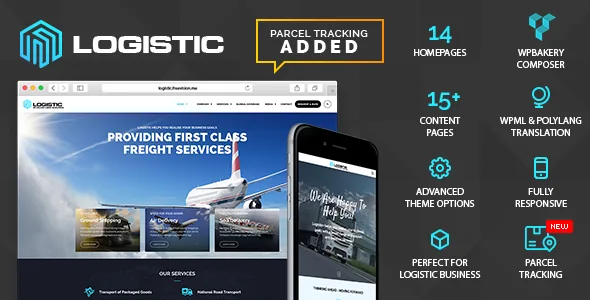
350 transport icons and 35+ WPBakery components set the vocabulary
Plenty of business themes offer a page builder and a generic icon font. Logistic's vendor description puts a narrower asset set first: 350 transport and logistics icons inside a library of more than 1,500. For a freight, courier or haulage site, that means trailers, containers, pallets and route markers are already available without buying a separate icon pack.
The second part of that vocabulary is the component list. The vendor says the theme adds custom and customized WPBakery components, more than 35 of them. These are the blocks you drag onto a WPBakery row, so the question before you commit is whether those components cover the sections you actually need — service grids, quote forms, fleet listings, process steps — rather than how many exist in total.
The vendor's own framing of the builder is modest: drag and drop elements into position to assemble a homepage. That is accurate for WPBakery generally. The theme-specific value sits in the custom components and the icon set, not in a proprietary editing model.
Backgrounds work at two levels: per page and per row
The vendor describes a custom backgrounds feature that lets you set a background for an individual page while keeping a default for everything else. On a transport site this is a small but real control — a sustainability page can carry a different visual from the homepage without building a separate template.
WPBakery rows go further. The feature list names background colour, image, video and parallax, plus background slider support on rows. So a single row inside a page can hold a fullscreen video loop or a rotating image sequence while the rest of the page stays still. The vendor also lists a fullscreen background slider and a fullscreen video background supporting YouTube, Vimeo and self-hosted files.
One caveat from the vendor applies to all of this: the images shown in the demo — slider images, thumbnails, conceptual photography — are not part of the package for copyright reasons. You supply the fleet and warehouse imagery, which is the part that takes the longest anyway.
Two slider plugins, plus a background map with colour and multi-location options
Logistic bundles two slider plugins rather than one. Revolution Slider is described as handling 2D, 3D, layered, fullscreen and parallax slides. Master Slider is presented as a responsive touch slider with easy options for building effects. WPBakery supplies the row and column structure they sit inside.
Having both is not automatically an advantage; it means deciding which one your site standardises on before you build, so editors are not maintaining slides in two systems. Revolution Slider covers the more complex layering, Master Slider the simpler setup. Neither is documented beyond the vendor's summary here, so treat the feature descriptions as claims rather than tested behaviour.
Google Maps appears in two forms: a fullscreen background map function, and colour options for maps, including maps with multiple locations. The multi-location part matters for a company with depots or branches, since it implies more than a single pinned address.
Styling an editor can reach without touching code
Typography, colour and logo changes are handled from the WordPress admin according to the vendor, with no code editing required. The typography panel is described as switching fonts for all text elements with a preview for each option, drawing on Google Fonts (600+ families cited) and support for adding your own font files. A later changelog entry notes that Google Fonts can optionally be hosted locally from the typography settings — useful if you would rather not load fonts from Google's servers.
Menu placement is a listed option: left or right. That choice influences how the header reads on wide screens, so decide early rather than after building pages.
Widget areas are handled by a sidebar manager. The vendor says you can create any number of sidebars and assign widgets to different pages, with footer widgets at the bottom; the marketplace attributes mark the theme widget ready. Separate widget sets for service pages and blog posts is the typical use.
What the listing declares about compatibility and files
The marketplace attributes recorded on 3 November 2026 list WordPress 5.1.x through 6.9.x, WooCommerce 5.x.x through 9.x.x, WPBakery Page Builder and WPML as compatible. The package exposes PHP, CSS and JavaScript files, and a child theme is included per the vendor's feature list. Gutenberg Optimized is marked No, which reflects the vendor's WPBakery-first editing focus rather than establishing how the block editor behaves on the site.
These are declarations, not results of running the theme. The changelog shows a maintenance pattern oriented around plugin updates — WPBakery, Revolution Slider and Master Slider recur through many entries, and one version records a PHP 8.3 compatibility check. That pattern tells you the theme is kept current with its bundled tools; it does not tell you how it performs on your server with your plugin set.
WooCommerce support means a shop can live in the same install. The vendor describes no logistics-specific commerce features — shipment tracking, quote calculation or freight pricing — so treat commerce as standard product selling rather than a built-in transport system.
Deciding whether the asset set fits your build
Logistic suits a project where the site is largely a presentation layer for a transport business: services, fleet, coverage, contact and quote enquiries, assembled by an editor inside WPBakery. The transport icon library and the stock of custom components are what shorten that build, and per-page backgrounds handle the visual differentiation between sections.
It is a weaker match if you need the theme to manage operational data — shipments, tracking numbers, rate tables or a customer portal. Nothing in the vendor description provides those, and the WooCommerce support listed is generic. Equally, if your team edits in the block editor rather than WPBakery, this is a poor fit on workflow grounds: the theme's described editing model is the builder, and its component library only exists there.
Before buying, open the demo and check two things: that the custom components match the sections you plan, and that the bundled slider you prefer behaves the way the vendor describes.
Questions & answers
Does Logistic require WPBakery to build pages?
The vendor's editing instructions are all framed around WPBakery Page Builder, and the 35+ custom components exist as builder elements. WPBakery is listed in the marketplace compatibility attributes. Gutenberg Optimized is marked No in the listing, which describes the vendor's focus rather than proving the block editor is unusable.
Are the demo images included with the theme?
No. The vendor states explicitly that slider images, thumbnails and other conceptual images in the preview are excluded from the package because of copyright. Demo content import gives you layouts and structure; the photography has to come from you.
Can Logistic run a shop?
The marketplace attributes list compatibility with WooCommerce 5.x.x through 9.x.x, so standard product selling can coexist with the theme. The vendor describes no freight-specific commerce features such as rate calculation or shipment tracking, so plan on WooCommerce's own capabilities.