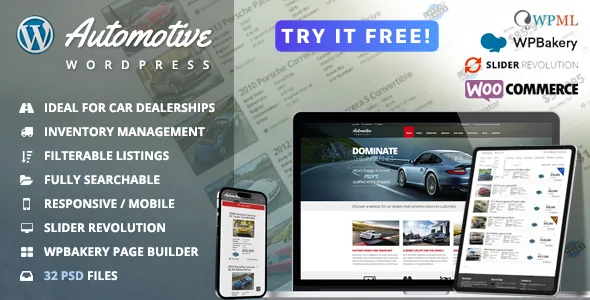
The inventory record is the product, not the homepage
Most dealership themes are a set of car-shaped pages. Theme Suite describes Automotive around a vehicle listing that gets created once and then reused: the same record feeds the search results, the comparison table, the similar-vehicles widget and a generated brochure. That is the reason to consider it, and also the reason to plan the data before the design.
In the vendor's description, listings are added, edited and removed as stock changes, and categories and taxonomies are customisable. Those taxonomies are what the filters draw on, and what the importer has to map onto. Decide which fields matter — make, model, year, body type, fuel, transmission, price, mileage — and how they should be grouped, because a filter only works if the underlying values are consistent across every record.
The vendor also lists a similar-vehicles widget, Google Maps on listing pages, and a finance calculator for working out payments from the listing. Each is a small piece of the record reused in a different place.
Importing stock from a CSV or XML feed
The importer ships with automatic delimiter detection, so a comma-, semicolon- or tab-separated export does not need hand-editing before upload. The vendor states compatibility with hundreds of CSV and XML inventory feed providers, which is a claim about the file formats it accepts rather than a list of named integrations; a feed with unusual column names or nested XML will still need mapping.
That mapping stage is the real work. Download a real export from your dealer management system or feed provider, open it in a spreadsheet, and check that every field you want on the listing page exists as a column. Columns that only exist in a formatted description will not become filters, and columns your provider spells differently from your taxonomy will need normalising first.
Import, as described, is a file operation you perform. Keeping the stock current without doing that by hand is a different arrangement — the vendor lists scheduled automatic updates from a CSV or XML source under Platform Upgrade Options, not in the theme's feature list. If your stock changes daily, budget for that upgrade rather than assuming a live sync.
Where the paid platform upgrade starts
The vendor draws a clean line under a group of features labelled Platform Upgrade Options, and it is worth reading that list before you commit to a build idea. Scheduled automatic import and scheduled export are there, as is front-end vehicle submission — where dealers post their own cars, with a management console supporting multiple listings per account and PayPal.
Watermarking gallery images, including applying overlays to some or all listings and restoring the originals later, also sits in that group.
This matters most for marketplaces. A site where your dealership sells its own stock is a theme project; a site where third parties list cars and pay for the privilege depends on upgrade functionality the vendor describes elsewhere. The vendor directs enquiries about upgrading to its sales address, so treat the boundary as something to confirm commercially rather than something documented in the article-level feature list.
Turning the filter set into a search page that shortens a shortlist
The vendor describes the inventory search as completely customisable, filterable and sortable, with shoppers able to exclude vehicles that do not match their criteria and see only those that do. It also lists jQuery inventory layouts, so visitors can switch how the results are presented without leaving the page.
The practical configuration question is not which filters exist but how many a shopper meets at once. Twelve checkbox groups on a single page encourage abandonment; three or four that match how people actually shop — budget, body type, transmission — do more work. Build the search around the sequence of decisions a buyer makes, then add the remaining fields as secondary filters or sort options.
The comparison feature sets a constraint on the rest of the listing page. The vendor lists side-by-side layouts for 2, 3 and 4 vehicles. Four columns leave each vehicle narrow, so the specification set you display has to be short enough to read at that width. Choose the maximum early, since it changes both the listing template and the number of spec rows worth maintaining in the data.
Brochures, colours and the rest of the client-facing layer
Printable brochures are described as a one-click PDF page creation from a listing, which turns a vehicle record into something a salesperson can hand over or attach to an email. It is a small feature with an outsized effect on how the site gets used away from a desk, and it depends entirely on the listing fields being complete — an empty spec row produces an empty brochure.
The vendor also lists RTL support for right-to-left languages, a setup wizard, custom colour schemes you can create and save, unlimited sidebars, and a set of editable contact forms with reCAPTCHA. Those are the parts a dealer is most likely to change after launch, and the colour-scheme saving in particular means a seasonal campaign does not require re-picking every colour by hand. WPML compatibility and a PO language file cover a multilingual forecourt.
Editing model, layout count and compatibility claims
Pages are built with Visual Composer, which the vendor lists as included, along with Slider Revolution. The vendor's description names 32 page layouts and 32 fully layered Photoshop files organised with colour-coding, guides and a Bootstrap 4 grid — the PSDs are the design source, useful if a print or campaign asset has to match the site exactly.
The marketplace attributes observed on 3 November 2026 list the theme as compatible with Elementor and Elementor Pro as well as WPBakery Page Builder, WPML, Bootstrap 4.x and WooCommerce 10.x.x, with WordPress 7.0.x as the declared software version. A compatibility attribute is a statement about intent, not evidence that a demo is assembled with that builder, and Gutenberg Optimized is marked No — which describes whether the design was built around the block editor, not whether the editor is available to you.
Browsers listed include Internet Explorer 9 through 11 alongside current browsers. Treat that as an old compatibility declaration rather than a promise about how the theme behaves on your PHP version and plugin stack. A staging install with your feed file and a handful of real listings is the only way to see how the import, filters and comparison hold up together.
Questions & answers
Can I keep inventory updated automatically from my feed?
The theme's own importer works from a CSV or XML file, described with automatic delimiter detection. Scheduled automatic importing from a CSV or XML source is listed by the vendor under Platform Upgrade Options, so a hands-off daily sync sits outside the theme feature list.
How does the four-vehicle comparison affect the listing design?
The vendor provides layouts for 2, 3 and 4 vehicles side by side. Four columns leave little room per vehicle, so decide your maximum before finalising the specification rows shown in the comparison — it determines how much detail stays readable.
Are the PSD files part of the package?
The marketplace file list includes layered PSD files, and the vendor describes 32 pixel-perfect layered Photoshop files built on a Bootstrap 4 column grid. They are design sources for matching offline or campaign material to the site, not editable theme templates.
Does the theme support right-to-left languages?
Yes. The vendor lists integrated RTL support, and pairs it with WPML compatibility and a PO language file for translating the theme's strings.