The header can change character section by section
WPBakery sections are the unit of composition in Libero, and the vendor pushes one option further than most themes do: the header skin can change from section to section. The feature list pairs that with separate logos for regular, sticky and mobile headers, plus logo variants for dark and light skins, and says the mobile header can be styled on its own.
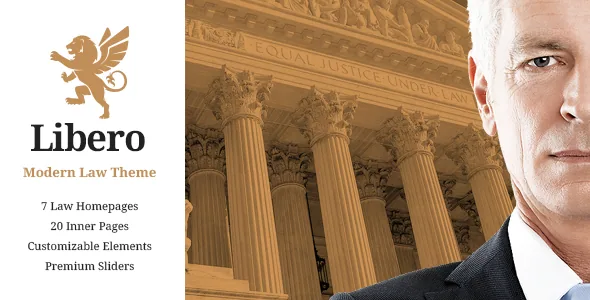
That gives a law site an unusually literal way to handle tone. A dark photographic hero over a courthouse image, followed by a plain light header once the reader moves into practice-area copy, is a sequence you can build as one page rather than as two templates. The cost is preparation: each variant needs a finished logo file at the right density before you start setting skins, or you will keep stopping to export assets mid-build.
A separate mobile header means the phone layout is not simply the desktop header shrunk to fit. Treat it as a design task you still have to do. These are vendor claims from the marketplace description, not the result of running the theme on a test install.
Custom sidebars decide which pages carry contact details
The listing names three side area types together with custom sidebars, and adds Mikado Search as optional functionality with four search types. Those two sets of options answer different questions.
The search types are about how much of the search interface a reader sees by default. With four to pick from, the decision is presentation rather than whether search exists at all. The side areas are about placement: a panel can carry a phone number, a consultation prompt or a short attorney list without a sticky bar pressing down on every page.
Custom sidebars are the part that changes page planning. A widget arrangement can belong to a group of pages instead of the whole site, so the attorney directory can sit beside practice-area pages while a contact page stays uncluttered. If your firm publishes many practice areas, sketch those page groups before you start registering sidebars, because the grouping is the decision and the widgets themselves are quick.
Case results and practice areas fit different portfolio layouts
The feature list names multiple portfolio list layouts, multiple portfolio single layouts, custom portfolio single layouts, a portfolio slider, and image and video lightboxes in the portfolio. Read as a whole, that is one content type with several listing presentations and more than one single-item layout, not a grid with a fixed detail page.
For a law firm the useful distinction is between two kinds of content that look similar in a menu but read differently on the page. A practice area is something a prospective client reads from start to finish, so a single layout with room for long text matters. A case result or a settlement is usually scanned, and the lightbox gives a short place for a document image or a video clip. Separate single layouts let you present them differently without inventing a second content type.
The vendor gives no detail about what the custom single layouts contain. Jurisdiction, outcome, year and similar fields would have to come from your own content or another plugin, so treat the portfolio as a page shell rather than a case-management system.
A one-page layout, with anchors and background video
Anchor link functionality for one-page sites appears in the feature list, next to video background sections, parallax sections and a fullscreen option for those parallax sections. Together they describe a workable single-scroll site: a small firm with three practice areas and one contact block can stack them on a page and let the menu jump between them.
Two global settings belong in the same early decision. The vendor lists a choice of grid size and a boxed layout option, which sets whether content runs full width or sits inside a frame. On a one-page site every section inherits that choice at once, so it is cheaper to settle before styling sections than after.
The changelog also records how long some of these pieces have been watched: smooth scroll fixes in 1.10 and 2.0, plus fullwidth slider shortcode responsive fixes in 2.0 and 2.3. Those entries show maintenance, not a promise about behaviour on your server.
The check that stops most surprises for law practices
The marketplace feature list includes Twitter and Instagram social widgets, but the release notes for version 2.5, dated 22 September 2025, remove the Mikado Instagram Feed and Mikado Twitter Feed plugins, both citing API changes. Version 2.6 removes a remaining twitter-connect script. If you assumed a live social feed panel came with the theme, plan for a replacement plugin or settle for a fixed row of profile links. Nothing in the supplied description suggests a substitute is bundled.
Other parts of the description are worth checking the same way. The vendor names six font icon sets, 600+ Google Fonts, an up-to-four-column footer, a regular and an uncovering footer, a separate footer bottom area, page transition effects, a coming soon template, Contact Form 7 integration and a child theme. Each is a claim about the package, and each has a practical question attached: which footer variant you want, whether the transition effects survive a slow connection, and whether your contact form lives in Contact Form 7 already.
The dropdown shop cart widget sits in the same feature list, and version 2.5 fixed the WooCommerce dropdown cart loading on the cart page itself. That suggests the cart piece is still maintained. Whether a law practice needs a store at all is a separate question, and WooCommerce compatibility is only a declaration of compatibility.
What the package contains, while it stays roughly WPBakery-shaped
WPBakery Page Builder is included according to the vendor, who states a $46 value, and Slider Revolution at a stated $26. That shapes where page work happens. Slider Revolution holds slide content, while much of the rest of the listed shortcode collection — video box, image with hover info, interactive banner, interactive icon, interactive image, vertical separator, pricing table, testimonials, team and the infographic set — reads as WPBakery elements rather than blocks.
The marketplace attributes captured on 4 November 2026 list compatibility with WPBakery Page Builder, WPML, WooCommerce 9.x.x and 10.x.x, and WordPress 6.5.x through 7.0.x. The changelog fits that picture: version 2.5 added WooCommerce 10.x compatibility, a WPML config file and PHP 8.3 improvements, and version 2.6 bumped WPBakery to 8.7.2, Revolution Slider to 6.7.54 and Mikado Core to 1.7. Treat the ranges as declarations about supported versions, not as evidence that the theme will behave on your PHP build and plugin set.
One vendor statement deserves a line in any launch plan. The photographs in the demo are presentational and outside the theme licence; using those images on your site needs a stock licence of your own. A demo import gives you layout and placeholder imagery, not pictures you can publish.
Questions & answers
Can the header skin really change between sections on one page?
The vendor's feature list says the header skin can be changed from section to section and lists separate logo variants for dark and light skins. That describes the theme's options. Test it against your own logo files, in both the regular and sticky states, before building a whole page around the sequence.
Is the Instagram feed still built into Libero?
No. Version 2.5 of the changelog removes the Mikado Instagram Feed plugin and the Mikado Twitter Feed plugin, both citing API changes, and version 2.6 removes a remaining twitter-connect script. The feature list still mentions social widgets, but the removal entries are the more recent statement.
Does Libero include WPBakery and Slider Revolution?
The vendor description lists both as included, with stated values of $46 for WPBakery Page Builder and $26 for Slider Revolution. The 2.6 entry also records updates to those plugins, which is consistent with them being part of the vendor's package. That describes the vendor's package rather than any particular copy you might obtain.
Does a bilingual site need WPML with this theme?
WPML is listed among the compatible plugins, version 2.5 added a WPML config file, and the theme is described as translation ready. Those help with setup, but translated practice-area and attorney pages are still content you write, and the theme does not make that workflow automatic.