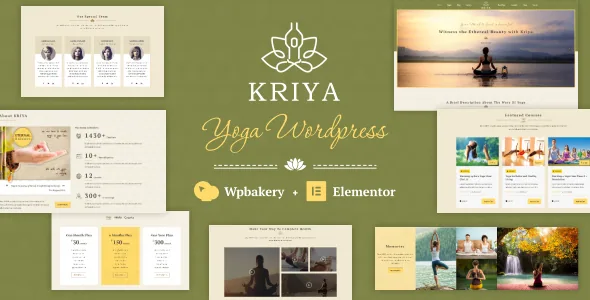
Poses, trainers, mantras, courses: the content the theme is built around
Most fitness themes give you a home page, a blog and a shop, then leave the domain vocabulary to your own pages. Kriya's marketplace description goes the other way. It names "specialized modules for yoga poses, trainer profiles, mantras, yoga courses, and workshops" as part of the theme itself.
That list is worth reading as a publishing plan. A pose module implies a repeatable entry with a name, an image and instructions — a library you add to over time rather than a single page. Trainer profiles imply staff pages that a studio can hand to each instructor. Mantras and courses are text-heavy formats that suit a teaching archive. Workshops sit closest to an event listing, which is where the Events Calendar compatibility matters.
The vendor also frames the theme beyond the studio: wellness centres, weight-loss clinics, fitness studios, and Indian culture and heritage centres. The imagery and colour posture described as "light and encouraging" fits that range, and it means a meditation centre and a heritage project can use the same structure without rebuilding it.
Two builder tracks, and why the split matters after purchase
Kriya is built to work with more than one page builder. The marketplace compatibility attributes, observed on 4 November 2026, list Elementor and Elementor Pro, and the vendor's own description points readers to an Elementor demo. The theme is also documented for WPBakery Page Builder, and the changelog section separates the two: one link for the Elementor version, another for the WPBakery version.
That split is the practical detail. It tells you the two paths are maintained and documented as distinct products, so fixes and feature notes arrive in different places depending on which one you run. Pick a track before you start building, because switching later means rebuilding pages in a different editor, not toggling a setting.
Gutenberg is declared as supported as well, with Gutenberg Optimized marked Yes. If your pages are mostly text — a pose library, mantra write-ups, course descriptions — the block editor is a reasonable third option, and the theme's declared compatibility does not force you into a builder for that kind of content.
Dates for classes, a shop for the rest
A studio site usually has two jobs beyond describing itself: telling people when things happen, and selling something. The vendor's compatibility list covers both with Events Calendar and Events Calendar Pro for scheduled classes, workshops and retreats, and WooCommerce across versions 10.x down to 5.x.
The WooCommerce spread is broad enough that you are unlikely to be pinned by your shop plugin's major version, though the listing does not say which combination of theme and plugin versions was actually run against each other. The declared range is a compatibility statement, not a test report.
WPML is listed too. For a studio teaching in more than one language, or a heritage project publishing in a regional language alongside English, that is the surface to check first, since translated content has to survive whatever module structure you choose for poses and courses.
What arrives in the package, and what does not
The ThemeForest file list names PHP, CSS and JS files. No layered design sources are listed, so visual changes live in the builder, the theme options and the stylesheet rather than in an editable design file.
The vendor states a boundary plainly: images used in the demo are not included, they are copyrighted, and the vendor offers links to buy licences if you want the same photographs. Budget for imagery separately, and plan on your own photos of instructors and studio space — which for a yoga site is usually the better result anyway.
The theme is described as documented, responsive, widget ready, retina ready, and supporting four or more columns. Those are vendor and marketplace declarations observed on 4 November 2026; nothing here reflects running the theme on a particular host, PHP version or plugin stack, so a staging install with your real plugins is still the step that settles it.
A well-populated options panel instead of a blank canvas
The vendor describes the theme as "grounded with well rooted admin panel and all essential back end options to lighten your customisation work." That is a preference as much as a feature: some themes hand you an empty shell and expect decisions in the builder, while this one front-loads settings in a panel.
For a small studio site the panel approach shortens the distance between install and a finished-looking site. It also means the theme's defaults carry a lot of the design, so the styling posture — light colours, encouraging tone — is closer to a starting position than a neutral base. If you need a dark, austere treatment, expect more override work.
How you split the work is the decision worth making early: builder for page bodies, panel for headers, colours and typography, and your own images for everything else.
Questions & answers
Does Kriya work with both Elementor and WPBakery?
The vendor documents both, with a separate changelog for the Elementor version and for the WPBakery version. Compatibility attributes observed on 4 November 2026 also list Elementor and Elementor Pro. Choose one builder before building, since pages made in one editor do not carry over to the other.
Can I use the demo photographs on my own site?
No, not as part of the theme. The vendor states the demo images are copyrighted and not included, and offers links to purchase licences if you want the same photos.
Does the theme include event booking and a shop?
The compatibility list names Events Calendar and Events Calendar Pro for scheduled sessions, and WooCommerce from version 5.x through 10.x for selling. Those are declared compatibilities, not bundled plugins, so you install and configure each one yourself.