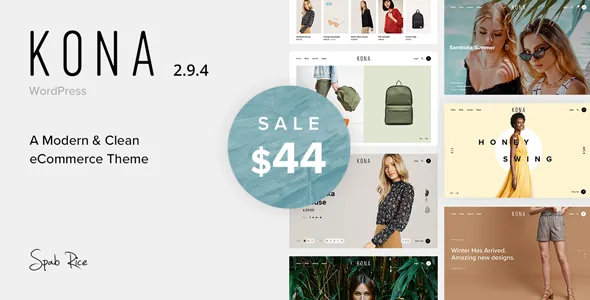
Kona's real subject is how a shopper walks through the catalogue
Most shop themes spend their feature list on the product page. Kona's description puts more weight on the path a visitor takes to reach it: three ways to load the next batch of products, variation swatches that work on archive pages, and a handful of narrowing tools around them. If your catalogue is small enough to fit on one screen, that emphasis does nothing for you. If it runs to hundreds of items across categories, it is the part of the theme you will feel every day.
The vendor describes the theme as modern and clean with a focus on user experience. That is broad marketing language; the specific behaviours below are what the phrasing actually amounts to.
Classic pagination, Load More, or Infinity Load — and a switch to turn Ajax off
The vendor's key features list names three shop listing modes: classic pagination, Load More and Infinity Load. They are not cosmetic variants. Classic pagination gives each result set a URL and a numbered page, which helps visitors who want to return to page four. Load More keeps the visitor on one page and appends the next set on click. Infinity Load does the same without the click, fetching as the visitor scrolls.
Version 2.8 of the changelog adds an option to disable shop Ajax features altogether, so the Ajax behaviour is a setting rather than baked in. Later entries show the vendor still working on that machinery: a fix for currency display on product load-more in 2.9.1 and a fix for Load More across many pages in 2.8.5. Read those as signs the mode has edge cases worth testing on your own category sizes rather than as proof it is flawless.
Variation swatches on the grid, chosen by attribute
Product Variation Swatches appear in the vendor's key feature list, and the changelog places them on archive and shop pages from version 1.5. The more specific addition is version 2.1's "choose variations on grid by attribute", which means a shopper can pick a size or colour from the listing itself instead of opening the product first.
The trade-off is familiar to anyone who has run a variable-product catalogue: fewer clicks to add to cart, but more state to get wrong. The changelog records several rounds of repair in this area — variation images on the grid, stock management for variations, a variation switch bug when names were similar, and swatch appearance fixes. If your products differ mainly by attribute, that history is worth knowing before you commit.
Lookbook, search and filtering sit alongside the grid
The Lookbook Option in the feature list is the merchandising piece: a way to present products in context rather than as tiles. The description does not specify how you build one, and the changelog shows it being patched twice — an error when a Lookbook referenced a product that no longer existed, and a page-builder bug in the first version. Confirm the workflow against the documentation if Lookbook is central to your plan.
Around it sit Live Ajax Search and Live Filter, which narrow results without a full page reload. Version 2.3 added search by tag for the Ajax search action, and version 1.7.5 added SKU to search — useful if customers shop by product code. Wishlist, Quick View (added in 2.0) and a fixed add-to-cart button (added in 1.6, synchronised with the page in 2.9) round out the shopping controls.
Presentation tools: menus, slider, video and fonts
The vendor lists different menu layouts, Revolution Slider as included, product video, and a font manager covering Google Fonts, Typekit and custom uploads, plus parallax and video backgrounds.
Revolution Slider's inclusion is the vendor's claim about their bundle, not something to assume about any archive you obtain. Product video is listed as supported, with YouTube, Vimeo and HTML5 video named for general video support. The font manager matters more than it sounds: the demo preview uses Proxima Nova, and the vendor states that font is not included in the download.
What the demo shows that you do not get
Two exclusions are stated plainly in the vendor's description. Some of the images and videos in the demo are not included in the download, and Proxima Nova is not included either. Both are described as demo-import matters.
For a fashion or lifestyle shop, where photography carries the design, that is a real budget line rather than a footnote. Plan on your own product and campaign imagery, and on a licensed substitute for the heading typeface if the demo's typography is what attracted you.
What the listing declares, and what it does not
Observed on 4 November 2026, the marketplace attributes list compatibility with WooCommerce 6.x.x and software versions from WordPress 5.9.x down to 4.9.x, with browsers including IE9 through IE11, Firefox, Safari, Opera, Chrome and Edge. The theme is marked responsive, widget ready, high resolution and four-plus columns, files are listed as PHP, HTML, CSS and JS, and Gutenberg Optimized is marked No.
Treat these as declarations attached to the product, not results of testing against your PHP version, caching setup or plugin stack. The WooCommerce figure is the one to check first, since the changelog turns over WooCommerce template updates release after release; a theme that tracks those templates is also a theme whose shop output depends on the WooCommerce version you run.
Questions & answers
Can I turn off the Ajax shop behaviour in Kona?
Yes, according to the vendor's changelog. Version 2.8 records a new option to disable shop Ajax features, which affects how Load More and related live elements behave. The description does not detail which controls the switch covers, so check the theme options after installing.
Do the demo images and the demo font come with the theme?
No. The vendor states that some of the demo's images and videos are not included in the download, and that Proxima Nova, the font used in the live preview, is not included either. Both exclusions relate to the demo import.


