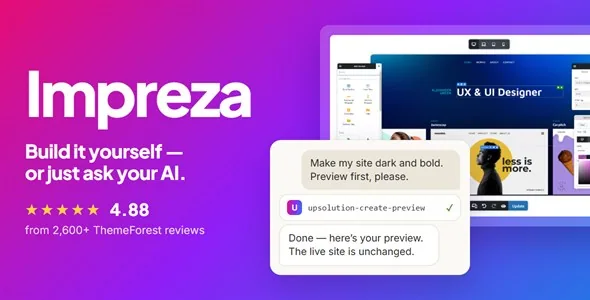
Two editors on the same page
Impreza ships with its own front-end Live Builder and keeps full WPBakery Page Builder compatibility active alongside it. According to the vendor, you can edit the same page in either editor without breaking the other — Live Builder works on its own if you prefer not to use WPBakery at all, and switching between the two doesn't invalidate existing content.
The Live Builder offers undo/redo, responsive editing, and 90+ elements. A Section Templates library and Favorites list speed up recurring layout work. Display Logic adds 14 condition types to any individual element — hiding or showing a section based on user role, device, post type, or other conditions without a separate plugin.
Dynamic values and ACF integration extend this further: field values from custom post types can populate content areas directly inside the builder. For a development team that builds client sites with structured data, that means the builder isn't limited to static layouts.
AI assistants and the built-in MCP server
Impreza includes a Model Context Protocol (MCP) server — meaning Claude, ChatGPT, Cursor, or any MCP-compatible client can connect to your WordPress site and issue editing instructions that the theme executes. The vendor describes 40+ tools covering page creation, header editing, menu management, grid layouts, color changes, typography, and button styles.
Before any change goes live, the MCP server generates a shareable preview link. You can review exactly what the AI assistant proposes, share it for team approval, and apply it only when ready. Built-in LLM documentation helps AI agents understand the theme's own structure and options.
Theme Builder: headers, page templates, and grids
The Header Builder supports four distinct layouts per device, with sticky and transparent states handled separately. That gives you different header behavior for desktop, tablet, and mobile without overriding a single global setting.
Page Templates cover posts, standard pages, WooCommerce products, archive pages, search results, and author pages. The Grid Layout Builder includes 65+ pre-built templates and applies to any content type you'd display in a grid. Reusable Blocks, Popups, and Off-canvas panels complete the template set — meaning site-wide elements like announcement bars or slide-out carts can be built and updated in one place.
WooCommerce: what's bundled and what it covers
For an official theme purchase, UpSolution lists WooCommerce Multi Currency and WooCommerce Bulk Editor among the bundled plugins. This describes the vendor's offering; it does not establish the contents of a separately distributed ZIP.
For the shop itself, the marketplace description lists 15+ dedicated shop elements, plus custom templates for the product page, cart, checkout, and account screens. Faceted filters, quick view, wishlist, and a side cart are also described as included features.
Compatibility is listed with WooCommerce 6.x.x, 7.x.x, and 8.x.x as of the Envato marketplace snapshot observed in November 2026. These are vendor compatibility claims, not independent installation tests.
Auto Optimize and the performance approach
Impreza's Auto Optimize feature compiles only the CSS and JavaScript components actually used on a given installation into a single bundle, rather than loading all available styles and scripts. The icon subset works the same way: only icons in use are loaded.
The vendor also lists lazy loading, database cleanup, and filter caching as part of the performance toolkit. These are described mechanisms, not measured results for a specific hosting environment. Your actual output will depend on hosting, image sizes, installed plugins, and configuration — but the architecture is designed to avoid loading unused code.
Templates, demos, and starting points
The vendor describes 60+ pre-built websites, 150 page templates, and 285 section templates. A Setup Wizard handles onboarding with a partial-import option, so you're not forced to overwrite an existing site to use a demo section.
For evaluation before purchase, the vendor offers a Test Drive: a temporary site with full admin access, allowing you to work with the actual theme controls rather than judging capability from screenshots alone. That's a practical way to check whether the Live Builder matches your team's workflow before committing.