The pitch is coin data and campaign pages, not a finance blog skin
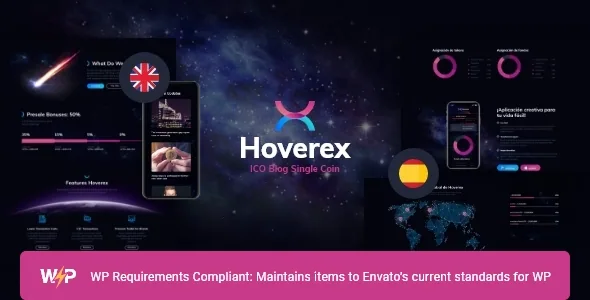
Read ThemeREX's feature list closely and Hoverex is described less as a blog theme than as a publishing kit for a coin or a raise. The vendor calls out advanced crypto charts, tables and diagrams alongside donation and token sale support, premade roadmaps, white papers, and an unusual item for a ThemeForest theme: a second prebuilt locale, Spanish alongside English.
That combination is the reason to consider this theme over a general finance template. A project site usually needs to show numbers, explain a sale, publish a roadmap and take money. Hoverex's vendor description claims structures for each of those, most of them delivered through plugins it lists as compatible rather than through bespoke code. The claims below come from that description and the marketplace attributes observed on 4 November 2026; none of it is a record of testing on our side.
Charts, tables and diagrams: what the theme provides and what it doesn't
The chart layer is the M Chart plugin, which the vendor lists under plugin compatibility and which the description refers to as advanced crypto charts, tables and diagrams. The changelog adds a useful detail: the most recent entry, version 1.5.16 on 19 October 2026, updates an "M Chart Highcharts Library" bundled inside the theme folder to version 1.3 for compatibility with M Chart 2.x.
What that means in practice: the theme gives you display pieces for market-style data and a maintained library to render them. It does not supply a price feed. Charts drawn from M Chart are populated by data you provide or pull in from wherever you choose, so plan for that data source separately from the theme.
Roadmaps and white papers are page structures rather than a data system, and the vendor lists both as premade. Treat them as layouts you fill with your own dates, milestones and documents — the kind of content a project site revises often, which makes comfortable editing more valuable than a fixed design.
Three different ways a visitor can pay you
The vendor's money features are not one feature. They describe three routes, and each implies a different setup.
Donation and token sale are listed together, with Give – WP Donations named in the plugin compatibility list. Give is a donation plugin, so the shape here is a fundraising or contribution flow rather than a trading interface. The description's claim about accepting payment in real money or in cryptocurrencies such as Bitcoin and Ethereum is best read as intent, not as a shipped payment gateway — the theme does not list a crypto payment processor as a current integration.
Selling comes through WooCommerce. The changelog records WooCommerce compatibility and a new "NFT shop" page in version 1.5.0, and the marketplace compatibility attribute lists WooCommerce 5.x through 8.x. If your plan is a store for tokens, collectibles or merchandise, that is a standard WooCommerce build wearing Hoverex's styling.
The third route sits outside the theme: an off-site sale where the site does the explaining and a separate platform handles the transaction. Nothing in the listing stops you from building that, but you would be writing the calls to action yourself.
Two prebuilt languages, and where WPML fits
A Spanish locale packaged with the theme is a distinct offer from translation tooling. The vendor lists two premade locales, English and Spanish, which suits projects with a Spanish-speaking audience or a bilingual team. What that specifically includes — translated demo content, string files, both — is not detailed in the description, so confirm it before you plan a launch around it.
For a growing language set, the vendor separately lists WPML compatibility, and the changelog tracks years of work in that area: WPML support fixes in 1.3.1 and 1.3.2, then MailChimp for WordPress Multilingual, WPML Sitepress Multilingual CMS, String Translation and Translation Management added in version 1.3. A later entry notes WPML Translation Management was removed from the import and a 1.4.2 change records an improved WPML import.
The practical reading: two languages come prebuilt, and more than two is a WPML project you administer. That is a reasonable split for a token site that launches in one pair of markets and expands later.
WPBakery and Elementor are not the same arrangement
Hoverex lists both WPBakery Page Builder and Elementor as compatible, so the obvious question is which one you build in. The description answers part of it: header and footer layouts are customized in WPBakery Page Builder, and the layout features section ties page content editing to WPBakery as well.
Elementor's role is documented differently. It appears in the changelog as an addition — compatibility added in version 1.4.0 in July 2021, a Timeline widget addon for Elementor in 1.4.2, and an Elementor-tuned compatibility note in 1.5.3 — and one demo page, "home 1 elementor", was changed in 1.4.2. So Elementor arrived after the theme's core was designed and is supported for content, while the theme's own header and footer system remains a WPBakery construct.
If your team already works in Elementor, that is workable but worth piloting before you commit: build one full page and the header and footer you need, and see whether the two tools feel like one workflow to you. Neither the listing nor the changelog claims the two builders produce equivalent results.
One more distinction worth keeping straight: the marketplace attribute marks Gutenberg Optimized as "No", while the vendor's own key features list says "Gutenberg compatible" and the 1.3 changelog records Gutenberg compatibility as an addition. Those statements answer different questions — how the designed layouts were built versus whether the block editor can be used at all — and the attribute should not be read as the block editor being unavailable.
The settings layer you'll actually live in
Behind the page builders, Hoverex carries a ThemeREX framework the vendor describes as 750+ Customizer options, with a setting inheritance and override system, custom post types, custom widget sets, custom shortcodes and its own theme options panel.
For an editorial site, inheritance and override is the useful part. It suggests you set base styling once and let individual pages or sections deviate where needed, instead of re-editing every page when a brand colour changes. That is a claim about how the option system is organised, not a guarantee that every element inherits cleanly — worth testing with two or three representative pages.
Blog output is configurable too: multiple blog styles, 20+ post animations, a feed you can limit to post types or categories, post views, likes, sharing buttons and related posts. A project that publishes weekly updates can present them in a feed separate from landing pages, which keeps campaign pages stable while the updates stream.
What the changelog says about upkeep
The release history is longer and more specific than most, and it shows both maintenance and subtraction.
Plugin removals are the entries to note. Version 1.4.0 removed Smash Balloon Instagram Feed, and version 1.5.6 in August 2023 removed the Cryptocurrency All-in-One plugin — a reminder that "crypto plugin" bundles come and go, and that charts or coin features you see in an older demo may now be built on different foundations. Version 1.5.9 in July 2024 removed the elegro Crypto Payment plugin.
Security work is documented at least once: version 1.5.12, dated 3 October 2025, records a fix for a potential local file inclusion vulnerability during pagination. Later releases in October 2026 update the bundled trx_addons plugin repeatedly and note that unserialize of objects from demo data and theme options was disabled in 1.5.13.
The wider pattern is frequent plugin refreshes and demo data updates, with WordPress compatibility notes recorded up to 6.8.x in the changelog. Two caveats follow from that. The marketplace listing's "latest version" figure and the version you would install are separate facts, and the declared supported WordPress range running from 4.9.x to 7.0.x is a vendor declaration, not tested evidence. Check the version in the package you receive and test on your own WordPress and plugin versions.
Images, demo import and what ships in the folder
The theme advertises one-click demo installation, but the demo is not a finished site. ThemeREX states plainly that images used in the live preview are copyrighted by their owners and are not included in the template, with Depositphotos, PeopleImages and Flaticon named as sources. Importing a demo gives you layout, typography and page structure; the photography arrives as placeholders or not at all.
For a crypto project that matters more than usual, because the visual language of these sites leans on screenshots, device mockups and abstract renders. Budget for your own imagery or a licensed stock subscription, and expect the imported demo to look incomplete until you supply it.
The marketplace attributes list the included files as PHP, CSS and JavaScript, the layout as responsive with 4+ columns, the theme as widget ready, high resolution and well documented, and the browsers as Chrome, Firefox, Safari, Opera, Edge and IE11. The Internet Explorer entry is inherited from an older declaration and says more about when the list was written than about what today's browsers need.
Questions & answers
Can Hoverex display live cryptocurrency prices?
Not on its own. The vendor describes M Chart-based charts, tables and diagrams and the theme ships an updated M Chart Highcharts library, but that is a rendering layer. Prices have to come from a data source you supply or integrate. The listing does not name a live market-data service.
Does Hoverex include a crypto payment gateway?
No current gateway is named in the compatibility list. Donations and token sale are described alongside Give – WP Donations, which handles contributions, and selling runs through WooCommerce. The changelog also records an crypto payment plugin being removed in version 1.5.9, so plan payments as something you add and configure.
Is the Spanish included automatically when I activate the theme?
Two locales, English and Spanish, are listed as premade. The description does not specify whether that means translated demo content, translation files or both, so confirm the contents before you plan around it. Additional languages beyond the two point to the WPML compatibility the vendor lists.
Should I build pages in WPBakery or Elementor?
WPBakery is the theme's original page-content tool and is also where the vendor says header and footer layouts are customized. Elementor compatibility was added later and appears in the changelog from version 1.4.0. If Elementor is your team's standard, test a full page plus header and footer before building extensively.