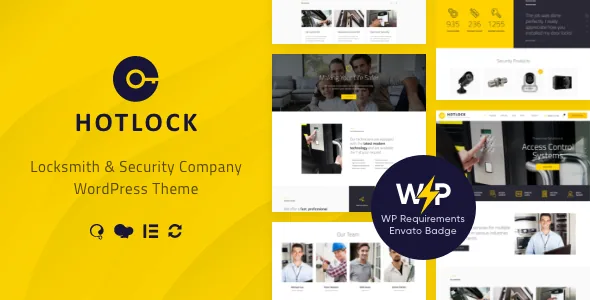
The RTL build is the asset to check first
Most trade themes in this category advertise the same pool of layouts and call the direction of reading a translation problem. HotLock's marketplace title names an RTL version, and the changelog shows when it arrived: version 1.3.4, September 2021, alongside PHP 8 compatibility. Later releases continue to refresh demo data, so the right-to-left demo has been carried along rather than left at its first state.
What that gives you is a finished reading direction rather than a flipped stylesheet you assemble yourself: header order, menu flow, icon placement and slider captions all start on the right. If the site has to serve Arabic or Hebrew visitors, this is the part of the listing that decides whether the theme is worth the rest of the assessment. A right-to-left build still needs your own content, and the vendor notes that images in the live preview remain with their respective owners and are not part of the template.
The rest of this article draws on the vendor's marketplace description and changelog as observed on 4 November 2026. Those are the vendor's claims, not the results of a test on a particular host.
A theme aimed at three businesses at once
The vendor names three audiences in its opening paragraph: a retailer that also offers locksmith services, a security or guard firm, and an online store selling locks and security systems. That framing explains why a shop sits inside a services theme. A locksmith who sells cylinders and smart locks between call-outs needs one site, not two.
The content the vendor expects a layout to showcase is services, customer testimonials and a product range. Those map to the three audiences: a service list for the call-out work, proof from past customers for trust, and a catalogue for hardware. WooCommerce carries the third, and the marketplace attributes declare compatibility with the 6.x, 7.x and 8.x series. Treat that as the vendor's declared range and confirm it against your own shop setup.
Smaller choices serve the same trade. Icons can come from the Fontella set or from images, which matters when a padlock, alarm or key symbol has to read at a glance, and an Ajax search returns results without a page reload.
WPBakery or Elementor, decided once
Both builders are supported, and the feature list frames each as a way to create unlimited homepage layout variants. The changelog shows they did not arrive together: WPBakery was in the original feature set, Elementor was added in version 1.3.1 in November 2020. A theme built around one builder and later opened to another can have demo and shortcode content weighted toward the original.
For a project, that means committing to one route. Running both across a site leaves two sets of layout dependencies and two places to investigate when a page misbehaves, and handover gets harder when the next editor has to learn the arrangement. Pick the builder your team already uses and check that the demo content you import was built the same way.
The Gutenberg Optimized attribute is marked No. That describes the editing route the vendor supports and does not remove the block editor from WordPress.
Around the builders sits a framework the vendor describes as having setting inheritance and override, a shortcode builder and a custom theme options panel. On the layout side you can choose boxed or wide pages, several header styles, a user panel you can switch on or off, and a Retina option with its own toggle.
Where images come from, and how the sliders divide up
Two slider tools are listed with separate jobs. Revolution Slider is the home slider, and Swiper handles posts and galleries. Splitting them that way keeps a large hero separate from the smaller image rows inside articles, so a change to one does not disturb the other.
Recent maintenance touches those bundled pieces directly. Version 1.4.9 records a fix for merging theme scripts into a single file, and the releases around it update the trx_addons plugin inside the theme folder. When the vendor ships a plugin update in the theme package, the version that reaches your site depends on which release you install.
Photography is a planning item rather than a feature. The preview images are not included, so a locksmith site needs its own shots of vans, workbenches, staff and hardware — and a security firm needs premises and equipment it is willing to show publicly.
The changelog retires Booked Appointments
The plugin compatibility list still names Booked Appointments among Revolution Slider, WPBakery and its All in One extensions, Essential Grid, MailChimp for WP and WooCommerce. The changelog tells a different story. Version 1.4.0, November 2023, records Booked Appointments as removed and adds compatibility with QuickCal.
If scheduling a call-out is part of the plan, this is the contradiction to settle before building. The vendor's newer direction is QuickCal, and a booking extension tested on a staging copy with your actual service list will tell you more than the feature list does. Version 1.4.1 later added compatibility with The GDPR Framework, which is relevant to a site collecting addresses and job details through enquiry forms.
Those plugin names describe what the theme has been prepared to work with. They do not guarantee that every add-on arrives bundled, so check the package contents rather than assuming.
The maintenance record, read as claims
The theme has been kept current rather than left at launch. Releases across 2025 and 2026 record WordPress compatibility updates, plugin revisions, demo data refreshes and a vulnerability fix in version 1.4.5. Version 1.4.7 records disabling unserialize of objects from demo data and theme options. That pattern suggests a vendor still responding to reports, but it does not tell you how a current release behaves with your plugin stack.
The software version attribute spans WordPress 4.9.x through 7.0.x, the compatible-with attribute also names WPML, and browsers are listed as Chrome, Firefox, Safari, Opera, Edge and IE11. These are declarations from the listing. Validate a build on staging against your WordPress version, PHP build and plugins before launch.
The files listed in the marketplace attributes are PHP, CSS and JS, with widget-ready and well documented both marked Yes.
The decision that actually needs settling
HotLock covers a specific brief: a locksmith, guard firm or security hardware retailer that may need a right-to-left layout, will pick one of two builders, and can present services and products from one installation. The RTL build and the WooCommerce path are the two items a neighbouring trades theme is least likely to match.
Two things can still rule it out. If the site must be designed with blocks, neither builder route leads there. If appointment booking is central, resolve the Booked Appointments question against QuickCal before committing, since the feature list and the release notes disagree. Everything else — boxed or wide, header style, icon set, user panel — is configuration you settle during the build.
Questions & answers
Is a right-to-left layout included in HotLock?
Yes. The marketplace title carries an RTL version, and the changelog records RTL support added in version 1.3.4, with demo data refreshed in later releases.
Can I build HotLock pages with Elementor?
The vendor lists Elementor support, added in version 1.3.1. WPBakery support is also listed and predates it, so choose one for a project rather than mixing the two across a site.
Does the theme still work with Booked Appointments?
The feature list names the plugin, but the changelog for version 1.4.0 records it as removed while adding QuickCal compatibility. Test any booking plugin on staging with your own service list before relying on it.
Are the demo images included?
No. The vendor states that images used in the live preview are copyrighted to their respective owners and are not part of the template.


