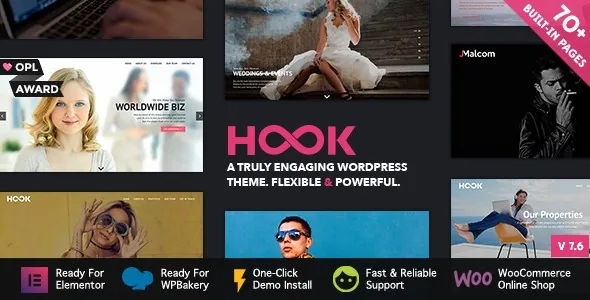
Two builders, one theme, and a switch between them
Most themes pick a side. Hook's vendor description lists "Ready for WPBakery Page Builder. Plugin included" and, separately, "Ready for Elementor." Those are not the same arrangement. WPBakery arrives with the theme, which is why the description attaches the note that you save $45. Elementor is a supported integration, so you install and maintain it yourself; the separate Elementor Pro listing in the compatibility attributes points at the paid tier you may want for its own add-ons, not something the theme supplies.
The changelog makes the dual setup explicit. Version 7.1, dated 19 September 2025, added a "Preferred page builder" setting to the theme options. That setting is the practical detail worth knowing before you build: it gives the theme a declared default so its own elements and layouts behave consistently with the builder you actually intend to use.
What the choice changes is everything about how you edit a page afterwards. WPBakery is a back-end and front-end composer built from row and column structure. Elementor works from its own widget panel and canvas. Hook's page elements, portfolio and blog layouts, and demo content exist in both worlds, and the changelog shows Elementor demos being added in batches across versions 4.2, 4.3, 4.6 and 4.7 — a separate import path rather than a conversion of the WPBakery demos. Choose one and stay with it for a given site; mixing builders on the same project creates two sets of content that the theme has to render.
If your team already knows one of these builders, that fact should outweigh any other layout consideration here.
The demo library as a starting library, not a finished site
The vendor counts 24 demos, and they are not variations on one layout. The list spans Pure Business, Stylish Showcase, Creative Agency, Photography Studio, Event, Logistics with extra menu, Architecture, a real-estate listing, Lawyers and Consultants, an app landing page, two portfolio demos, three agency colourways, two vCard demos, and a Coming Soon page. A Start RTL demo built for Arabic is included too.
What that spread buys you is a vocabulary of page structures — a long-form business front page, a filterable portfolio index, a booking-style event page, a single-screen vCard — that you can import, then rewrite with your own content. The import is described as one-click and lets you pull all the demos or only the ones you want. Since version 2.5 the demo images have been part of the import, which removes the blank-placeholder stage but also means you inherit stock photography you need to license or replace for production use; the vendor credits Unsplash, Graphicstock, Bigstockphoto and Graphicburger as image sources.
One caveat about the numbers: the demo count and the Elementor demo import are described as separate things. If you plan to build in Elementor, confirm which demos are available through that route rather than assuming all 24 arrive as Elementor layouts.
Four content types you maintain separately
Hook registers four custom post types, each with unlimited entries. Portfolio Items hold project entries and skills; Slides let you build as many sliders as you want; Members covers people and team listings; Testimonials collects quotes and lets you group them into sets.
Keeping those apart from ordinary posts matters for how a site ages. A photography studio can add portfolio entries without touching its blog, a consultancy can add a team member without editing a page, and testimonials can be attached to whatever page needs social proof. Slides as their own type means a slider is content you edit rather than a layout you rebuild.
Portfolio display has its own set of switches, assembled over the release history rather than all at once. Version 3.3 added the option to have a portfolio filter active when the page loads, and made the active filter apply inside lightbox items. Version 3.6 added a lightbox option for single portfolio pages and a separate translation option for the portfolio "Read More" label. Version 5.6 added single-click opening for portfolio thumbnails. Each is small; together they decide whether a portfolio index behaves like a gallery you click through quickly or a set of pages you drill into.
Members and testimonials are simpler: entry and set counts are unlimited, and the testimonials element gained fade, arrow navigation and auto-height options in version 1.4. Nothing in the description suggests pre-built team or testimonial layouts beyond what the demos show, so judge those from the demo rather than the feature list.
Sidebars, footers and the 17 option panels
The widget setup is more extensive than most themes at this level. There are four default sidebars, plus a fifth when WooCommerce is active, and the vendor also offers an option to generate unlimited sidebars and associate them with different pages. For a site with many landing pages — a services page, a location page, a case study — that means each can carry its own widget column rather than sharing a generic one.
The footer is handled as a structure rather than a fixed block: it can be turned off entirely, a page can be placed before or after it, and sidebar content can be added or removed from it. Version 4.0 added left-sidebar options as well.
Site-wide settings live in theme options divided into 17 panels, plus one more when WooCommerce is active. That count is a fair warning as much as a feature: a panel-heavy options screen means most styling decisions happen outside the page canvas, so plan on documenting which panels you touch for the next person who works on the site. Header display options are listed separately, which is where you would expect to set the navigation arrangement that all pages inherit.
The typography side is unusually concrete. The font selector handles your chosen fonts, and version 5.9 added the option to load no fonts at all — useful if you supply typefaces locally. Icons come in two sets: Google Material Design icons at over 1,000, and Font Awesome at over 400 entries, with Font Awesome updated to 6.5.2 in version 6.4.
Selling, translating and the multi-language demos
The vendor describes Hook as fully compatible with WooCommerce, and the changelog backs that up with a long run of compatibility notes — most recently WooCommerce 11.1.0 in version 7.6, and 10.4.3, 10.3.5, 10.1.2 and 9.9.5 in the versions before it. Those entries describe adjustments to keep the theme working alongside WooCommerce releases; they are vendor statements about compatibility, not a test of your shop configuration. The product templates themselves come from WooCommerce.
Translation and right-to-left layout both appear more than once. WPML is listed in the compatibility attributes, and the changelog records WPML support improvements in versions 1.4 and 1.6, plus Loco Translate compatibility in 5.3. RTL support was added with the Pulse Agency demo in 1.5 and refined afterwards, and the demo list includes a Start RTL demo built for an Arabic-language site. A theme marked RTL-ready still needs your plugin translations and your own copy, but the direction handling should be there.
Other named integrations — Easy Digital Downloads, Events Calendar and Events Calendar Pro, Gravity Forms, and the Foundation 6 framework — appear in the marketplace compatibility attributes rather than in the feature description. Treat a listed integration as a starting point for testing, especially for events and forms, where the plugin's own templates do much of the work. The vendor description additionally mentions optimisation for MailChimp for WordPress, Revolution Slider and Contact Form 7.
Declared versions and the maintenance record
Observed on the marketplace listing on 4 November 2026: the declared software range runs from WordPress 4.9.x through 7.0.x, browsers are listed as Internet Explorer 9 through 11, Firefox, Safari, Opera, Chrome and Edge, and the package files are PHP, CSS and JavaScript. The theme is marked widget ready, high resolution, well documented and Gutenberg optimized. Those are declarations from the vendor and marketplace, not results from a test install.
The changelog is the more useful signal. Releases are frequent and mostly upkeep: WPBakery updates in nearly every version through 2026, WooCommerce compatibility notes on the same cadence, PHP 8.2 compatibility in 6.3, accessibility improvements in 6.8, and a fix to the theme options colour scheme in 7.5. That pattern suggests a theme whose maintenance work goes into keeping the bundled builder and commerce support current.
The changelog also shows where features accumulate over years rather than arriving whole: media handling for row backgrounds and thumbnails (3.5), five-column rows (3.5), an Envato Market plugin for updates (2.9), a theme dashboard (3.5), and social network links added one at a time as platforms rose and changed. Read the version history as a record of iteration, and check the version you actually install inside WordPress rather than relying on the listing's number.
What the builder choice decides for your project
Hook makes most sense for a business, agency or portfolio site that will be built and then handed to someone else to maintain. The demo library covers the shapes those sites take — corporate, creative, photographic, event, real estate, even a coming-soon holding page — and the four custom post types keep the portfolio, team and testimonial content editable outside pages, so new entries do not require rebuilding layouts.
The decision that shapes everything else is the builder. If WPBakery is already familiar and the included plugin counts for your budget, Hook's page elements and demos are built around it, and the changelog shows it receiving updates continuously. If your workflow is Elementor, the theme supports it and ships Elementor demos, but the editing experience, the available page elements and the demo set are not identical to the WPBakery side. Settle that question before you import anything, because switching later means reworking pages rather than flipping a preference.
Questions & answers
Does Hook include WPBakery or Elementor?
The vendor description lists WPBakery Page Builder as included with the theme, with a stated saving of $45. Elementor is listed as supported, not bundled, so you install it separately; Elementor Pro is also listed in the compatibility attributes.
Can I import only some of the 24 demos?
The vendor describes one-click sample content import that lets you take all or only some of the demos. Demo images have been included with the import since version 2.5, and they come from third-party stock sources, so plan on replacing them for a live site.
What does the Preferred page builder setting do?
It was added in version 7.1, dated 19 September 2025, and lets you declare which of the two supported builders the theme should treat as its default. It is a theme-level setting, so set it before you build pages rather than after.
Is Hook compatible with my WordPress version?
The marketplace listing observed on 4 November 2026 declares WordPress 4.9.x through 7.0.x. That is a vendor and marketplace declaration rather than a tested result for your own PHP build, plugin stack and hosting.