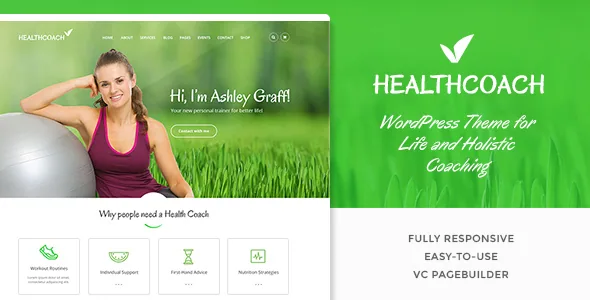
The slider is part of the theme, not a separate purchase
Most feature lists of this kind spend their energy on page builders. Health Coach's description instead spends its first paragraph on the hero: full-page or boxed sliders, built in Slider Revolution, with the vendor stating the plugin is "included at no extra cost".
That matters for how you plan a coaching site. A slider-led homepage means the first screen is a sequence of messages you rotate — an introductory offer, a transformation story, a booking call — and the theme is set up to treat that sequence as normal content rather than a special build. The vendor also lists parallax and video backgrounds, which belong to the same layer: large atmospheric imagery behind the copy.
Treat "included" as a vendor statement about the theme package. It does not tell you which slider version ships, and it does not tell you how the slider behaves alongside an unusually heavy plugin set on your own host.
Pages are assembled in Visual Composer, familiar under a second name
The description says Health Coach integrates Visual Composer as its page builder, and claims it has been wired in so you are not left fixing compatibility errors after purchase. The marketplace attribute list names both Visual Composer and WPBakery Page Builder — the builder's earlier and current names, appearing as separate entries because older listings often carry both.
Practically, this is the same editing model either way: sections and rows you drop into a page in the front or back end, with the theme supplying styled elements on top. Nothing in the evidence describes custom post types for services, programmes or client results, so a coaching site's structure comes from the pages you build and the menus that connect them, not from a theme-defined content model.
The exception is content you get from plugins — products from WooCommerce, for instance — which arrive with their own templates. If you want a services archive or a client-story listing with its own fields, plan to model it yourself or bring a plugin, because the theme's contribution is layout, not schema.
Redux options set the frame; presets decide the look
Theme options sit in a Redux Framework panel, and the vendor pairs that with preset colour schemes plus a custom colour choice, more than 800 Google Fonts and FontAwesome icons. The responsive layout is built on Bootstrap, and the listing records a responsive layout attribute and a column count of 4+.
Read those together and you get a fairly clear division of labour. Typography, brand colour and global styling are decided once in the options panel. Individual pages are then built in the builder, where the design choices are about sequence and composition rather than palette. That suits a coach who has a logo and a brand colour already and does not want to re-decide them page by page.
A four-plus column grid being declared is worth a moment if you plan a schedule, pricing table or programme comparison. Wide multi-column layouts are available; whether a given block stays legible at your content length is something you judge on your own copy.
The shop claim is the only commerce path in the evidence
The vendor lists "WooCommerce shop" among the theme's features, and the marketplace attributes declare compatibility with WooCommerce 7.x.x and 8.x.x. That combination supports a reasonably confident statement: the theme can carry a storefront, and the product page templates are expected to work with those WooCommerce releases.
The vendor's opening pitch asks whether you want a site with "payment/booking integration", but no booking plugin appears anywhere in the feature list or the compatible-with attributes. If selling sessions, programmes or digital plans through WooCommerce is enough, the listed evidence covers it. If you need appointment slots with availability rules, that part is outside what the theme claims, and you would be choosing a separate booking tool and checking how its shortcodes behave inside builder rows.
What the listing declares about WordPress versions and the block editor
Observed on 4 November 2026, the marketplace attributes record compatibility with WordPress 6.1.x through 6.5.x, browsers including IE11 alongside Chrome, Firefox, Safari, Opera and Edge, and the marketplace's latest theme version as 3.3, with a vendor update dated 20 August 2025.
Those are declarations from the listing, not results of running the theme on a test install. The WordPress ceiling matters for a site you plan to keep: 6.5.x is the top of the declared range, so a site on a newer WordPress release is outside what the listing promises. Confirm the plugin versions the theme bundles against what you actually install rather than assuming the declaration still holds.
One more attribute needs careful reading. "Gutenberg Optimized: No" says the theme does not claim optimisation for the block editor. It is not a statement that the block editor stops working, and with WPBakery in the stack, block editing is unlikely to be the path you would choose anyway. Take it as an indication that the theme's editing experience is designed around the builder.
Where the bundled approach pays off
Health Coach fits a coaching practice that wants a visually led site built page by page: a slider-driven homepage, service pages composed from builder elements, and a small shop for sessions or plans. The single-purpose design language for health and lifestyle coaching is the starting point; the builder and options panel are how you extend it beyond the demo's pages.
The fit weakens if you need bookings with calendar logic, structured service or client-story archives with their own templates, or a WordPress install well beyond the declared 6.5.x range. Each of those is a real possibility for a growing practice, and none of them is answered by the theme's feature list.
Questions & answers
Does Health Coach include Slider Revolution, or do I buy it separately?
The vendor's description states the plugin is included at no extra cost as part of the theme package. Check the item's current file list and documentation for the slider version you would actually receive.
Can I take bookings through the theme?
No booking plugin appears in the featured list or the compatible-with attributes. Commerce is represented by WooCommerce 7.x.x and 8.x.x, so selling products or sessions works through a store; appointment scheduling with availability would come from a separate tool.
Will the theme still work if I use the block editor?
The listing marks the theme as not Gutenberg optimised, which describes the vendor's design focus rather than a hard block on the block editor. Pages here are built with Visual Composer/WPBakery, and that is the editing workflow the theme is set up for.


