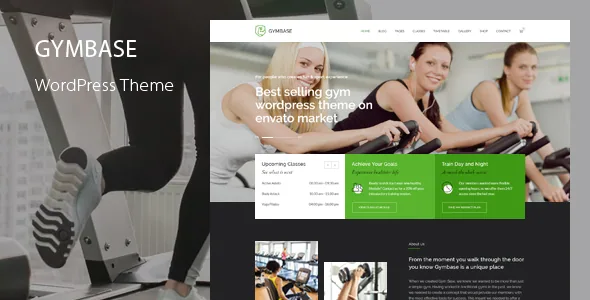
A timetable tool and a pricing form, not a slide deck
Most fitness themes hand you a bold homepage and leave scheduling to a booking plugin. QuanticaLabs describes GymBase the other way round. The theme carries a built-in timetable where you create sessions, assign a trainer, choose days of the week, set workout hours and add descriptions or tooltips, displayed in a filterable schedule with no stated limit on events, including ones that overlap.
The second half is the bundled Cost Calculator for WordPress plugin, which the vendor says can build forms and take Stripe payments for one-time charges and subscriptions. Put together, those two describe a site that answers what a gym visitor came for: when the class runs, who teaches it, and what it costs. Judge GymBase on that pairing; the slider and gallery are the replaceable parts.
How the calculator charges, and where it stops
The vendor is specific about billing. Recurring amounts can run daily, weekly, monthly or yearly, or on a custom interval such as every two weeks, and a submitted form either redirects the visitor to checkout or sends a payment link by email. That choice shapes the copy around the form: a redirect keeps the visitor on-site, while an emailed link lets a calculator double as a quote request.
Forms are assembled in a visual drag-and-drop builder with sliders, dropdowns, date pickers, checkboxes, radios, switch boxes and summary boxes. Submitted calculations are stored in the database and readable from the WordPress admin, and notification emails go to the client and to admin recipients you configure.
Of the eleven pre-made forms in the demo content, ten are general business calculators — cleaning, renovation, car service, mortgage, hosting, bookkeeping and the like — and only the BMI and calorie forms are fitness-specific. Treat them as working examples of the builder rather than as finished membership tools; the membership and personal-training forms are yours to build.
The boundary worth noting early: subscriptions taken through a calculator form and products sold through WooCommerce are separate purchase paths. If memberships run on recurring Stripe payments and supplements run on the shop, your records live in two ledgers.
Classes as one comparable page, trainers as the attachment
The classes side is a content model, not a set of layout presets. The vendor describes a dedicated template that puts every class into a single-page accordion, so a visitor opens Zumba, reads its benefits, sees the trainers, checks the schedule, and closes it without leaving the page. A classic services-list version of the same template exists for studios that would rather not stack long accordions.
Each class carries assigned trainers, and each trainer has a profile page. A built-in chart presents class features, with the vendor stating you define the features yourself and add as many as needed. Fill that chart in deliberately, because it is what separates two classes whose descriptions otherwise read alike.
The predefined templates the vendor lists are specific: two home styles, classes pages grouped by general info, benefits or trainers, a single class page, timetable, a filterable multi-column gallery with detail views, our trainers and single trainer, daily calorie needs, body mass index, membership pricing, two contact styles, plus the WooCommerce shop and archive, search and 404 templates. You fill these pages; you do not design them from scratch.
Two editing surfaces: WPBakery and the Theme Options panel
Layouts are built with WPBakery Page Builder, which the vendor says is included with more than fifteen GymBase-specific components — trainer lists, class lists, timetables among them — inside a library described as 50+ elements. The vendor also states the builder is kept updated for compatibility.
The second surface sits under Appearance. The vendor lists demo content importing for the theme and shop, logo and footer settings, a switch to turn responsive mode off, a sticky-menu toggle, contact form configuration, a colour scheme setting and Google Fonts setup. Disabling responsive mode is an unusual offer; it saves a child-theme workaround if you are deliberately building a fixed-width desktop site, and it also commits you to the mobile experience that follows from that decision.
Gutenberg Optimized is recorded as Yes in the marketplace attributes, and the calculator plugin's own feature list separately claims Gutenberg integration for its forms. Read both as declarations rather than as a description of how the block editor handles GymBase's custom components, which the vendor describes in WPBakery terms.
Bundled plugins, PSDs and the dated compatibility declarations
The description attaches dollar values to four bundled items: Slider Revolution, WPBakery Page Builder, the Streamline icon font and the Cost Calculator plugin. PSD source files are offered free but not packaged — the vendor asks buyers to contact them for delivery. Those are the seller's statements about its own package; the marketplace file attributes record PHP, CSS and JS files.
Compatibility attributes observed on 3 November 2026 declare WordPress 4.9.x through 7.0.x and WooCommerce 5.x through 10.x, with WPML and WPBakery Page Builder in the compatible list. The browser field still names IE9 through IE11 beside Chrome, Firefox, Safari, Opera and Edge, which says more about how long the feature list has accumulated than about what you should test in. Translation runs through included .po and .mo files alongside WPML support, which matters if class names and timetable labels must appear in a second language.
The two things to check before committing
Overlapping timetable events are supported, and that is the claim a real studio schedule depends on when two rooms run at once. Confirm the timetable layout still reads clearly with overlaps in place, since a schedule that allows them and a schedule that displays them legibly are different achievements.
Then walk the calculator's recurring payment setup end to end, subscription interval included. A membership charged monthly through a form rather than a shop product is the piece most likely to surprise you after launch, because it sits outside the WooCommerce order flow.
If classes and pricing belong in one flow you configure yourself, the timetable and calculator are the reason to choose GymBase. If your memberships already live in dedicated booking software, this is a layer you would install and never switch on.
Questions & answers
Does the bundled Cost Calculator replace WooCommerce for memberships?
Not automatically. The vendor describes Stripe one-time and subscription payments inside calculator forms, while the shop runs on WooCommerce. Both can work, but purchases land in different systems, so decide which path each membership or product takes.
Can I turn off the responsive layout?
Yes — the vendor says the Theme Options panel includes a switch that disables responsive mode. That is a design decision rather than an optimisation, since mobile visitors would then receive the desktop layout.
How do I get the PSD source files?
The vendor lists PSD files as free but asks buyers to contact them for delivery, so they are not described as part of the theme package itself.


