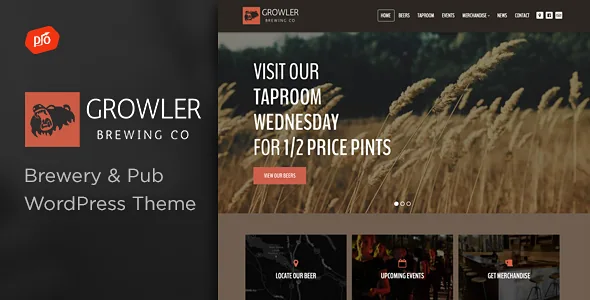
A rebuild in 2019 divides Growler's two lives
Growler's version 4.0, released 16 March 2019, is recorded in the vendor changelog as a complete rebuild from scratch. It added the drag-and-drop page builder, a new theme options panel, new font controls, icon support in menus, mega menus and Google Map support.
That line is worth reading before you follow any tutorial you find. Anything written about Growler before that date describes a different theme under the same name. The options panel, the menu system and the page-building approach all date from the rebuild onward. If a snippet or forum answer references file paths or settings you cannot find in the current theme, the rebuild is the likely reason.
The changelog also dates the current editing model. Page building arrives with 4.0, and Elementor work continues from there: version 4.2 added support for Elementor's new icon library, 4.8 fixed a deprecated function in Elementor 3.6+, and 5.2 added support for Elementor 3.26+. The compatibility attributes recorded on 4 November 2026 list Elementor and Elementor Pro.
Shop templates are the maintenance line to read
Growler overrides WooCommerce templates with its own copies, and the changelog shows the vendor refreshing those copies repeatedly as WooCommerce moved through major versions. Version 2.1 added WooCommerce 2.5 support with updates to content-product.php and content-product_cat.php; 2.5 added WooCommerce 3.0 gallery support; 4.1 covered WooCommerce 3.6.x with changes to content-product.php, content-single-product.php and loop/rating.php; 4.9 and the 27 December 2025 release again record updated WooCommerce templates.
The vendor describes eCommerce support as a way to start selling products with the theme, which covers cans, glassware, vouchers or event tickets. The compatibility record names WooCommerce 7.x through 10.x. Those are declared ranges rather than a documented test matrix, and where the shop topics are concerned the changelog is the more concrete evidence.
Why this matters to a decision: a theme holding its own copies of shop templates has to be released again whenever WooCommerce changes them. Growler's record shows that work happening over many years, but it also means shop behaviour depends on which theme release sits against which WooCommerce release. Budget for keeping both current rather than treating the theme as a one-time install.
The bundled plugins ship as separate archives
The vendor's feature list states that Slider Revolution ($26 value) and the Boosted Elements add-on ($22 value) are included, with Boosted Elements described as the tool for sliders, maps and popups. Those figures are the vendor's description of the marketplace product, not a statement about what any particular copy on disk contains.
Older changelog entries show how the add-ons are packaged: updated versions were placed in an Additional Files folder inside the download, and later entries reference /Plugins/progression-elements.zip for Progression Elements, which reached version 1.4 in the 19 December 2024 release alongside a Boosted Elements update. So they install as plugins alongside the theme rather than being folded into it.
If sliders and popups are part of your plan, treat those plugins as a second thing to keep current. Slider Revolution updates appear in the changelog from the earliest releases through to 2026, which suggests the vendor does reissue them, but a site running an old slider version against a newer theme is an obvious place for trouble.
Design decisions live in the customizer, not only in pages
The vendor names the theme's front-end customizer controls individually: unlimited colours, font adjusting, a sticky header option, and a footer whose column count adjusts from one to four with room for a logo, icons and navigation.
Grouped together, those describe a specific workflow. A brewpub with a colour that has to match its labels, a typeface shared with signage, and a footer carrying opening hours, social links and a short menu can change all of it without editing a template file. The sticky header keeps navigation in view on a long drinks list — which is exactly the kind of page this theme exists for.
Mega menu support points the same way: a menu that holds a wider arrangement of links than a plain dropdown suits a site split into taproom, beers, shop and events. The theme also includes a contact form builder for displaying multiple forms, so an enquiries page and a private-hire page can each carry their own. Typography controls were reworked in 4.7 in step with a Google Fonts API change, which is a useful reminder that those settings depend on the font source staying reachable.
Events templates, and the plugin they have depended on
Events are handled through theme templates rather than a page-by-page arrangement: archive-event.php is updated across several releases, from version 1.3 in March 2015 through 1.5. Version 4.6, in January 2021, records updating a custom version of the Events Calendar plugin and removing a non-functioning event share link.
For taproom nights, release days and tours, that structure means event listings follow a shared template instead of being hand-built. The catch is the phrase "custom version". If the calendar side has historically come from a bundled plugin build, check which plugin is actually active once the site is running before designing around a specific calendar behaviour.
Framework, files and what an older tutorial may mislead you about
Growler is built on Underscores, the starter theme Automattic publishes, which generally means a conventional template structure rather than a proprietary one. The package attributes list PHP, CSS and JavaScript files, and the vendor says Photoshop files for the logo and design come with it — handy if you intend to adapt the branding rather than start fresh. The theme is marked widget ready and high resolution, and the declared WordPress range runs from 5.1.x to 7.0.x.
Gutenberg Optimized is recorded as No. That reflects where the theme's editing work happens — in Elementor and the customizer — and it does not mean the block editor is unavailable for your posts and pages.
One practical caution carried over from the rebuild: snippets, tutorials and child-theme overrides written before 2019 target theme files that no longer exist in the same form. Check the release a piece of advice was written against before you apply it.
Questions & answers
Does Growler need Elementor, or can pages be built another way?
Elementor and Elementor Pro appear in the compatibility attributes, and the changelog shows Elementor-specific fixes across several releases, so the theme is written to work with it. That does not mean every demo depends on it. The customizer controls for colours, fonts, header and footer work independently of any page builder.
Can Growler be used without running a shop?
WooCommerce is an addition rather than a structural requirement. The customizer, mega menus, footer controls, event templates and page layouts stand on their own. If you do sell products, read the changelog: the vendor periodically refreshes the theme's WooCommerce template copies, so shop behaviour can depend on which release you run.


