A landscaper's site is a record of finished work
A landscaping business sells evidence. Before a homeowner calls, they want to see a completed garden, the crew who will arrive, the services listed plainly and a case study showing what the job looked like beforehand. RadiusTheme's Greenova is organised around exactly that material rather than around a single hero page, and the vendor's feature list shows it in the layout counts: 10 portfolio layouts, 12 team layouts, 7 service layouts and 6 case studies layouts.
That spread is the useful thing to look at first. A theme can claim relevance to gardens through its colour palette alone; Greenova's claim is structural, and it either matches the amount of content you plan to publish or it does not.
Grid or slider, and why the distinction matters when you edit
Each of those content types is split along the same line. Portfolios come in five grid, two isotope and three carousel-slider layouts. Team splits into three grid and nine slider layouts. Services are three grid and four slider. Case studies are four grid and two slider.
The numbers lean toward sliders in three of the four families, which suggests the vendor anticipates sites that rotate through staff, services and projects rather than list them all at once. For your own editing that produces a practical difference: a grid layout shows everything at once and stays the same until you change the content, while a slider layout puts a handful of items in a moving strip you control through the theme's slider settings. If your portfolio runs to a dozen completed gardens, a grid presents the set; a carousel presents highlights and hides the rest.
Fourteen homepages and one demo-import figure that does not match
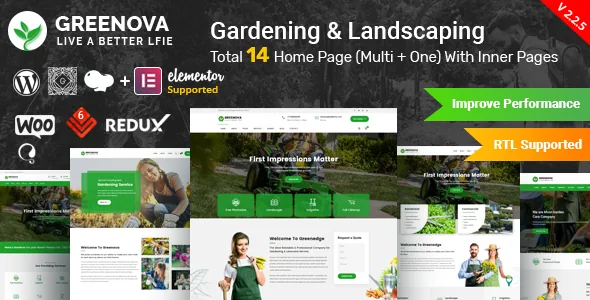
The vendor describes 14 homepages: seven built as one-page sites and seven as multi-page. One-page versions put everything along a single scrolling page, which suits a small lawn-service operation; multi-page versions separate services, projects and contact into their own URLs.
Alongside those, the theme advertises a one-click demo importer described as covering 8 home pages, a smaller number than the homepage total the same listing claims. These could be the same feature described loosely, or the importer could cover a subset. The listing does not settle it, so the live demo is the place to see which homepage designs are actually importable before you plan around one of them.
On top of the homepages, the vendor lists 7 header styles that can produce 15+ header variations, with a dynamic page header option that lets individual pages differ from the global header. The changelog adds a header layout and a topbar layout in a 2025 release, so this is an area the vendor has kept extending.
Where your edits land: page builder, header settings, or theme options
Page building runs through WPBakery Page Builder, which the vendor includes with the theme, alongside LayerSlider for slideshows. The marketplace attributes also list Elementor, WPML and Bootstrap 4.x under compatibility, and a 2021 changelog entry records Elementor support being added. Read those as two different things: WPBakery is the bundled editor the demo content is built in, while the Elementor mention is a declared compatibility rather than a promise that every demo imports into Elementor.
In practice your edits split three ways. Row and column arrangement happens inside the page builder. Global header structure, topbars and footers sit in theme settings above the page. Colour and typography choices live in a Customizer and a Redux-based admin panel, with the vendor advertising unlimited colour combinations. Knowing which layer owns a change saves you from rebuilding rows to move a menu. Translation follows the same pattern: WPML is declared compatible and a pot file is included, so strings can be translated rather than retyped.
What the release history says about keeping the stack current
Greenova's changelog is long and recent. The 2.4.2 release dated 8 September 2026 records a fix for PHP 8.4 compatibility and updates to WPBakery Page Builder, LayerSlider WP and WP Logo Showcase. Earlier 2026 entries fix a WooCommerce layout issue, a PHP error and, in 2.4.0, PHP security issues. A 2024 release added ShopBuilder, and the theme carries its own addon plugin, Greenova Core, plus Review Schema Pro in the bundle.
That pattern tells you where maintenance effort goes: mostly into the bundled plugins and PHP compatibility rather than into new page designs. If you adopt the theme, keeping WPBakery and LayerSlider updated is part of owning it. These are vendor statements about releases, not a record of the theme running on your server, your PHP build or your plugin combination.
What the package hands you, and what it does not
The marketplace file list names PHP, CSS and JS files, and the vendor adds a child theme, detailed documentation and widget-ready areas. The vendor also marks the theme Gutenberg Optimized as Yes, separate from the builder workflow the demos use.
One exclusion is worth knowing before you plan imagery: the vendor states that premium images are only used for demonstration and are not included. Demo photographs of gardens and planting schemes are licensed stock, so your own photography or licensed images need to replace them. The demo content itself is a starting shape, not a finished site.
Whether Greenova fits your project
The theme earns its place when your site has to hold a real catalogue of work, people and services, and when you want distinct layouts for each rather than one repeating card style. The grid-versus-slider split inside every content family is the feature to test on the demo: pick the layouts you would actually use and check that the slider variants behave the way your content needs.
If you plan to build pages primarily in the block editor, or you want a skeleton to assemble in Elementor from scratch, the bundled WPBakery workflow and demo structure will feel like an extra layer. Greenova is a theme for a gardening business that wants a ready-made presentation of its completed work, edited inside WPBakery and kept current alongside its bundled plugins.
Questions & answers
Do I need WPBakery to use Greenova?
WPBakery Page Builder is the editor the demos are built in, and the vendor includes it with the theme. Elementor appears as a declared compatibility, and the changelog records Elementor support being added, but the listing does not say the demo pages arrive as Elementor templates. If your plan is an Elementor build, check the demo and documentation rather than assuming the import converts.
Are the demo photos licensed for my site?
No. The vendor states that premium images are used for demo purposes only and are not included. You will need your own photography or separately licensed images.
How many homepages can the one-click importer install?
The listing claims 14 homepages (seven one-page, seven multi-page) but describes the demo importer as covering 8 home pages. The two figures do not line up, so confirm which designs are importable on the demo before choosing one.


