Section variants are the real content of the 9.0 release
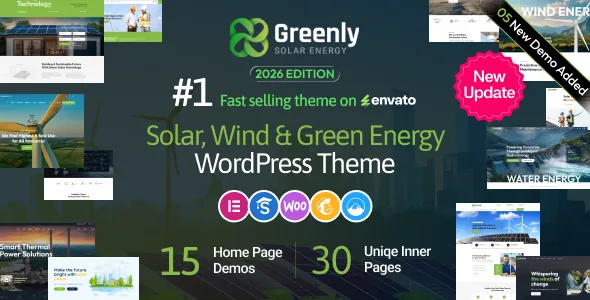
The July 2026 release reads like a style catalogue rather than a feature list: four header styles, six icon-heading styles, four portfolio styles, four service styles, three testimonial styles, six facts-and-digit styles, three blog styles, plus single additions for pricing tables, clients and static boxes. Five new demos brought the total to 15.
For a solar installer, that set maps closely onto the page you actually need. A homepage carries a services grid, figures for installations completed or capacity saved, project photography and customer quotes. Each of those blocks arrives with several treatments, so the layout decision becomes which variant suits the brand rather than how to build the block from scratch.
Header variants are the cheapest differentiator in that list. Two projects built on Greenly can look like separate products before a visitor scrolls, simply because the top bar, navigation and logo treatment differ.
Swapping a style, not rebuilding a section
The point of shipped variants is that a section's appearance can change without retyping its content. If a services grid sits flat against a bold project gallery, you reach for a different service style instead of reconstructing the block.
Keep the scope honest. This is a styling lever, not a layout engine: the vendor describes delivered variants, not a mechanism that generates new ones or pushes a switch through existing pages automatically. The realistic workflow is to import a demo, then adjust section by section.
It pays off most on sites with a handful of repeated content types — services, portfolio entries, testimonials, blog posts — which is precisely where the release concentrated its additions.
Two builders, and a choice to make early
Greenly started as a WPBakery theme. Elementor support arrived in version 4.0, and version 5.0 states that all existing demos were also built with Elementor so earlier buyers could use that builder. Later entries keep the pattern: the dark-layout demos added in 7.0 are listed as available for both WPBakery and Elementor.
That is stronger than a compatibility checkbox, because it means demo content to import in whichever editor your team already knows. It is still a fork. The two builders store page content differently, so decide before importing anything rather than mixing them on one installation.
Version 4.7 recorded a related behaviour on the WPBakery side: changing the header also updates the options attached to it, such as background colour, menu colour and logo, so a header variant arrives as a coherent set rather than a lone template.
Palette and fonts through the Customizer
The vendor's overview promises unlimited colour options through a backend colour picker, custom typography for font style and colour without touching code, Live Customizer settings and child theme support so customisations survive updates.
For an ecology brand, palette is where most of the work happens. The green-and-solar look in a demo is the demo's; the theme's job is to let you set your own colours and fonts globally and then adjust where needed. The child theme is the route for anything the Customizer does not reach, such as template edits or extra CSS.
Treat both as vendor descriptions. Nothing in the listing establishes that every colour or font setting propagates to every element, so check the specific components you care about during the build, especially anything inside imported builder layouts.
Content types and translations the sector needs
The vocabulary follows the subject: services for installations and consulting, portfolio entries for completed projects, testimonials for customer quotes, posts for articles and updates. Version 4.0 made the "About the project" and "Project Information" fields on single portfolio pages editable, and 5.1 added custom icon options to the service single page.
WooCommerce appears in the compatibility list, with the marketplace attributes naming versions 8.x and 9.x. That matters if you plan to sell hardware, kits or monitoring plans alongside the marketing site, though the evidence describes compatibility rather than storefront features built for this theme.
Translation is a separate track. WPML is listed as compatible, and versions 7.9 and 8.0 record WPML automatic translation support for Elementor elements — a specific step beyond translating the surrounding WordPress content. A POT file is maintained across releases as well.
Where the details disagree, and what is not in the package
The vendor summary text claims full WooCommerce 10.x compatibility and PHP 7.4 through 8.4.x. The marketplace attributes separately list WooCommerce 8.x and 9.x and WordPress 6.8.x through 7.0.x. Two records, two ranges, so plan against your own stack and confirm before committing.
Imagery is the bigger practical constraint. The vendor's note states that demo images are not included in the download package or in demo content setup; they are replaced with free images or placeholders. A solar site lives on photographs of panels, roofs and landscapes, so budget for a shoot or licensed stock. Importing the demo gives you structure and typography, not the look you saw in the preview.
Gutenberg Optimized is marked No in the marketplace attributes. That describes how the theme is tuned for the block editor, and doesn't mean the block editor is unavailable.
Questions & answers
Can I use Greenly with Elementor instead of WPBakery?
Yes, per the vendor. The changelog says all existing demos were also created with Elementor from version 5.0 onward, and later releases describe demos as available for both builders. Choose one builder for the site before importing demo content, since the two handle pages differently.
Are the demo photos included with Greenly?
No. The vendor states that the images shown in the live demo are not part of the download package or the demo content setup and are replaced with free images or placeholders, so supply your own licensed photography.
How many demos does Greenly ship with?
The 9.0 release notes say five new demos were added, bringing the total to 15. Earlier releases record the steps along the way: two new demos in 3.0, two dark-layout demos in 7.0 taking the count to 10.