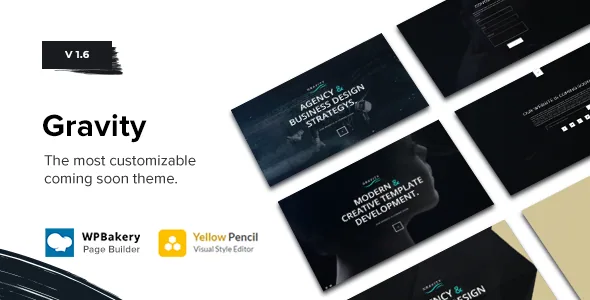
The hero background is the design decision
Gravity is a holding page, and Avanzare's feature list treats the hero accordingly: 15 backgrounds are named before anything else. That count is worth reading closely, because the set is not fifteen variations of the same idea.
Nine are procedural effects — Kenburns, Waves, Sphere, Mesh, Space, Glitch, Abstract, Galaxy, Rain, Skyfall. Three are ways of feeding in your own media: a YouTube embed, a slider and a still image. The remaining options, gradient and plain colour, are flat backdrops for when motion would distract.
The practical split matters. If you have launch footage, the YouTube or slider route uses it; if you have a logo and a date, a gradient or a particle effect keeps the screen about your brand. Avanzare's own description frames the theme as human-centred and minimal, which points at the second group — the effect is there to hold attention, not to be the announcement.
Fifteen backgrounds, nine of them animated
Avanzare counts Ken Burns among the effect list rather than among the image options, which tells you how the theme expects a still photograph to be used: slowly drifting rather than fixed. Waves, Sphere, Mesh and Space are generative — they render in the browser, so they do not depend on footage or a stock clip.
Glitch, Galaxy, Rain and Skyfall sit at the loud end. They read as launch-teaser graphics, suited to a studio or product announcement where a short wait is the point. Put the same effect behind a corporate holding page and the tone shifts.
Two of these needed mobile attention in the changelog: version 1.03 records improved Waves and Sphere backgrounds for mobile, and version 1.06 improved the mobile experience of overlay sections. Whether a given effect is comfortable to read text over on a phone is still a judgement you make on your own content, since the vendor's preview is not your typography.
Getting through one page: the four navigation inputs
A single-screen site still needs a way to move between panels, and Avanzare names four: keyboard, mousewheel, mouse click and bullet navigation. Offering all four means the page does not assume a mouse — a keyboard user can step through panels, and a trackpad user gets the same sideways or downward motion as a scroll-wheel user.
Bullet navigation is the visible part. Version 1.05 added description support for the bullets, so each dot can carry a short label instead of an unlabelled marker. On a one-page site with three or four panels, that is the difference between a visitor guessing which dot is the contact block and reading it.
The changelog also records navigation dot fixes in 1.03, alongside fixes to visual composer elements. Small maintenance like this is the ordinary kind for a theme of Gravity's age, but it is the area to check first if you plan to rely on bullets as the main wayfinding.
Yellow Pencil Pro for visual styling, not layout
Yellow Pencil Pro is listed as a bundled premium plugin with a stated value of 25 USD, next to WPBakery Page Builder at 45 USD. The vendor's own theme description names a "design tool" as one of three integrated pieces, which places the styling layer alongside the builder and the theme options rather than treating it as an add-on.
Yellow Pencil is a visual CSS editor. It lets you select an element on the page and adjust its appearance without writing a stylesheet by hand. What it does not do is restructure the page: the panel order, the navigation behaviour and the background catalogue come from the theme, not from the design tool.
That division is the reason to care about it here. Gravity's content is deliberately thin — a headline, a date, a signup field — so most of the site's personality lives in how those few elements are dressed. Doing that visually, and being able to see the result on the page you are editing, is a reasonable fit for a holding page that will be replaced in weeks. Treat the plugin's presence as a vendor statement about the bundle; confirm what your own install receives.
Mailchimp with double opt-in, and the signup side
A coming soon page usually exists to collect addresses before launch, and Gravity lists Mailchimp as its integration. A second, separate entry covers double opt-in support for Mailchimp, which version 1.2 is recorded as adding.
The distinction matters if you care about list quality. Double opt-in means a new subscriber confirms by email before being added to your audience, so the list holds confirmed addresses rather than unverified ones. Avanzare provides the support; whether you switch it on is a choice with a cost, because confirmation emails reduce the number of completed signups.
The changelog also shows later contact-form work rather than Mailchimp work: version 1.5 added wp_mail support and improved contact form performance and security. That is a record of maintenance, not a statement about deliverability on your host — sending email reliably depends on your server and your Mailchimp account setup as much as the theme.
What the package holds, and what it does not
The marketplace file list names PHP, CSS and JS files. WPBakery Page Builder and Yellow Pencil Pro are declared as bundled premium plugins in the vendor feature list, and WPBakery shortcodes are named as a separate feature — so a demo imported through the one-click installer arrives as configured builder rows you can edit rather than a locked layout.
Two marketing attributes are worth reading plainly. Widget Ready is No, so this is not a theme you extend with sidebar widgets. Gutenberg Optimized is No, which describes the vendor's optimisation claim rather than availability: the block editor is part of WordPress regardless. If you intend to build the holding page out of blocks, that expectation is not what the theme is designed around.
One note appears in the source text and affects planning directly: the images shown in the preview are not included in the package and are replaced by images licensed under CC0. Your own photography or brand artwork fills those slots, which a launch page needs anyway.
The sound player, the 404 page and the declared range
An audio or music player is an unusual entry for a holding page. It suggests the coming soon screen as a teaser in its own right — a short track over the hero while a visitor waits, in the manner of an album or event announcement. Nothing in the available material says how the player is placed or whether it autoplays, so treat it as a component you configure rather than a documented behaviour.
The smaller extras are a 404 page added to the feature list and a translation-ready designation, neither of which gets much elaboration in the vendor text.
On compatibility, the marketplace declares WordPress 5.0.x through 6.9.x with a responsive layout, a single column and support for Chrome, Firefox, Safari, Opera, Edge and IE11. The theme's recorded version is 1.6, and the vendor update date sits in November 2025. Those are declarations covering a long span of WordPress releases, observed in early November 2026, not results on your PHP build or your active plugins. The browser list including IE11 is a reminder of the theme's age: it dates from a period when that coverage was expected.
Questions & answers
Can I use Gravity as a normal website rather than a holding page?
The theme is built around a single-column coming soon layout with one hero area and its own navigation between panels, and the marketplace attributes list the column count as 1. Nothing in the available material describes multi-page templates, archives or a blog layout. Plan for a holding page, not a site you later grow into.
Do I need WPBakery to edit the page?
WPBakery Page Builder is listed as compatible and as a bundled premium plugin, and WPBakery shortcodes appear as their own feature. That makes the builder the documented editing environment for the demo content. Gravity's theme options and the Yellow Pencil styling tool sit alongside it, so some settings are changed outside the builder.
Are the preview images part of the package?
No. The source text states that images shown in the preview are not included in the download package and are replaced by images licensed under CC0. Budget for your own hero artwork or footage, particularly if you plan to use the image, slider or video background rather than one of the generated effects.