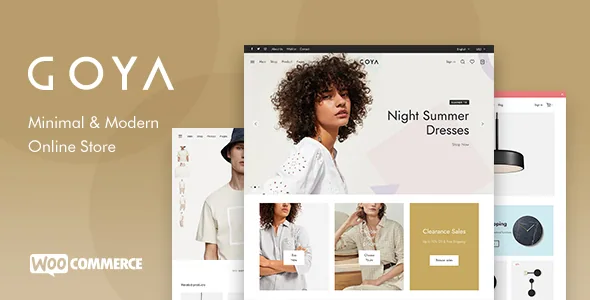
Where Goya puts its configuration effort
Read Everthemes' feature list for Goya and the shop section is the longest part of it. The vendor describes multiple single product layouts, multiple product gallery styles, hover zoom, a fullscreen gallery with zoom and pan, featured product video, product colour swatches, a product sticky bar and extended product descriptions. That cluster sits on one page: the page where someone decides whether to buy.
The catalogue gets its own options — adjustable columns, several catalog product designs, quick view, infinite loading, lazy-loaded images — but the list is thinner there. If your project's hard problems are on the product page (a piece of furniture that needs a fullscreen zoom, a garment that needs swatches, an item that needs a video beside the gallery), Goya was drawn around that.
The list also has a boundary worth noticing. The filters panel, the colour-swatch filters and the wishlist are each marked "with plugin". Those are integrations the theme supports rather than switches inside it, and the rest of this article keeps that distinction.
The shopper's path through a single product page
The gallery options are the most concrete thing Goya offers, and they answer different questions. Hover zoom suits a shopper scanning a catalogue who wants a closer look without a click. The fullscreen gallery with zoom and pan exists for products where detail is the argument — texture, stitching, a serial number, a finish. Featured product video covers the item that needs motion or scale to make sense. Choosing among them is a merchandising decision per category, not a site-wide style preference.
The sticky bar keeps the add-to-cart action and key product information in view while the shopper scrolls an extended description. Extended descriptions themselves only pay off if your copy says something beyond a specification table; on a store with two-line descriptions the extra layout does nothing.
Colour swatches replace a dropdown with something visible, which matters most when colour is the product. The vendor also lists a cart panel with AJAX quantity controls and product quick view, both of which shorten the loop between browsing a list and committing an item. None of these claims comes with a statement about behaviour on a particular host, so the useful next step is a staging copy with your real product images.
Catalogue mode decides what kind of site you run
Among the shop options, the vendor lists "Catalog Mode (disable eCommerce features)". That one line shapes the project. With the buying path switched off, the same product templates become a browsable presentation: a wholesale range quoted by enquiry, a seasonal lookbook, a brand catalogue where prices are not the message.
Settle this before building pages. A storefront designed around quick view and an AJAX cart panel carries visual cues — cart icons, add-to-cart buttons, quantity steppers — that have to go or be repurposed once commerce is off. Working that out late means revisiting headers and product layouts you have already styled.
The vendor does not describe granular control over which parts of commerce are disabled, so treat the phrase as a general mode rather than a checklist of individually toggled elements. Confirm on a staging site what disappears and what remains before you promise a client a specific behaviour.
Header, campaign bar and instant search
Goya's header section reads like a merchandiser's toolkit rather than a layout menu: multiple header layouts, sticky behaviour, transparent headers that can apply globally or per page, a top bar, a campaign bar, a fullscreen menu, a footer bar with multiple layouts, AJAX product search with instant suggestions and a login/register pop-up modal.
Two of those deserve attention. The campaign bar is the strip for a sale deadline or a shipping promise, and a page-specific transparent header lets a landing page sit over a full-bleed image while the rest of the site keeps its solid header. Neither needs an add-on plugin in the vendor's description — nor does the mega menu, which the description explicitly calls "without extra plugins".
Instant search suggestions move some navigation work away from the menu: a shopper types three letters of a product name and jumps directly. On a catalogue with hundreds of similar item names that can beat a deeper category tree. Test it against your own product titles, since suggestion quality follows the data.
WPBakery, section import and the Gutenberg question
Goya is edited with WPBakery Page Builder. The vendor lists the builder in the compatibility attributes alongside WooCommerce 9.x.x and 10.x.x, and describes 30+ page builder elements, a Slider Revolution premium plugin, and the ability to import individual builder sections (30+ of them) into the content editor. Section-level import matters for a store that needs a promotional landing page fast: you pull the block you want instead of importing a full demo and deleting the rest.
Customisation is handled in two layers. Site-wide settings sit in the native WordPress Customizer with Google Fonts integration. A starter child theme is provided for changes beyond that, which is the right place for template edits you want to survive theme updates.
One discrepancy is worth stating plainly. The vendor's blog section says "Gutenberg Ready", while the marketplace attribute observed on 3 November 2026 records Gutenberg Optimized as No. They are not the same measurement: one is a statement about working with blocks, the other a marketplace field about block-editor-specific optimisation. Neither settles how a block-based page will look next to a WPBakery-built one, so if you plan to mix them, build a test page first.
Compatibility declarations and where they stop
The marketplace attributes, observed on 3 November 2026, list WooCommerce 10.x.x and 9.x.x, WordPress 7.0.x and 6.9.x, and WPBakery Page Builder. Files included are PHP, CSS and JS. The theme is described as responsive with a widget-ready sidebar and high-resolution assets.
Those are declarations from the vendor's listing, not results from running the theme on your server. They also move: WooCommerce changes its templates with some regularity, and a store theme has to follow. The most useful check you can run is a staging install with your payment gateway, your shipping rules and a sample of your real products, including one with variations. Goya's product-page options are numerous enough that a single test product will not tell you how a whole catalogue behaves.
Browser support is listed as Firefox, Safari, Opera, Chrome and Edge. That covers mainstream desktop use; nothing in the record addresses specific mobile browsers or older devices, so treat mobile behaviour as something to observe rather than assume.
Questions & answers
Do I need WPBakery to use Goya?
The vendor builds the theme's page editing around WPBakery Page Builder and lists it in the compatibility attributes. The description does not say whether pages can be composed without it, so plan on using the builder for the layouts the theme provides.
Which Goya shop features need a separate plugin?
The vendor marks the filters panel, the colour-swatch filters and the wishlist as "with plugin", and lists Slider Revolution as a premium plugin. The other shop features described here — product layouts, gallery styles, zoom, video, swatches on the product itself, the sticky bar and catalogue mode — appear in the theme's own feature list.
Can Goya run a catalogue without a checkout?
Yes, according to the vendor's Catalogue Mode option, described as disabling eCommerce features. The description does not break that down into individual toggles, so check on a staging site which elements remain visible before you rely on a specific behaviour.
Does Goya support the block editor?
The vendor's blog section says Gutenberg Ready, while the marketplace attribute recorded on 3 November 2026 lists Gutenberg Optimized as No. The two statements measure different things and neither guarantees how a block-built page will look alongside WPBakery content, so test a page of each before mixing them.