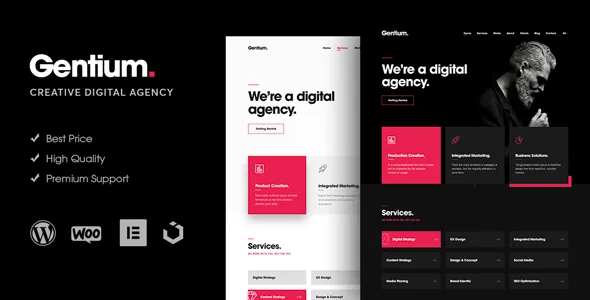
The masthead is Elementor work, not a theme option
Many Elementor themes stop at the page body: the header stays in theme options, the customizer, or a fixed template. Pixerex describes Gentium differently. The feature list states that Elementor has "Added Header and Footer Builder Functionality, So you can Build your own style Header and Footer," with "Unlimited Header and Footer Designs" and a sticky header option alongside it.
That changes the shape of the job. If your agency header carries a large wordmark, a campaign bar, or navigation you want to restyle per pitch, you assemble it on the same canvas as the page rather than hunting through settings screens. If you would rather set a header once in a predictable options panel, the arrangement asks more of you than you may want.
Everything else in the vendor list supports that way of working: a mobile-first responsive layout, widget-ready sidebars, retina-ready assets, online documentation, and Underscores named as the build base. The marketplace marks Gutenberg Optimized as No, which says what the theme is tuned for, not that the block editor is broken.
Sections you recombine, and four named inner templates
The vendor states the page set concretely instead of counting demos: 9 unique pages, 2 intro and promo headers in dark and light, 15 sections in dark and light mode, more than 20 components and elements, and unlimited homepage variations.
Read as a structure, the front page is a scrolling stack of sections you arrange in order, and the paired dark and light treatments let you give two clients or two pitches a different mood without rewriting copy. On a OnePage site where the homepage does the selling, that is the useful part of the inventory.
The inner pages are four and they are named: Single Service, Single Project, Blog Posts and Single Post. One template each for services, projects, a blog archive and a reading view. That is a smaller set than a portfolio-first theme offers, so plan on it as a starting frame rather than a menu of case-study layouts. A one-click demo import is listed if you would rather begin from the populated layout.
Small controls, recorded one release at a time
The feature list says little about individual settings, so the changelog is the better record of what you can adjust without editing PHP. Version 1.0.6 added an HTML tag option for page builder elements; version 1.0.7 added an HTML tag option for theme pages plus styling options for the blog page and single posts, and options for the Posts Carousel element. Version 1.0.8 added an HTML tag option for the mobile header and a switch to disable the link on the service box element.
Those are unglamorous settings, but they cover the cases that actually come up: a heading level that should differ from the widget default, a service card that should read as information rather than act as a link, a blog index that needs different spacing from the homepage. Version 1.2.0 added a testimonials slider widget and improved the demo importer.
Treat the list as a history rather than a current spec sheet. If a particular control is part of your decision, confirm it in the release you install, since settings named across seven years of updates do not always stay in the same panel.
Navigation is where the maintenance history concentrates
More changelog entries touch navigation than anything else: Safari animation and smooth-scroll fixes in 1.0.1, a multipage navigation fix in 1.0.2, a fix for navigation with the preloader switched off in 1.0.3, mobile menu improvements in 1.0.4 and 1.0.5.
For a scroll-driven OnePage site with anchor links, that pattern is unsurprising, and it tells you where to look first if something misbehaves on a phone or in Safari. The 1.0.3 entry is the instructive one: a preloader toggle was added in the same release that fixed navigation breaking when the preloader was off. Test the mobile menu, the anchor jumps and the preloader switch together, because they have been coupled in this theme's history.
One delivery detail matters during updates. The elements come from a separate "Pixerex Elements Plugin," which the changelog began updating in 1.0.1. The widgets are not purely inside the theme folder, so half-finished update sets are worth avoiding.
Two compatibility statements that do not agree
The marketplace compatibility attribute observed on 4 November 2026 lists WordPress 4.9.x through 6.2.x, plus Firefox, Safari, Opera, Chrome and Edge, a responsive layout at four or more columns, and high-resolution assets. The vendor's own 1.3.0 entry, dated 29 December 2025, claims "WordPress 6.7+ Full Compatibility" and Elementor 3.x modernization.
Those statements do not line up, and nothing in the supplied material explains the gap; one may simply be older than the other. Neither is a record of the theme being run against your PHP version or your plugin set.
Practically: identify which release you are installing before you read compatibility claims about it. If your site runs WordPress 6.7 or later, the overlap with the advertised ceiling is the first thing to check on a staging copy.
Fonts and photography are your contribution
Two vendor notes change the effort estimate more than they look. Fonts are listed as "not included on the download file," and preview images are stated to be for demonstration only, with Unsplash credited as the source.
So a fresh install will not resemble the screenshots until you choose a type pairing and source photography that can carry a homepage. For an agency site those two decisions do a lot of the visual work that a section library cannot. The files listed in the package are PHP, CSS and JavaScript, with documentation provided online.
What the setup suits, and what it does not
Gentium makes sense when the homepage is a scrolling argument and the header belongs to that argument: a studio, small agency or freelancer who wants to try two or three masthead treatments in Elementor and move between dark and light without rebuilding content. The four named inner templates cover services, projects and a blog without carrying structures you would never use.
The narrowness cuts both ways. There is one template each for services, projects and posts, not a set of portfolio layouts, and the theme is not aimed at block-editor page building. If you need a filterable case-study library, multi-vendor commerce or a block-built site, the brief is smaller than the words "digital agency" might suggest.
Questions & answers
Can the header and footer be edited in Elementor?
That is the vendor's stated feature: the feature list names header and footer builder functionality inside Elementor, unlimited header and footer designs, and a sticky header option. Confirm the controls exist in the release you install, because panels change between versions.
Does Gentium work with the block editor?
The marketplace marks Gutenberg Optimized as No. That describes the intended editing route rather than proving the block editor is unusable; page building here is meant to happen in Elementor.
What do I need to supply myself?
Fonts and images. The vendor states that fonts are not included in the download and that preview images are for demonstration only, credited to Unsplash. The listed package files are PHP, CSS and JavaScript, with online documentation.
Which WordPress versions does it support?
The marketplace attribute list stops at 6.2.x, while the 1.3.0 changelog claims compatibility with WordPress 6.7 and later. Check the notes for the release you install and test on staging before switching a live site.