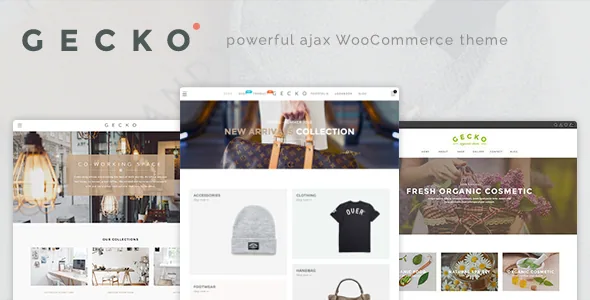
A catalogue shot in colourways
Gecko's feature list is unusually specific about one thing: the same product shown in several colours. JanStudio names product colour swatches, image swatches, a separate "Product Color Swatch Gallery Images" feature and a listing colour swatch, then a colour attribute filter and a brand filter for the product index.
That cluster describes a shop where colour is a real product dimension rather than a tag. The interesting part is the swatch that changes the gallery. If your photography already exists per colourway, the swatch becomes the control that reveals it. If it does not, the feature quietly becomes a photography brief.
The vendor also lists cloud zoom, a flip thumbnail image and a product video thumbnail, so the media around a single product has several display modes besides the swatch-driven set.
The vendor's model and your catalogue have to agree
The swatch behaviour is described as tied to a variation swatches plugin, which the vendor names in the same feature list, and the changelog tracks that plugin's version alongside theme releases. So this is not purely theme-file work: the theme, the plugin and WooCommerce's attribute system meet here.
A changelog entry makes the risk concrete. Version 1.8.0 fixed swatch images failing to load on the catalogue page when a product used custom attributes rather than global attributes, and the same release fixed variation swatches not working on the product list. Version 1.9.0 addressed custom attributes switching to disabled on the product page.
Those are old releases, not a description of the current build. They are still a useful warning: if your products use per-product custom attributes rather than global ones, test the listing swatch first, before you style anything else.
Filters on the listing, and two ways to load more
Beyond colour, the vendor lists a brand filter and an Isotope category filter, plus a product filter and listing attribute display. Isotope handles the masonry grid, so category filtering and masonry layout are part of the same listing system rather than separate widgets.
Loading is a choice between lazy load and infinite scroll on the masonry grid, with AJAX search suggestions for the header. Lazy load suits a paginated grid; infinite scroll keeps appending and removes the footer for anyone browsing a long catalogue. The vendor also offers AJAX add to cart, a custom product tab and quick view, which keeps someone on the grid while they look at details.
Catalog mode is a different site, not an extra toggle
WooCommerce Catalog Mode appears in the feature list next to quick view and AJAX cart, but the three point in different directions. Catalog mode removes the buying path, which is what a lookbook, wholesale list or enquiry-led catalogue needs. Quick view and AJAX add to cart assume a working cart.
The description names catalog mode without stating exactly what it hides on product, category and single-product views. If the plan is an enquiry-led catalogue rather than a shop, check those pages in the demo or on a staging install before you commit.
The changelog also shows how far the commercial path is wired in: version 1.9.4 fixed the mini-cart not showing items on WooCommerce 7.8, and earlier entries cover the sticky add to cart option and a sold-individually error message. If you run a cart, those are the surfaces to exercise.
Page bodies in WPBakery, and what the package leaves out
Marketplace compatibility attributes observed on 4 November 2026 name WordPress 6.0.x through 6.7.x and WooCommerce 6.x through 9.x, with WPBakery Page Builder and Visual Composer listed as the page builders. These are declarations from the vendor and marketplace, not results from running Gecko against your PHP version or plugin stack. Gutenberg Optimized is marked No, which describes block-editor optimisation rather than whether the block editor exists.
The changelog keeps builder updates in step with theme releases, most recently moving WPBakery to 8.2, so the two move together in practice. The ThemeForest file list names PHP, CSS and JS files, and the vendor states plainly that the demo images are for preview only and are not in the purchase files. Product and lifestyle photography is a separate cost.
Multi-language and RTL support are listed, and the changelog records both a WPML multi-currency fix in quick view (1.7.9) and an RTL header layout fix (1.8.4) — signs that translated and multi-currency setups have needed attention over the theme's life.
Questions & answers
Does Gecko require a separate plugin for the colour swatches?
The vendor names a variation swatches plugin in the theme's feature list and tracks its version in the changelog, so treat the plugin as part of the stack rather than decoration. The exact relationship between theme and plugin versions in the build you use is worth confirming from the vendor's documentation.
Will my custom attributes show swatch images on the catalogue page?
A 2020 release fixed exactly that case, but it is old evidence and says nothing about the build you run. If your products use per-product custom attributes instead of global ones, test the listing swatch on a representative product before designing around it.


