The registration check that shapes how Foton runs
The changelog entry that matters most is not a design note. Version 2.2, released 8 June 2021, states that "Theme Options, Shortcodes and Custom Post Types are now disabled if theme purchase code is not registered on live server."
Read that as the vendor wrote it. Foton's options panel, its custom shortcode collection and its custom post types depend on a registration check against a live server. Those three things carry most of the theme's marketing value: the options panel handles site-wide styling, the shortcodes build the pricing, showcase and process sections, and the post types drive portfolio projects.
For a project that moves between a local build, a staging domain and the live site, plan for registration to be part of the workflow rather than a one-time step. The changelog says "live server," so treat behaviour on a non-live environment as something to confirm before you depend on it.
Two builders, and why picking one early pays off
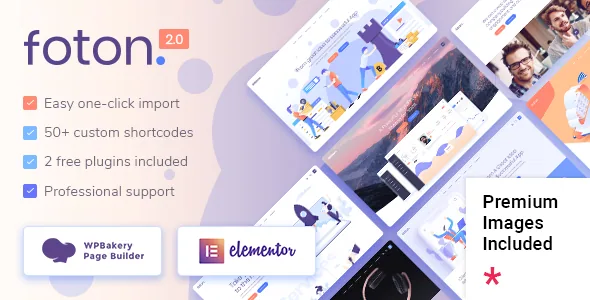
The marketplace description says you can build with either Elementor or WPBakery Page Builder. The two paths are not equal in age: Elementor compatibility arrived in version 1.4 in January 2020, while WPBakery has been updated in nearly every release since the theme launched, reaching version 9.0 in the 2.7 changelog alongside Slider Revolution 6.7.58.
The vendor values those bundled plugins at $46 and $26 respectively in its feature list. That is the vendor's own valuation of what ships with the theme, not a saving you can count on, and it is worth checking what your install actually contains rather than assuming the note carries over.
The practical point is maintenance. Two builder stacks mean two sets of element behaviour and two page formats to reconcile when updates land. Pick one for a site that will be edited for years, and keep the demo pages you import in that builder so you are not maintaining both.
Where Foton puts its landing-page detail: headers and logos
The feature list devotes more space to headers than to any other area. Three header types are described: standard, minimal and vertical. Header skin can change from section to section, so a dark hero can hand over to a light features block without a site-wide setting. Header behaviour has multiple options, and the mobile header is styled separately rather than inheriting the desktop rules.
Logo handling is finer-grained than usual. Separate logos are listed for regular, sticky and mobile headers, with dark and light variants for contrasting skins, and the vendor says a different logo can be uploaded per page. If one install hosts several product launch pages or sub-brands, that per-page override is the first thing to try, because it decides whether you need a multisite setup or can stay on a single site.
The same part of the list covers anchor link functionality for one-page sites, video background sections, parallax sections with a fullscreen option, and a mega menu. That combination is the toolkit a single-scroll product page actually runs on.
Shortcodes aimed at selling software, not at blogging
Foton's shortcode collection is large, and a good share of it is pricing and product furniture. The vendor lists a pricing table and a comparison pricing table, which covers the tiered plan grid and the feature-by-feature matrix that software buyers expect to see side by side.
Hero and feature sections get dedicated blocks: a vertical split slider, a horizontal layer slider, a triple frame image highlight, an item showcase, a video button, a progress bar and a process shortcode. Portfolio gets its own set, with masonry and gallery list styles, hover types, and single-project layouts in images, slider, gallery and masonry variants, plus custom single layouts.
The blog is treated as a real section rather than an afterthought: masonry and standard list layouts, blog list and blog slider shortcodes, and post formats for audio, video, gallery, link and quote. For a software company publishing release notes and changelog articles, those formats do more work than a generic article template. All of it falls under the registration condition described above.
Social feeds: the feature list and the changelog disagree
The feature list still names Twitter and Instagram social widgets, Twitter List and Instagram List shortcodes, and a drop-down shop cart widget. The changelog tells a shorter story. Version 2.6, February 2025, removed the Instagram plugin and the Twitter plugin because of API changes at those platforms, and version 2.7 removed the remaining twitter-connect script.
What survives is the theme's own social furniture: a Social Icons Group widget, a Social Icon widget and a Social Share shortcode, whose share links were updated in 2.7. Icons that link to your profiles stay; the plugins that pulled live feeds in are gone.
If a live Instagram grid is part of the design, plan on a third-party embed or a manual block. The changelog is the more recent record here, and it is the one to trust.
Declared compatibility and what to verify yourself
Marketplace attributes observed on 4 November 2026 list compatibility with Elementor, WPBakery Page Builder, WPML, and WooCommerce 9.x.x and 10.x.x, running on WordPress 6.5.x through 7.0.x. The layout is marked responsive with four-plus columns, the theme is widget ready, marked high resolution and documented, and packaged files are listed as PHP, CSS and JavaScript.
These are declarations from the listing, not results from running Foton on your stack. They tell you what the vendor and marketplace claim, not how your host, PHP version or plugin set will behave. If WPML carries your translated launch page, or your project sits at the edge of those ranges, confirm it on staging first.
Two longer-term items in the feature list are worth weighing now: the theme is described as child theme ready and translation ready, with a WPML config file added in 2.7. A landing page that ships with every product launch gets edited repeatedly, and a child theme keeps those edits out of parent files when updates arrive.
Questions & answers
Can I build Foton pages with the block editor instead of Elementor or WPBakery?
The vendor describes page building through Elementor or WPBakery Page Builder, and the compatibility attributes name those two. The changelog does record block-related work, including core search block support and Gutenberg meta box styling, so blocks exist in some form, but nothing in the supplied evidence describes a block-built landing page workflow.
Do the bundled WPBakery and Slider Revolution plugins update independently?
The changelog shows both updated with theme releases, which is how version 2.7 lists WPBakery 9.0 and Slider Revolution 6.7.58. Nothing in the evidence describes a separate update channel for them inside the theme, so their updates arrive with Foton releases unless you arrange otherwise.
Are the demo images licensed for my own site?
Version 2.0 of the changelog mentions adding images licensed for digital use on websites built with Foton, and the vendor describes one-click demo import. Neither statement establishes that every image in the live preview is licensed for your project, so confirm rights before using demo photography in production.