Angled, straight or minimal before you build a single page
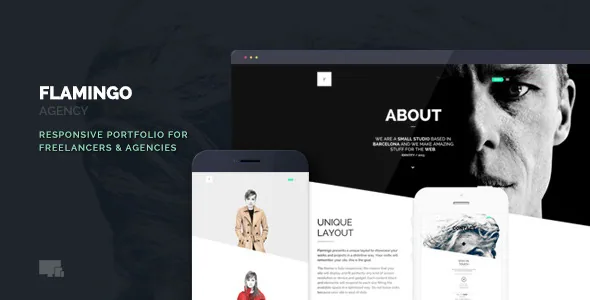
Flamingo's vendor treats the site's overall geometry as a setting you pick, not something you draw. The description names three content layouts: an angled look, a more conventional "Straight layout", and a minimal one. You choose one and the whole site changes shape.
Navigation is a separate switch on top of that. Five navigations are listed, and two of them can be pinned as sticky or fixed. The vendor presents the menu treatments as genuinely different from each other rather than colour variants, so layout plus navigation is a combination you decide early.
That order matters for how you plan work. If a client asks for a sharper, more editorial feel, you change a theme setting rather than rebuilding section markup. If you want per-section variety, the global layout alone will not give it to you.
The portfolio grid is tuned from the options panel
Hover behaviour on project thumbnails is where the theme asks you to make real decisions. The vendor says you can set the hover background colour and the font colour, apply a gradient, or use a custom background image. Thumbnail size is adjustable from the same panel, the grid can run from one to six columns, and a slider sets thumbnail transparency.
In practice that is a set of levers for an image-heavy front page: six narrow columns with a light gradient reads very differently from three wide columns with a photographic hover overlay. Because these are panel settings, they apply consistently across the portfolio rather than being adjusted item by item.
The vendor also describes Isotope-filtered layouts, an infinite-scroll option and project-item filtering. Those decide how much work a visitor does to narrow the portfolio down, and they are worth settling before you fill the grid.
Four gallery styles, three ways to display them
The vendor lists four galleries and, separately, three display modes for them: fullscreen, prevent upscale, and "let the user choose".
The third mode hands a decision to the visitor rather than the designer. Fullscreen suits a single hero image per screen. Prevent upscale keeps images at their native resolution instead of stretching them, which matters when your source photographs are modest in size.
Galleries are described as supporting touch gestures and keyboard navigation, and the theme handles different media formats. The listing does not document what each of the four gallery types is, so the demo is the place to see the visual difference before you commit.
WPBakery and ACF Pro are what the vendor keeps updating
Pages are composed with the included WPBakery Page Builder, and each block element can carry an animation direction: top to bottom, bottom to top, left to right, right to left, or appear from centre. That is a per-block choice, so motion can be reserved for specific sections instead of applied everywhere.
ACF Pro sits alongside the builder and appears in the vendor's changelog release after release. In version 1.6.5 the vendor added a warning that ACF Repeater must be deactivated and removed before updating ACF PRO, otherwise you get an error. If you inherit a site built on an earlier release, that note is worth reading before you update plugins.
The marketplace attribute for Gutenberg Optimized reads No. That is a statement about optimisation for the block editor, not proof the block editor is unavailable, but the vendor's described workflow clearly centres on WPBakery rather than blocks. The listing was observed on 4 November 2026, carrying version 1.6.7 with a vendor update dated 20 August 2026; the declared WordPress range runs from 4.9.x through 7.0.x and WPML support is listed. Those are declarations stored with the listing, not results from running the theme on your host.
Blog layouts are set separately, with four options covering a right sidebar, a left sidebar or no sidebar, and the same sidebar choices are available on pages. Vendor files listed for the theme are PHP, CSS and JavaScript.
Where the global switches stop and page work begins
The most useful way to read Flamingo is as two editing surfaces with different reach. Layout mode, navigation, hover styling, column count and gallery modes are site-level decisions that hold across your portfolio. Individual page content — sections, blocks, animation directions, fullscreen background images and YouTube or Vimeo background video — is assembled page by page in WPBakery.
If your project is one consistent portfolio with a handful of pages, that split is efficient: you settle the look once and spend your time on project pages. If you expect each page to have its own distinct structure and typography, the builder will do that work, but the global layout is not helping you differentiate. Decide which of those two describes the site before choosing a layout mode, because it is the one setting that colours everything after it.
Questions & answers
Does Flamingo work with the block editor?
The marketplace attribute records Gutenberg Optimized as No, which describes optimisation rather than availability. The editing workflow the vendor documents is WPBakery Page Builder with ACF Pro fields, so plan on building pages there rather than in blocks.
Can different pages use different content layouts?
The vendor presents the angled, straight and minimal content layouts as a site-wide choice. Page-level variation comes from WPBakery sections, blog and page sidebar options, and per-section fullscreen backgrounds instead.
What should I check before updating ACF Pro on an existing site?
The vendor's version 1.6.5 changelog states that the ACF Repeater plugin must be deactivated and removed before updating ACF PRO, otherwise an error occurs.