A block library you drop into any page
GT3themes describes GT3 Themes Kits as a way to add ready-made design blocks to any page: you insert a block from the Kits library into any content area, and the vendor says this works with the free version of Elementor. That is a different proposition from a set of finished homepage demos. It means the site can be assembled and extended from reusable sections rather than rebuilt page by page.
The same feature list puts a condition on that access. "GT3 Themes Kits (Requires Active Theme Support)" appears as its own line, and automatic updates carry the identical condition. Treat the Kits library as something that depends on a maintained theme relationship rather than an offline bundle that keeps working forever.
Elementor itself is named as the page builder throughout, and the vendor specifies the free version. There is no claim in the listing that Elementor Pro is required to use the demos or the Kits blocks.
The header and footer sit in a different tool
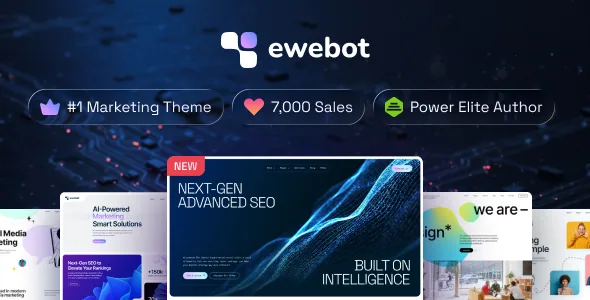
Ewebot names the WPDaddy Header & Footer builder alongside Elementor. The body of a page is built in Elementor; the header and footer are handled in a separate builder with its own logic.
That split has an everyday consequence. Changing a call-to-action band near the top of a page is an Elementor edit. Changing the navigation, the logo lockup or the footer columns is a WPDaddy edit. If you hand the site to a client, the two surfaces need to be explained separately, or one of them will be hunted for in the wrong place.
A related claim in the feature list is a brand colour control, described as managing brand colours easily. Where that setting lives — theme options, Elementor globals or the header builder — is not stated, so it is worth locating before the palette is locked in across the block library.
The host caveat belongs in the plan, not the footnotes
The vendor includes an explicit disclaimer: hosting with GoDaddy, Namecheap or Hostinger comes without a guarantee that Elementor will work properly with the theme, and the vendor says those hosts must resolve issues arising on their servers.
Read that as a pre-build decision. If the client's site already sits on one of those three hosts, the sensible move is to build a staging copy there with Elementor active before the design work begins, rather than discovering the constraint after the block library has been mapped onto pages. If the host is not yet chosen, the warning is one more factor in that choice.
Nothing in the listing suggests a workaround or a supported configuration for those hosts.
Service pages map onto the vendor's marketing taxonomy
The vendor copy groups the work an agency site usually sells. The search group covers on-page, off-page, technical and local SEO, plus keyword research and content optimisation. The social group covers strategy, management, advertising, influencer marketing and community engagement.
Use that as a structure test before designing anything. An agency that sells four of those services needs four service pages with a shared layout, and the Kits blocks are where a repeatable service-page pattern is worth establishing. An agency whose offer is narrower can compress the same material into a single services page with sections.
The listing also names portfolio gallery layouts and several blog layouts. Both matter for an agency site because case studies and articles are usually the pages that get updated after launch, not the homepage.
What the attributes settle, as observed on 3 November 2026
The marketplace attributes list Elementor, Contact Form 7, WPML and WooCommerce 6.x through 9.x as compatible, with Gutenberg Optimized marked yes. Declared software support runs from WordPress 6.5.x to 7.0.x, with each 6.x version named individually. Files are listed as PHP, CSS and JS; the theme is widget ready, three columns, responsive, high resolution, and documented.
Those are listing declarations, not results from a build on your PHP version and plugin set — the vendor's own hosting note shows why that distinction matters here. Gutenberg Optimized being marked yes does not mean the demo layouts are block-built; the vendor's editing description is written around Elementor throughout.
One practical gap: WPML is named as compatible but the listing does not describe a translation workflow for the Kits blocks or the header builder. A multilingual agency site should confirm how those strings are handled before committing.
Demo imagery is licensed to the demo, not to you
The vendor states plainly that the images on the preview site are for demonstration only and are not included in the package. The people photography comes from Depositphotos and the illustrations from Freepik, and the vendor notes that a credit link back is required for the illustrations.
For an agency site this is not a small footnote, because imagery carries much of the presentation. Budget for either licensed photography or your own shoot, and keep the Freepik credit requirement in mind if the illustrations are reused in a live build. The inclusion of high-resolution assets in the attribute list refers to theme assets, not to the demo photographs.
Questions & answers
Do I need Elementor Pro to use the Kits blocks?
The vendor says the Kits blocks can be inserted into any content area using the free version of Elementor. That is a vendor claim about the free builder; it says nothing about Elementor Pro features, which the listing does not discuss.
Is the header built in Elementor too?
No. The listing names the WPDaddy Header & Footer builder as a separate tool from Elementor, so site chrome and page body are edited in different places.
Are the people photos in the demo included with the theme?
According to the vendor, no. Preview images are for demonstration only and are excluded from the package; the illustrations come from Freepik and require a credit link back.