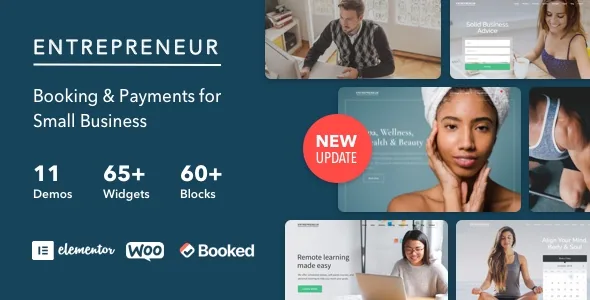
Booking is the product, not a plugin you go and find
Most service-business themes show a booking form in the preview and leave the machinery for you to assemble. Entrepreneur's vendor description takes a different position: the theme "comes bundled with and supports the Booked Appointment Plugin and 3 premium add-ons," and the feature list repeats the claim with a value attached — built-in booking and scheduling, described as a $75 value. That figure is the vendor's own valuation of the component, not a discount you can calculate.
The consequence for a build is straightforward. If the scheduling engine arrives with the theme, your first question is not which booking plugin to buy but how your services, staff and opening hours map onto Booked's model. The vendor lists salons, spas, barber shops, massage and chiropractic practices, coaches, personal trainers, bookkeepers and tradespeople as targets. A solo practitioner needs one calendar; a salon with several stylists needs per-person availability, which is a configuration problem to settle before you pick a theme at all.
The customer path: choose a service, take a slot, pay
The vendor's opening line describes the intended loop — converting visitors with "built in conversion forms, booking, and scheduling calendars." Two systems do the work. Booked handles the calendar. Payments run through WooCommerce: the feature list claims full WooCommerce support, and the compatibility attributes name WooCommerce 6.x through 9.x, observed on 3 November 2026.
That split means appointment payments behave like ordinary WooCommerce transactions rather than a theme-specific checkout. Useful if you already know how WooCommerce handles products, orders and payment gateways; less useful if you wanted a self-contained booking checkout. The vendor also says you can "manage your schedule anywhere on any device." Read that as a claim about the bundled plugin's responsiveness — the description names no mobile app.
Eight demos, and only one of them multi-page
The demo inventory is deliberately narrow: 7 one-page demos and 1 multi-page demo. For a single-location service business the ratio makes sense. A one-page layout keeps services, prices, testimonials and a booking call to action on one scroll, and the visitor never has to choose a destination.
The vendor calls the importer easy and adds a caveat that matters: some demo images were bought as stock and cannot be included. A freshly imported demo will not match the live preview until you supply your own photography, so budget for a shoot or licensed images rather than assuming the preview visuals ship inside the theme.
Where Elementor stops and the theme's own layout settings begin
Pages are built in Elementor, which the vendor calls a live frontend page builder — you edit the page as it renders instead of working in a separate admin canvas. Beside that, the theme has its own layout controls: boxed or wide page width, full background and custom page header options, full parallax support, and a sticky header the vendor marks optional. Widget areas are described as unlimited, with Widget Logic named for controlling where each appears.
Knowing which layer owns which decision saves rework. Boxed versus wide, the page header style and background treatment are theme settings, so changing them later affects every page at once. Elementor is the right place for per-page composition. The description does not say which of these controls sit in the WordPress customizer and which are hard-coded, so verify a setting exists before you design around it. Blog listings offer masonry and standard styles, and a portfolio layout is included for businesses that need to show finished work.
Conversion forms rest on a third-party form plugin
The theme's claim to include conversion forms is built on Formidable Forms: the technical specs say the theme "includes support for Formidable Forms," and the feature list offers unlimited forms through an optional plugin. That is support for someone else's form builder, not a form builder written into the theme. If your enquiry flow is central — a quote request, a pre-appointment intake questionnaire — plan on licensing and configuring Formidable Forms and building the forms yourself.
The same reading applies to anything the vendor labels optional, the sticky header among them. Optional items are work you may have to do, not defaults you inherit.
What the package declares, as observed on 3 November 2026
The ThemeForest file list names Layered PSD, PHP, CSS and JS files, and the technical specs add a child theme and translation-ready .po files. The child theme matters more than usual here, because booking and payment logic often needs small template adjustments, and a child theme keeps those out of the parent files. WPML appears on the compatibility list alongside the .po files, so multilingual publishing has two declared routes.
Declared WordPress support runs from 5.4.x through 6.9.x. Compatible-with entries name Elementor and Elementor Pro, The Events Calendar and its Pro version, WPML, and the WooCommerce 6.x–9.x range; browsers listed are Firefox, Safari, Opera, Chrome and Edge. These are vendor and listing declarations, not results from installing the theme on your server — your PHP version, hosting and plugin set remain the variables to test on staging. The vendor description also still carries a "WordPress 4.2+ Ready" line, older phrasing than the declared range, and the compatibility attributes are the more current statement.
Questions & answers
Is the Booked Appointment plugin included, or do I need a separate licence?
The vendor states the theme is bundled with and supports the Booked Appointment Plugin and three premium add-ons. That is the vendor's description of the package rather than something confirmed by installing it. If your workflow depends on a particular add-on, confirm it is included before you build on it.
Can appointments be paid for without WooCommerce?
The description names WooCommerce as the payment route and claims full support, with compatibility declared from WooCommerce 6.x to 9.x as observed on 3 November 2026. No other checkout method is described, so treat WooCommerce as part of the payment path rather than an optional extra.
Do the demo images come with the theme?
Not all of them. The vendor says the demo content importer is easy to use but that some demo images were purchased as stock and cannot be included. Plan to source your own photography, particularly for the homepage and the service sections.
Does the theme work in more than one language?
WPML appears on the declared compatibility list, and the technical specs mention translation-ready .po files. Both are listing statements rather than tested results; if multilingual publishing is core to the site, check the WPML setup on staging with your own content.


