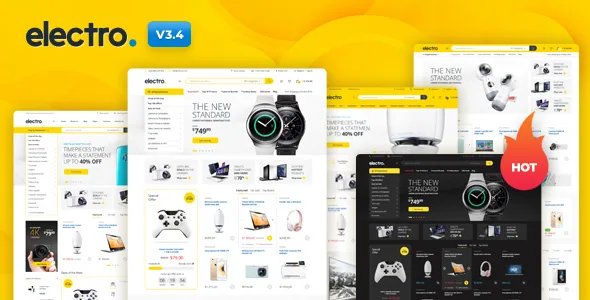
The bundled plugin is where the storefront lives
Electro is a WooCommerce theme, and the vendor's description spends more space on the companion Electro Extensions plugin than on the templates. The listed jobs for that plugin are all catalogue-facing: Advanced Live Search, a YouTube-style page loader, an Advanced Vertical Menu, megamenu dropdowns, product and product-card carousels, Product Deals, Advanced Reviews, Accessories Management, Advanced Product Specifications and a Store Directory.
That matters when you compare themes. A design-only theme gives you product pages and leaves searching, filtering and cross-selling to WooCommerce extensions you license separately. Electro's pitch is that these behaviours arrive with the theme, so the shop, category and single product screens already share a vocabulary. The catch is that the plugin becomes part of your stack: it ships with the theme, and the panels you configure day to day are largely its panels rather than WooCommerce's own.
How a shopper moves through an electronics catalogue
Electronics browsing is usually a two-step motion: narrow by category, then compare specs. The vendor's menu tools address the first step. A vertical menu with megamenu dropdowns is the standard department-store pattern, and it is a different navigation model from a horizontal menu with sub-items, because a long brand and category tree can sit in panels rather than in nested dropdowns. The description treats the megamenu as responsive.
Live search addresses the second step from the other direction. Version 3.7.3 in the vendor's release history records Instant Search built on a StoreBolt integration, and the Extensions plugin separately lists Advanced Live Search. A shopper who types a model number and gets results before pressing enter is skipping the category tree entirely. Both search routes come from the vendor's own documentation, and you can see which one a given demo uses on the live site before committing.
Accessories, specs and reviews on the product page
Three of the listed plugin features shape the product page beyond WooCommerce defaults. Accessories Management is described as mirroring Amazon's add-on products, which is the pattern of attaching cables, cases and memory cards to the item a customer is already looking at. Advanced Product Specifications gives detailed spec content its own tab or section. Advanced Reviews is listed separately from WooCommerce's built-in review system.
The vendor also lists three single product layouts — Extended, Fullwidth and Sidebar — plus a catalog mode, a shop page jumbotron, YITH WooCommerce Wishlist, YITH WooCompare and a custom product comparison page. So a buyer can save an item, compare it against another, and read grouped specs, which is close to the loop an electronics customer expects before checkout. Whether the spec tab is a table you fill manually or something more structured is not stated in the source, so test that on a product of your own before you plan a large catalogue around it.
Seventeen home pages, and the builder that unlocks them
The vendor lists 17 home page variants, 12 predefined header styles and 9 colour schemes with a custom colour generator. The header count is the more interesting number for a store, because the header holds search, cart, account links and the category menu, and those are the elements a large catalogue rearranges most often.
There is a boundary worth knowing before you count demos. The vendor states that Home v16 and Home v17 are available for Elementor only. Earlier versions of the description say home pages can be assembled with page templates, WPBakery Page Builder or Elementor, so the layout library splits by builder rather than being uniformly available in all three. If your team works in WPBakery, plan which home page you actually want and confirm it is not one of the Elementor-only pair.
Multi-vendor is a plugin decision, not a theme switch
Electro's description names vendor marketplaces as a target use case, and it is careful about what that means. Multi-vendor management is not a default WooCommerce feature, and the vendor says plainly that the theme supports Dokan and Dokan Pro, WC Vendors, WCFM Marketplace and the Multi Vendor Marketplace plugin by Webkul rather than providing marketplace functions itself.
The support boundary is stated too: problems originating inside those plugins, other than interface issues such as a broken form, fall outside the theme's support policy. Read that as a division of responsibility. A marketplace build on Electro is a marketplace build on Dokan or WC Vendors first, with Electro supplying the storefront skin. Budget for the vendor plugin's licence and its own support queue, and treat the front-end styling as the part Electro owns.
What the Underscores base gives a developer
The theme is built on the Underscores framework, and the vendor describes the code as lean and extensible, with child themes and custom plugins named as the extension route. Practical details listed alongside that: Bootstrap 5, SASS with all SASS files included, Google Fonts integration, FontAwesome icons, a custom CSS field and import/export of customiser settings.
For a developer, that combination means the styling work is done in SASS and compiled, not patched through a live CSS editor alone. Customiser export and import also makes moving a configured site between staging and production less of a rebuild. The marketplace records Gutenberg Optimized as No in the attributes observed on 3 November 2026. That describes the vendor's authoring focus — options panel, page templates and page builders — and does not mean the block editor is switched off, but it is a fair signal that block-built layouts are not the tested path.
Demo data, placeholders and putting the pieces in order
The vendor is specific about what the import produces. The dummy data gives you a site similar to the demo, but with placeholder content and without preview images. Elementor users need an additional step: the documentation instructs importing an Elementor kit after the dummy data so pages display like the demo.
The release history for 3.7.3 shows how fragile that sequence has been. Entries record a demo import getting stuck after Slider Revolution activated, WPForms Lite and Elementor onboarding screens interrupting the import, and a Slider Revolution SR7 fix for the Home v1 slider. The same release changed One Click Demo Import to list only the plugins each demo uses and mark the needed ones as required, and made WPForms Lite recommended rather than required. Import on a fresh install and follow the documented order rather than activating plugins by hand as you go.
Questions & answers
Can I run a multi-vendor marketplace with Electro without extra plugins?
No. The vendor states that multi-vendor management is not a default WooCommerce feature. Electro supports Dokan, WC Vendors, WCFM Marketplace and Webkul's Multi Vendor Marketplace plugin, which supply the marketplace functions, and issues inside those plugins fall outside the theme's support policy except for interface problems.
Do I have to use Elementor to build the home page?
Not necessarily. The vendor lists page templates, WPBakery Page Builder and Elementor as ways to build home pages, but Home v16 and Home v17 are Elementor only. Check which home variant you want before choosing your builder.
Does the dummy import give me a site that looks exactly like the demo?
The vendor describes the imported result as similar to the demo, with placeholder content and without preview images. Elementor users are also instructed to import an Elementor kit afterwards so pages render like the demo.
What does Advanced Live Search require?
The Electro Extensions plugin lists Advanced Live Search among its features, and the 3.7.3 release notes mention Instant Search using a StoreBolt integration. Both are vendor statements; the exact setup is covered in the theme documentation.


