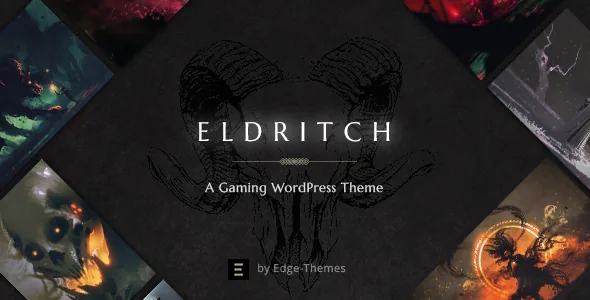
A match is a content type here, not a styled blog post
Plenty of gaming themes dress up a standard post and call it a fixture. Edge-Themes' feature list for Eldritch describes something structurally different: a Matches Custom Post Type, sitting alongside three shortcodes built specifically to display fixtures — Match List, Match List Small and Match Featured Items.
That distinction matters once a season starts. If results live in ordinary posts, a scheduled game and a finished game share the same fields, and the only way to separate them is by category naming, manual date sorting or a plugin. A dedicated post type gives fixtures their own entries and a display element that already knows it is showing a match rather than an article. You add upcoming and completed games as match records, then place the lists where you want them on a homepage or a tournament page.
Three list variants instead of one is the practical part. A large list suits a dedicated results page, a small list fits a sidebar or a secondary column, and the featured-items variant handles the highlighted fixtures at the top of a page. The vendor describes these as shortcodes, so they are placed inside WPBakery-built layouts rather than being hard-wired into a template.
Fixtures follow you into sidebars and the community
The marketplace description also lists a Match List widget and a Match Featured List widget. Widgets are worth noticing separately from shortcodes because they live outside page content: sidebars, header widget areas and footer columns.
For an esports site that means the next fixture can stay visible on pages that are not about matches at all — a roster page, a sponsor page, a shop listing. You set the widget once and it appears wherever that widget area is assigned, instead of pasting a shortcode into every page you build.
Eldritch also ships what the vendor calls a forum template and states compatibility with bbPress, with the compatibility attribute naming bbPress 2.5.x. A forum is a different surface from a fixture list: matches are short-lived and dated, while threads about a team, a patch or a tournament keep accumulating. Both being part of the same theme is what lets a clan site put results and discussion under one roof rather than running a separate community platform.
The demo import is described as one-click, so layouts and page relationships arrive together. What it will not bring is your own match data, forum threads or licensed artwork — those are yours to enter.
Homepage scenarios and a deep portfolio layer
The vendor describes homepage layouts for esports matches, game showcase, gaming blog, concept art presentation and an online store. Read that as a set of starting points rather than one mandatory front page: a team site leans on fixtures, a studio site leans on art and project pages, and a shop leans on the product side.
The portfolio side of the feature list is unusually detailed for a gaming theme. Lists come in Standard, Simple, Masonry, Gallery and Pinterest layouts, and single project items can use image, slider, gallery, masonry, full-width or custom layouts, with an image and video lightbox plus a slider shortcode and a horizontally scrolling list.
That range earns its place if the site presents concept art, trailer work or a game's media gallery — a masonry or Pinterest list handles uneven artwork ratios better than a uniform grid, and a full-width single layout gives a screenshot or a trailer room. If your site is only fixtures and news, most of it will go unused.
Header and section controls for long event pages
Eldritch lists four header types — Standard, Vertical, Minimal and Centered — plus behaviours including a Fullscreen Menu, a Side Area and integrated search. Separate logos can be assigned to the mobile header, to light and dark header versions and to the sticky header, so a pale logo can sit on a dark hero image without being reused somewhere it disappears.
The section-level tools are the ones that matter on a long tournament or landing page. The vendor lists video and image backgrounds in sections, parallax images, a variable grid size and anchor functionality for one-page sites. Anchors are what turn a scrolling page into a navigable one: jump links to brackets, schedule, roster and sponsors instead of asking visitors to hunt.
Page building runs through WPBakery Page Builder, which the vendor includes, with Slider Revolution also bundled. The theme's own fullscreen slider adds image and video slides with parallax, image zoom and content entry animations. Internet Explorer 10 and 11 still appear in the compatibility list, which reflects when that list was assembled rather than what a current build needs.
The social feed widgets survived, the feed plugins did not
One place where the feature list and the changelog pull apart is worth planning around. The list still names a Twitter feed widget and an Instagram feed widget; the version 1.8 changelog, dated 23 September 2025, reports that the Edge Instagram Feed plugin was removed over Instagram API changes and the Edge Twitter Feed plugin over Twitter API changes.
Read together, those entries describe a plugin layer that no longer ships while the widget names remain in the marketing copy. A live panel showing an account's latest posts is therefore not something to assume from the theme alone. If that panel is part of your homepage plan, scope it as a separate integration with its own account requirements, and confirm what the build you install actually contains.
Social share buttons are listed as their own feature and behave differently: they let a visitor push an article outward, which does not depend on reading data back from the same services.
The declared versions, and the images you cannot reuse
As recorded on the marketplace listing on 4 November 2026, the latest marketplace version is 1.8, with the vendor's last update dated 23 September 2025. That release added a WPML config file and WooCommerce 10.x compatibility, and moved the bundled WPBakery and Revolution Slider to the builds current for that date.
The software compatibility attribute declares WordPress 6.5.x through 7.0.x, WooCommerce 9.x.x and 10.x.x, bbPress 2.5.x, WPML, and WPBakery Page Builder. These are vendor and marketplace declarations, not results from testing Eldritch against your particular plugin stack, PHP build or hosting setup.
One constraint comes straight from the vendor: the demo images are not owned by the theme author, are used for presentation only, and cannot be used on your site without buying a licence from a stock image source. A one-click import gives you structure and styling; the photography and artwork that make the demo convincing are a separate purchase or your own asset.
Questions & answers
Can I use Eldritch to show fixtures without building a match page by hand each week?
The vendor lists a Matches Custom Post Type alongside Match List, Match List Small and Match Featured Items shortcodes, plus Match List and Match Featured List widgets. You add match entries as that post type, then display them through the lists or widgets. How much of a match's fields are automated is not specified in the supplied material.
Do I need bbPress to use the forum template?
The vendor states compatibility with the bbPress plugin and the attribute names bbPress 2.5.x. The forum functionality is described as a template that works with that plugin, so plan on installing bbPress if you want the community side.
Will my Instagram and Twitter feeds display out of the box?
Do not count on it. Version 1.8 removed the Edge Instagram Feed and Edge Twitter Feed plugins because of API changes, even though the feature list still names the feed widgets. Treat live social feeds as a separate integration.
Are the demo photos included for use on my site?
No. The vendor states the demo images are not owned by the theme author, are presentational only, and require a licence from a stock image source before use on your own site.