One theme, three course engines
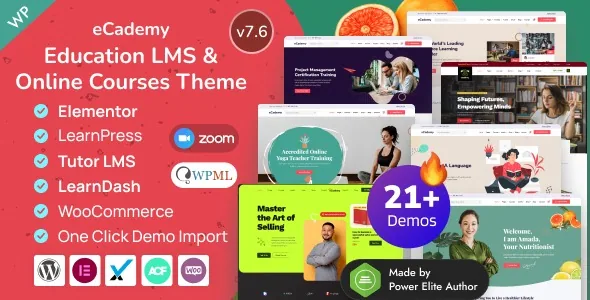
The first decision eCademy forces is not about layout. EnvyTheme's feature list declares compatibility with Tutor LMS v3.x, LearnPress v4.x and LearnDash LMS v4.x and later, which means three different course backends are supported inside the same theme.
That matters because the engine decides where your lessons, quizzes, enrolments and payments actually live. Switching engine later means moving course data, not restyling pages. The theme's job is to make any of the three look and behave consistently, so pick the LMS on its own merits first — its quiz types, its reporting, its extensions — and treat eCademy as the presentation and account layer around it.
The declaration is a compatibility claim from the vendor, not a record of hands-on testing on this site. How the theme's course templates behave against a specific LMS release is something to confirm in a staging install.
Teaching mechanics that sit at theme level
Several features in the vendor's list are classroom functions rather than design options. The Grading System is described as showing students' progress and marks in quizzes and tests as percentages, with the result displayed as passed or failed. Content Drip adds release scheduling to lessons. Certificates are covered twice: a certificate for courses and a printing feature, so a finished student has something to hand over.
Other entries are clearly tied to one engine. A course membership option exists for LearnPress specifically, as does support for the LearnPress offline payment plugin — useful where learners pay by bank transfer or in person and the site should not depend on a card gateway.
If you plan to run Tutor LMS or LearnDash, do not read the LearnPress-specific entries as features you also get. Check which of the grading, drip and certificate functions the vendor describes independently of any plugin before you commit.
Live classes, community and messaging
Delivering teaching live pulls in another layer. EnvyTheme lists Zoom plugin support for live classes, Google Classroom, live streaming and private messaging, and integrates BuddyPress for a learner community. The vendor also names WP Events Manager for scheduled sessions and Yoast SEO, bbPress and WPML as compatible plugins.
These are dependencies, not built-in infrastructure. Zoom classes need the Zoom plugin and your own account; BuddyPress needs to be installed and configured; a course calendar comes from the events plugin. Budget for that plugin set as part of the project, including how each one's own settings interact with the theme's templates.
One detail worth noting from the vendor's changelog: a release fixed an Elementor header/footer display conflict with bbPress, and a later one fixed a bbPress user profile that would not load. Those are the kinds of collisions that appear when header building and forum software meet, and they suggest you should test the specific combination you intend to ship.
What a returning student sees in the header
Recent releases concentrated on the logged-in learner's navigation rather than on marketing pages. Version 7.6 added an optional header menu for signed-in students with links to LMS account pages — dashboard, profile, enrolled courses — plus an avatar. Version 7.5 added an option to show the logged-in user's name in the navbar button.
For a course site this is a practical fix. Most of a student's visits happen after the purchase, when the thing they need is a fast route back into a course, not a hero section. The menu is optional and configurable rather than forced, so a site that treats course access as a footer link can keep it that way.
Header and footer building run from the dashboard, with the vendor listing sticky header control, footer show/hide, page banner background image or colour, banner alignment, and menu item colour options for active and sticky states. Logo dimensions for the main and mobile logo are exposed separately.
Building pages in Elementor, and the widget count
Pages are assembled in Elementor. The marketplace record lists Elementor and Elementor Pro as compatible and marks Gutenberg Optimized as No, which tells you the theme's editing path is the builder rather than block templates. That label says nothing about whether WordPress's own editor is blocked, only that block styling is not what the theme was tuned for.
The vendor's own copy is inconsistent about the widget count: the marketing section says 51+ custom Elementor widgets, while the feature list says 170+. Both are vendor statements, and neither is a reason to choose or skip the theme. What matters more is whether the widgets you need for course listings, instructor profiles and pricing tables exist in the release you install.
The theming stack behind Elementor is public in the credits: ACF Pro v6.x for custom fields, Redux Framework v4.x for the options panel, WooCommerce for selling courses and products, plus Bootstrap, Swiper and Google Fonts. A child theme is included, which is where layout customisations that need PHP belong. The ThemeForest file list names PHP, CSS, Sass and JS files.
Demo breadth: coaching niches versus institutions
The vendor publishes around twenty demo variations, and they split into two fairly different audiences. On the coaching side there are single-instructor courses, business and marketing coaching, health coaching, gym coaching, yoga training, and even a culinary and healthy-recipe kitchen coaching layout. On the institutional side there are college and university sites, modern schooling, kindergarten, distance learning, language school, vendor certification training and a single-course layout.
That spread is the honest signal about the theme's intentions: it is not built narrowly for a university faculty, and it is not only a course marketplace skin. Import of demo data is offered as one click, and a single-course demo exists if your site is one long-form programme rather than a catalogue.
The demos are also the fairest way to judge the visual fit, since the design itself is fairly conventional education styling and the differentiation lives in which sections each layout offers.
Arabic, Hebrew and selling courses
Two practical requirements are covered in the vendor listing. RTL is included for Arabic and Hebrew, and WPML compatibility is declared for sites running more than one language. For a regional training provider, a right-to-left layout that ships with the theme is a much smaller job than retrofitting one.
For payments, the theme uses WooCommerce: courses, coaching packages or digital products can be sold through it, with a shopping cart, and the marketplace record lists WooCommerce 10.x.x as compatible. LearnPress users have the separate offline payment route mentioned earlier. Contact Form 7 handles enquiry forms, and MailChimp subscription is handled through AJAX with a popup modal option.
The compliance and trust entries are thinner claims — GDPR compliance is listed as a feature, and the code is described as W3 valid and PHP 8.x compatible. Treat those as vendor assertions to verify against your own host and legal requirements rather than as certificates.
Declarations to check before you build
Two contradictions sit in the published material and are worth resolving before a build plan depends on them. The marketplace compatibility attributes list Bootstrap 4.x, while the theme's own credits name Bootstrap 5. Which grid and utility convention the theme's markup actually follows affects anyone writing custom templates, so check the installed files.
The broader compatibility picture, observed on 4 November 2026, declares WordPress 6.0.x through 7.0.x, WooCommerce 10.x, BuddyPress 10.x, Elementor, Elementor Pro, Contact Form 7, WPML and PHP 8.x support, across Chrome, Firefox, Safari, Opera and Edge. Those are declarations by the vendor and marketplace, not results from running this theme on your server with your caching, security and LMS plugin combination.
One more thing to keep straight: the theme is a wrapper, not the LMS. Your course data, student records and quiz results live in whichever engine you choose, so the backup and migration plan belongs to that plugin as much as to the theme.
Questions & answers
Do I need to buy a separate Tutor LMS, LearnDash or LearnPress licence to use eCademy?
The vendor describes the theme as compatible with all three, and describes the theme's package as the theme source, a custom plugin, demo data and documentation. The LMS plugins are separate products with their own licensing. LearnDash and Tutor LMS Pro in particular are paid plugins, so treat the engine cost as separate from the theme.
Does eCademy replace Elementor?
No. Pages are built in Elementor, and the marketplace record lists Elementor and Elementor Pro as compatible. The theme supplies its own custom widgets and templates on top of the builder, plus ACF Pro fields and a Redux options panel.
Can I run a course site in Arabic or Hebrew?
The vendor states that RTL versions are included for Arabic and Hebrew, and lists WPML compatibility for multilingual sites. That covers direction and translation plumbing; the quality of individual demo layouts in RTL is worth checking in the demo.
Are the 170+ and 51+ widget counts both correct?
They come from the same vendor description at different points and do not agree. Rather than pick one, check the widget list in the documentation for the version you install and confirm the specific widgets your course layouts need are present.