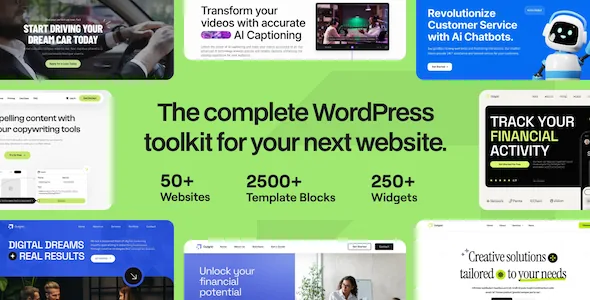
The widget catalogue is the product
UiCore builds Outgrid for Elementor, but the page builder is the delivery mechanism rather than the selling point. The vendor description gives over 200 design elements as Elementor widgets, and the enumerated list is unusually wide for a theme: a single installation supplies widgets for donation platforms, form plugins, e-commerce, event calendars, course plugins and community add-ons.
That changes the shape of a build. Instead of installing a theme for layout and then hunting down an add-on pack for each plugin on the page, you pick from one catalogue and assemble the page in Elementor. The trade is dependency: each widget is a bridge to the plugin it names.
A widget existing in the list does not tell you the plugin ships with the theme. Treat the catalogue as an interface map and confirm separately which plugins you need to install and license yourself.
Two places where global styling lives
The theme options panel handles site-wide colour and type. The vendor describes seven global colours, each linked to colour controls across Theme Options and integrated with Elementor's design system. Global Fonts work the same way, offering Google or system fonts and linking to typography settings in both places.
Alongside that sits a Preset Manager, which saves and loads settings per category, and can import presets taken from the demos. On a site with many page templates this is the part that shortens iteration: you can keep a configuration, test another, and reload the first without rebuilding it.
The panel also carries a live settings search that jumps to a matching option, per-device responsive controls for desktop, tablet and mobile values, and full typography fields including letter spacing and text transform. A Server Status check and an Error Log sit in the same area, the log recording what happened when a demo import failed or ran only partly.
Which plugin bridges matter for your project
The form coverage is the broadest single group. Contact Form 7, Gravity Forms, WPForms, Ninja Forms, Fluent Forms, Formidable Forms, QuForm, Caldera Forms, Everest Forms and weForm each have a corresponding widget, so a site inheriting a client's existing form stack can usually keep it.
Donation and fundraising tools are handled for Give and Charitable, with widgets listing donation forms, goals, donor walls, campaign displays and registration or profile panels. Store widgets cover the WooCommerce path from product grid and carousel through add to cart, mini cart, cart page and checkout page, and Easy Digital Downloads gets purchase-history widgets. Events appear as calendar, list, grid, carousel and countdown elements. Tutor LMS supplies course grid and carousel widgets, and BuddyPress has member, group and friends elements.
The breadth invites overbuilding. Decide which of these your site genuinely needs before you start placing widgets, because each one adds a plugin you then have to maintain.
Blog and portfolio controls are separate from the demo layouts
The vendor treats blogging as its own area rather than a leftover template. Four blog page layouts are described, with grid controls for columns, spacing, hover effect, image ratio and border radius. Post info toggles switch author, date, category and excerpt on or off, and sidebars can be assigned to the archive and to single posts, either normal or sticky.
Two details are aimed at reading rather than browsing: a narrow post width that reduces the text container, and a reading progress bar under the header. Typography for posts has its own settings block, separate from general body type.
The custom Post Grid widget lets you place a blog grid anywhere on the site, not only on the blog archive. Portfolio items are built in Elementor and reuse the same grid controls, with sidebar assignment for both the portfolio page and single portfolio entries.
Import scope, page overrides and what the package contains
The demo importer is described as selective. You choose the demo, then choose which content types to bring in: pages, posts, widgets, navigation menu items, media and theme options. Required plugins are installed automatically and problems are reported, with failures also recorded in the Error Log mentioned above.
Page-level overrides cover the site frame without custom code: page title and its background, overlay and colour, breadcrumbs, boxed or full-width layout, header on or off, transparent header, header height change on scroll, top banner, footer and copyright toggles. Custom CSS and Custom JS fields are available per page as well.
The package is listed as containing PHP, CSS and JavaScript files. No design source files are declared, so plan on working from the browser rather than a layered mock-up. Gutenberg Optimized is marked No, which reflects the vendor's Elementor-first editing model and should not be read as proof that the block editor is disabled.
Marketplace attributes observed on 3 November 2026 declare WordPress 6.7.x, WooCommerce 8.x.x, Elementor and Elementor Pro, WPML, The Events Calendar and its Pro version, Contact Form 7, Gravity Forms and WPForms, with responsive layout and browser support across Chrome, Firefox, Safari, Edge and Opera. Those are vendor statements, not the result of running the theme here.
What to verify before you commit
The decision turns on whether the specific widgets your project needs behave with the plugins you actually run. Put a staging install together, install those plugins at their current versions, and place one of each widget you intend to use: a donation form, a course grid, a mini cart, whatever the site depends on.
Check the two styling layers together as well. Set your seven global colours and fonts in Theme Options, build a page in Elementor using its design system, then change a global colour and see which elements follow. That answers more about the workflow than any feature list can.
Questions & answers
Do the 200+ widgets arrive with the plugins they support?
No. The vendor lists widgets for form builders, Give, Charitable, WooCommerce, Easy Digital Downloads, Tutor LMS and BuddyPress, but each widget renders the output of the named plugin. You install and license those plugins yourself; the theme supplies the Elementor element that displays them.
Can I import only part of a demo?
According to the vendor, yes. The importer lets you choose which demo to install and then which content types to bring in — pages, posts, widgets, navigation menu items, media and theme options — and it installs required plugins automatically.
Does 'Gutenberg Optimized: No' mean the block editor is unavailable?
It means the vendor does not present the theme as optimised for block-editor authoring. The editing model described throughout the listing is Elementor, and the theme-specific widgets exist only there. The attribute alone does not establish that blocks stop working.