Reservations land in a queue, not a checkout
The most consequential detail in DWT Listing is a redirect rule. Version 3.2.8 records that a completed reservation no longer sends the visitor to checkout; the redirect happens only once the listing owner approves the request. The same release added a table reservation duration field — reserve for 30 minutes — and made the available time slots shown on a listing follow the duration the owner sets.
So a booking is a request with a human decision attached. Version 3.2.4 describes the matching appointment system: listings can carry appointments on given dates and time slots, the listing author receives or rejects each request, and approval or rejection emails go out to the user who asked. Version 3.3.9 added an appointment email to the listing author as well.
That is good news if your listings are restaurants taking table bookings or salons taking appointments and someone should be able to say no. It works against you if you want a slot to be confirmed and paid for without intervention, because the described behaviour deliberately inserts a wait.
Appointments, services and add-ons are collected inside the listing form
Version 3.3.6 moved the booking apparatus into the submission workflow: appointment scheduling inside the Submit Listing form, a Services section and an Addon Products section in the same form, a Booking Appointment widget on the listing page, and time slot management. In practice a listing owner configures what they offer while they create or edit their listing, rather than in a separate admin screen you maintain on their behalf.
Version 3.2.9 tightened the same area with UI fixes — the correct modal for approving or rejecting a meeting depending on whether it is virtual or physical, and a "Free Booking" label when the appointment carries no price. If your directory mixes paid appointments with free consultations, those two behaviours are the ones to try first on a staging copy.
Ticketing and commission run through WooCommerce
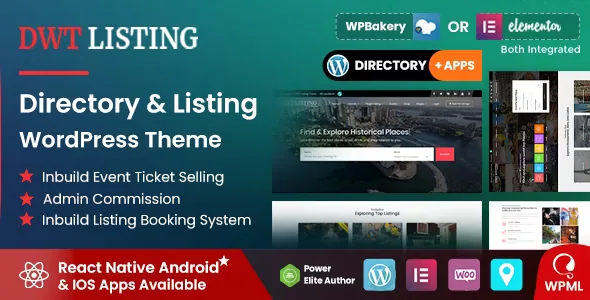
The vendor's feature list names an inbuilt reservation system, event tickets selling and booking, a commission system and a wallet, and states that no paid plugins are needed. The changelog gives those claims dates and specifics. Version 3.2.5 records the built-in event ticketing system: authors can sell tickets to events, users can buy them, an admin commission option exists on the ticket price, and payment is based on the WooCommerce payment system. Version 3.3.9 added a ticket quantity option; version 3.3.0 fixed a commission issue in ticket buying.
The wallet sits alongside commission rather than replacing it. Version 3.2.8 required a message when applying for a payout and fixed a case where a payout amount was lost, and version 3.3.6 added a payout email. Treat these as vendor-described administrative controls for rates, payouts and balances, and confirm the accounting behaviour against your own numbers before real money moves.
WooCommerce is the rail underneath all of it: the vendor lists full WooCommerce integration and a shop-integrated front end, and version 3.3.11 records WooCommerce template updates, compatibility work up to the 10.x line, and replacement of deprecated order handling. Your gateways and order records remain WooCommerce's responsibility.
Radius search became a setting instead of a fixed number
Version 3.3.11 is the release that says most about search. Radius distance is now configurable through theme options, replacing a fixed 30 km limit. Location search was normalised so a multi-word query such as "Harlow, Essex, UK" matches partial terms, and radius accuracy improved through latitude and longitude validation. Search input sanitisation was extended across title, sorting, pagination and coordinates.
The same release brought the WordPress admin listing edit screen up to the front end: Google Maps with the Places library, address autocomplete on the admin address field, a draggable marker that keeps coordinates and address in sync, and a current-location button. Version 3.3.7 had earlier resolved a cluster of map problems — MapId configuration, clustering and pin display, and a map that failed to regenerate after pagination. Maps plus pagination is the combination this theme has needed the most repair on, which is worth knowing before you build a large, map-led directory.
Around search, the vendor lists instant search in the header, listing reviews, ratings and bookmarks, and category-based listing alerts added in versions 3.3.0 and 3.3.2. The alerts are what bring a visitor back when new listings appear in a category they saved.
Events are a content model of their own
Tickets only make sense if events carry structure, and version 3.2.9 built it out: speakers created from the front end, a speaker detail page, day schedules displayed in tabs, speaker types that separate a speaker from an organizer, a webinar event type, and Zoom meetings. Event attendees and speakers are shown in sliders to keep pages compact. Version 3.3.8 fixed a map problem on the event search page.
The vendor's ACF note is narrower than the feature list first suggests: compatibility is scoped to the event post type only. Advanced custom fields are a tool for event content here, not a general way to reshape listing fields.
A city or community guide can run a programme next to its business listings using this structure, and a conference or training directory can make events the main content. If you are not publishing dated events, the ticketing and schedule machinery is capacity you will carry without using.
Front-end editing, dashboard and the theme's age signals
The vendor's opening pitch is that you design pages on the front end and watch the work appear immediately, no coding required, and the product description leads with front-end demo login credentials rather than a backend tour. Registered users get a customised dashboard for submitting and managing listings, with sign-in and registration included. Around that sit Bootstrap-based layouts, custom and built-in shortcodes, Owl Carousel, parallax backgrounds, a breadcrumb bar, Contact Form 7 with its widget, a latest-posts widget and a back-to-top control.
Two details show the theme's history. Version 3.2.8 added the SB Chat plugin with a chat option on the listing detail page that can be switched off in theme options — worth finding early if visitor-to-owner chat is not in your plan. And version 3.3.1 added a device history feature that notifies a user about their login details.
The marketplace attributes observed on 4 November 2026 list Elementor, Elementor Pro, WPBakery and WPML as compatible, Gutenberg optimisation as yes, widget-ready areas, and PHP, CSS and JS as packaged files. Those are declarations on the listing, not installation results; verify the builder you intend to use on a staging copy. The translated caveat matters too: the feature list says translation ready but not multi-language, while the paragraph beneath says the theme can be translated to any language and is WPML compatible. Confirm the current behaviour before committing a multilingual directory. The vendor also requires PHP 7.0 or newer, states that support is not provided for adult or dating sites, and notes that Google Maps changed its service policy — relevant if maps carry your search.
Where the transactional layers decide the fit
DWT Listing is worth your time when the site has to take money and manage requests: listings that expire, tickets with commission, a wallet with payouts, appointments that an owner approves. Version 3.3.9 fixed listings that were not expiring as intended, and version 3.2.5 added reactivation of expired listings by users — small entries that describe the ongoing admin of a paid directory.
If you need a browsable catalogue with a search bar and nothing else, the booking, wallet and ticketing layers are machinery you will configure and never use. If you do need them, the approval step and the WooCommerce dependency are the two facts that shape your day-to-day work.
Questions & answers
Does a booking go straight to payment?
Not according to the changelog. Version 3.2.8 changed reservations so a completed request no longer redirects to checkout; the redirect happens only after the listing owner approves it. Payment itself still runs through WooCommerce, so gateways, checkout and order records are WooCommerce's job.
Can I set the radius used for distance search?
Version 3.3.11 made radius distance configurable in theme options, replacing a fixed 30 km limit. That release also normalised location queries so multi-word place names match partial terms. On a directory covering a wide region, it is one of the first settings to tune.
Does ACF work on listing fields or only on events?
The vendor scopes it to the event post type only. Plan on ACF for event content and on the theme's own submission form for listing fields unless the vendor tells you otherwise.
Is the theme multilingual?
The description is inconsistent. It lists translation readiness while saying multi-language is not supported, and separately states WPML compatibility. Verify this directly before building a site that depends on it.


