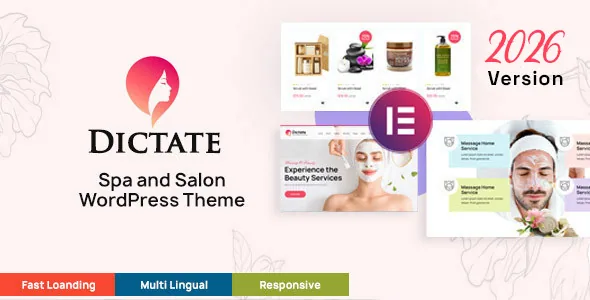
The product name says paid; the description says planned
Start with the gap between the title and the feature list, because it changes how you scope the project. Webinane's description writes that they "have also a plan to include an online payment system in the appointment system" so clients can pay for a reserved booking date. The appointment section otherwise describes a booking system with no payment step.
"Plan to include" is a roadmap statement. It sits in the same description that lists delivered features, which makes it easy to misread on a quick pass. If your salon takes deposits at the moment of booking, treat that as work you still have to solve, and confirm the current state on a working install rather than the theme title.
What the description does deliver is a booking record you can act on. Appointments can be managed, altered or cancelled from the WordPress backend, so the admin side is presented as a schedule you work from rather than a form that emails you and leaves a blank.
Team, date and time are the three fields the booking model rests on
The vendor names team management, time management and date management as the components of the appointment system. That is a booking tied to a staff member plus a specific date and time — the minimum for a salon with more than one chair and more than one therapist.
Clients reach the form in one of two ways: a predesigned pop-up, or a page. The distinction is worth deciding early instead of running both as equals. A pop-up keeps a visitor on the treatment page they were reading. A standalone booking page gives you a URL to use in ads, directory listings and confirmation emails, and it is easier to track as a conversion target.
The description does not specify how staff availability rules work, whether bookings respect holidays or shift patterns, or whether appointments can be exported. Their absence from a summary is not proof of absence in the theme, but none of them should be assumed when you plan around deposits, multiple locations or a chair-by-chair rota.
Retail is WooCommerce, kept separate from bookings
Product sales run through WooCommerce rather than the theme's own booking structure. Webinane lists all shop pages and WooCommerce pages among the included layouts, and uses hair and skin care products as the stock example.
That split defines where your data lives. Bookings sit in the theme's appointment records; orders, customers, taxes, shipping and gateways sit in WooCommerce and its extensions. It also defines your workload: if you already run a WooCommerce store, the shop half is mostly a styling exercise; if you have never configured one, it is a project in its own right alongside the booking setup.
The changelog supports the claim that the shop track is actively maintained. The 6.3.1 entry dated 8 June 2026 lists an updated WooCommerce template set, and the 6.3, 6.2 and 6.1 entries each record the same. Releases in this cycle also cite responsive and styling fixes and console errors.
Elementor builds the pages, with a version record that needs reading carefully
The feature list names Elementor as the customisation builder, and the marketplace compatibility attributes observed on 5 November 2026 declare Elementor and Elementor Pro, WooCommerce 8.x and 9.x, WordPress 6.0 through 6.9, Contact Form 7, WPML and Bootstrap 5.x. Gutenberg Optimized is marked Yes in the attributes; block-editor optimisation does not by itself tell you how much of a demo layout is reproducible in blocks.
The vendor changelog runs ahead of those attributes. The 6.3.1 entry cites WordPress 7.0, Elementor 4.1.1 and WooCommerce 10.8.1, and the 6.2 entry cites WordPress 6.9.1+ against an attribute range that stops at 6.9. The most sensible reading is that the changelog is the newer statement and the attribute fields were not updated to match — but that is inference. Check your own WordPress and WooCommerce versions against the theme before committing, and confirm whether any element you plan to use is Pro-only, since nothing in the description states that Pro is required.
Pages aimed at a service business with work to show
The included page set follows a salon or spa rather than a generic corporate structure: portfolio work on the home page and inner pages, a gallery, locations, team profiles, an About page for the business history, and a contact page with a Google Map and a form. Contact Form 7 appears in the compatibility list, which fits the contact-page description and means the form is configured in a plugin with its own documentation.
Webinane pitches the same set at tattoo studios, wellness and massage centres, and cosmetic shops, which is honest about what the theme is: a booking-and-catalogue design for appointment-driven beauty businesses. The trade-off is breadth of scenario over depth in any one, so judge the demo layouts against your own treatment list rather than the feature count.
The marketplace labels documentation as Well Documented. That is a listing attribute, not an assessment of the documentation's quality, so if a salon owner will manage bookings themselves, ask to see the admin documentation before you hand over the site.
Questions & answers
Does Dictate take payment when a client books?
The description does not present a working payment step for bookings. It says an online payment system for appointments is planned, and treats the WooCommerce shop as a separate sales channel. Treat paid booking as unconfirmed and verify it on a current install before building a deposit workflow around it.
Can the appointment form open in a pop-up instead of a page?
Both placements are described: the vendor says you can display the appointment form through a predesigned pop-up or on a page. A pop-up keeps visitors on the treatment page; a dedicated page gives you a linkable booking URL for ads and emails.
Do I need Elementor Pro?
The listing declares compatibility with both Elementor and Elementor Pro, and the feature list names Elementor as the builder. Nothing in the supplied description states that Pro is required, so plan around the free plugin and check any Pro-specific element you intend to use.


