A passepartout frame before anything else
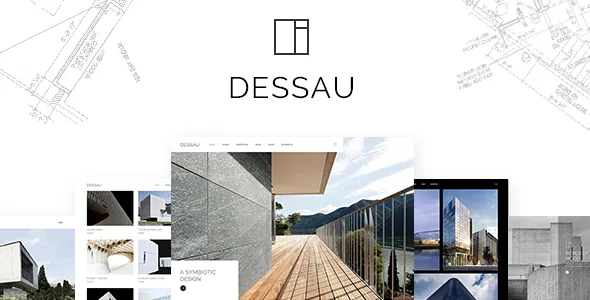
Dessau's most particular setting is one you can miss while scrolling a preview: an optional Passepartout border running around the site content, so every page sits inside a visible margin instead of reaching the viewport edges. Combine that with the vertical header or the "Vertical – Closed" header and the site stops looking like a WordPress layout and starts looking like a mounted print.
That decision reaches further than a background colour. The frame narrows every full-width image, which changes how the vendor's Portfolio Full Width Images layout reads, and it interacts with the header type you choose. Decide the frame and header early; both are described as global choices with their own customisation options rather than per-page switches.
What the portfolio layouts actually vary
The marketplace description counts 30 portfolio layouts and names the underlying pieces. Three list modes are described — Gallery, Scattered and Masonry — and four single-project layouts: Slider, Images, Full Width Images and Full Width Custom. Treat 30 as the combined count across these modes and their variations, not as thirty distinct templates you scroll through.
The useful question is which list mode survives your content. Masonry absorbs projects of different image heights; a gallery list makes thumbnails read as equals; scattered deliberately breaks alignment. If your work is a mix of narrow renovations and wide site plans, masonry and scattered will handle that mix better than a strict grid. Marketing copy for the theme mentions interior design, gallery and furniture page collections, so the demos also include non-project page types.
Project elements work outside the project template
Six portfolio shortcodes are listed: Portfolio List, Portfolio Category List, Portfolio Slider, Portfolio Full Screen Slider, Portfolio Project Info and Portfolio Motion Category. They are built for the bundled WPBakery Page Builder, which the vendor ships with the theme.
Portfolio Project Info is the one that changes how you can structure a site. It lets you place project metadata on a page you composed yourself, so an about page or a landing section can quote details from a chosen project without duplicating them by hand. Portfolio Category List does similar work for filtering: a services page showing only residential work is a shortcode configuration, not a separate template.
The bundled builder and Slider Revolution mean the theme's page-editing vocabulary is fixed. A practice already committed to a different builder would be maintaining two editing systems.
Logo variants per header state
Dessau lists five header types — Standard, Vertical, Minimal, Vertical – Closed and one called Dessau Header — each with its own options, plus a side menu area, a mega menu and menu anchors that jump to sections on the same or another page.
Logo handling is the deliberately detailed part. The vendor describes separate logo files for normal, sticky and mobile headers, separate versions for dark and light header skins, and the option to set a different logo on an individual page. That is a real advantage if your mark is a dark wordmark that disappears on a dark header, or if a campaign microsite inside the same install needs its own identity without a second theme.
The vendor's changelog records a fixed logo max height in a 2021 release, which is a reminder that these logo slots come with sizing constraints you may need to work within.
Shop, translation and the versions the vendor bundles
Compatibility attributes observed on 4 November 2026 name WPML, WooCommerce 9.x.x and 10.x.x, and WPBakery Page Builder, with listed WordPress versions from 6.5.x to 7.0.x and a "widget ready" flag. These are claims attached to the listing, not the result of running Dessau on a fresh install.
Shop support goes past a compatibility badge: customisable shop pages, a WooCommerce dropdown cart widget and three product list shortcodes (List, Carousel, Simple). That fits a studio selling prints, furniture or consultations next to its portfolio, though the theme's centre of gravity stays on project pages.
The release history explains what the package ships. Version 2.0 bundles WPBakery Page Builder 8.7.2 and Revolution Slider 6.7.40 and adds WooCommerce 10.x compatibility. Earlier entries show Instagram feed support removed in 2025 because of Instagram's API changes, and a Twitter feed plugin removed in 2023 for the same reason. If social feeds are part of your plan, expect to handle them with your own plugin or embed.
The photography is not part of the licence
The vendor states plainly that the images in the demos are for presentation only and cannot be used on your site unless you buy a stock licence yourself.
For most themes that is a footnote. For an architecture or interior studio it decides the project plan. The layouts are what you are buying; the photographs are stand-ins. You need your own project photography, or a paid stock library, before launch, and you need it in enough sizes to fill the full-width and full-screen portfolio layouts. Swapping images across a portfolio is slower than swapping a logo because each layout crops differently.
One practical note for the block editor: a 2023 changelog entry describes replacing Gutenberg blocks with the theme's shortcodes inside Cart, Checkout and single product pages. That reflects where this theme puts its editing tools — in shortcodes and WPBakery, not blocks.
Questions & answers
Do I need WPBakery to use Dessau's portfolio layouts?
The vendor bundles WPBakery Page Builder with the theme and describes the portfolio elements as shortcodes built for it. The theme's own page-building model therefore assumes WPBakery rather than the block editor.
Why is the demo photography not usable on my site?
The vendor says the images used in the demos are presentational and are not covered by the theme licence. You need to licence stock photographs or supply your own project images.
Are the Instagram and Twitter feed features still in the theme?
The vendor's changelog records the Twitter feed plugin removed in 2023 and the Instagram feed plugin removed in 2025, both citing API changes. The listing still describes social icon widgets, which are separate from live feeds.