Image Comparison is the feature built for clinic content
CurlyThemes singles out Image Comparison as the custom functionality added for dental clinic needs. That is a specific answer to a specific publishing problem: cosmetic and restorative treatment pages usually argue their case with the same mouth photographed before and after, and a draggable comparison element presents both states in one frame instead of two thumbnails and a caption.
The same description describes the theme's visual scale as large sliders, carousels and generous footers. Together, those choices point at photography-led pages: a wide clinic or portrait shot at the top, treatment imagery in rows, and a footer with space for hours, address and contact routes.
That dental framing is the part to weigh if you run a different practice. The vendor positions the theme for medical, hospital, stomatology, veterinary and rehab sites too, but the comparison element and the treatment-photography emphasis read as dental first.
Xtender decides how much you repeat per page
Dentist WP includes Xtender, the vendor's own plugin, which lists six capabilities: custom Visual Composer elements, an extended Individual Page Settings panel, a sidebar generator, custom icon and button shortcodes, custom widgets, and custom footer options.
The Individual Page Settings panel is the one with day-to-day consequences. Since framing is set per page rather than globally, a single treatment page can use a narrower column while a team or fee page keeps a wider grid, without building a second template.
Sidebars and footers matter for the same reason in a clinic. A sidebar generator lets one section carry appointment widgets and another carry insurance or payment notes. Footer options mean the phone number, address, opening hours and emergency contact come from theme settings instead of being rebuilt on every page. None of this makes the content decisions for you; it just keeps them in one place.
Visual Composer defines the editor your staff will open
The compatibility list names both Visual Composer and WPBakery Page Builder, which are the same builder lineage under two labels. Xtender's custom elements, shortcodes and settings panel extend that builder rather than sitting beside it, so the theme's tooling and the page editor are one workspace.
Gutenberg Optimized is marked No. That describes the editing route the vendor supports, not the removal of the block editor from WordPress; ordinary posts can still be written in blocks. The demo layouts and the theme's own elements, however, were not assembled that way.
That becomes a handover question. If a practice owner or receptionist will add treatment copy, photographs and staff entries, the Visual Composer screen and the Individual Page Settings panel are what they will work in. The listing marks the theme as well documented, which is where to judge whether that is realistic for your team.
Slider Revolution, bundled plugins and the vendor's savings figures
The vendor states that Dentist WP bundles Visual Composer and Slider Revolution, quoting a saving of $34 and $19 respectively. Those are the vendor's claims about the marketplace package, and the figures are the vendor's own arithmetic.
For planning, the concrete part is Slider Revolution's role: it is the tool behind the animated hero slides the description implies. A homepage built around a single fixed banner makes little of it; rotating layered treatment messages in the hero makes it central.
How a bundled plugin receives updates, and how that interacts with a separately purchased licence, is not settled by the listing and is a question for the vendor. Separately, WooCommerce 9.x appears in the compatibility list. A practice could sell retainers, whitening kits or paid consultations, but no part of the vendor description builds the design around a shop.
What the listing declares, recorded in November 2026
The software version attribute covers WordPress 5.9.x through 6.9.x. That is a declaration of versions the vendor says the theme works with, not a test against your host, PHP build or plugin stack.
Files included are PHP, CSS, SCSS and JS. SCSS sources help if you intend to change styling at source rather than override it, though no child theme is named in the listing, which is worth confirming before committing to heavy customisation. Widget ready and well documented are both marked Yes, and the browser list covers Firefox, Safari, Opera, Chrome and Edge.
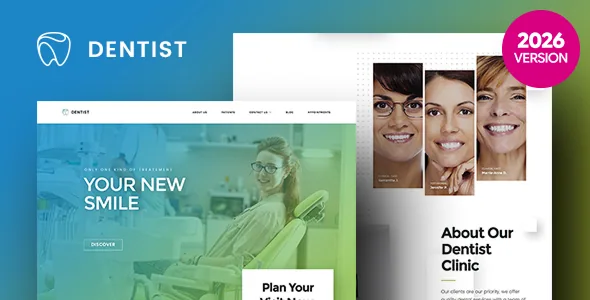
Photography is a separate budget line. The preview shows clinic interiors and patient portraits from the vendor's demo; those images are material to source or licence yourself, especially for patient-facing medical content where consent and accuracy matter.
The point at which the workflow stops fitting
Dentist WP lines up with a practice that will publish treatment pages carrying before-and-after pairs, keep a visible appointment route in the footer, and hand editing to one or two people comfortable in Visual Composer.
The mismatch is more likely to be editorial than visual. A team that designs in the block editor and expects theme elements as blocks will find the declared editing path pointing elsewhere. A site that needs a large library of distinct page designs should note that the vendor description emphasises visual scale rather than a demo catalogue. And if you need assurance about a WordPress release newer than the declared range, that has to come from the vendor rather than from the version number.
Questions & answers
Is Image Comparison a separate plugin or part of the theme?
The vendor lists it as a custom functionality of the theme, described alongside large sliders, carousels and generous footers. The supplied description does not name it as a third-party plugin.
Can the site be edited without Visual Composer?
Visual Composer is the builder the theme's elements and Xtender extensions plug into, and Gutenberg Optimized is marked No. Posts can still be written in blocks, but page layouts built from the theme's own elements expect the builder.
Does Dentist WP require WooCommerce?
No. WooCommerce 9.x appears in the compatibility list, which means the theme is prepared to work alongside it, not that a clinic site needs a shop.