Practice facts live in widgets, not page copy
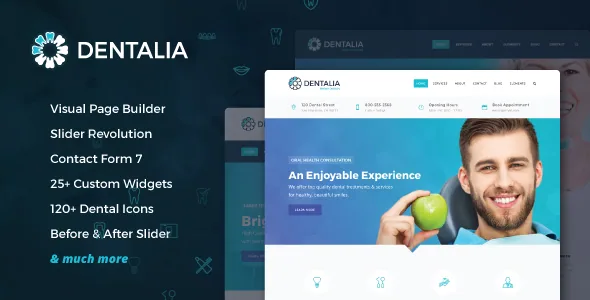
Orion Themes describes Dentalia as a theme for dentists, healthcare professionals and medical service companies. The published feature list reads less like a layout catalogue than an inventory of the things a clinic gets asked about: opening hours, the people who work there, treatment areas, a price list, a timeline, a gallery.
Each of those arrives as a widget with its own settings instead of a paragraph you retype. That distinction shows up after launch rather than during the build. A dental site has to answer "when are you open", "who will I see" and "what do you treat" before anyone picks up the phone, and making those answers editable components is the most concrete thing this theme offers.
An hours widget that marks the current day
The feature list names a working hours widget with the current day highlighted. A visitor scanning a seven-day table gets a cue pointing at today's row instead of counting down the list. Version 1.2 of the changelog also records inline translations for the days of the week inside the opening-time widget, which matters if the site is not English-only.
Keep the scope in view: highlighting the current day is presentation, not scheduling. Nothing in the supplied vendor material claims holiday exceptions, lunch-break logic or a closed-for-vacation switch. Irregular hours still mean editing the widget. What the highlight saves is the reader's attention, and it is the kind of detail a hand-written table rarely gets.
Team members and treatment areas as reused structures
A team member custom post type is listed, along with widgets that display those people as a carousel or a grid. Version 1.6 added a simpler team widget, a random sorting option, and a theme option to switch the team post type off if you do not need it.
The featured pages widget works the same way for treatment areas: you define the pages, and the widget presents them as cards. Version 2.3 added an area label to those cards and fixed their featured-image display, so a card can carry a category marker above the image.
The vendor does not state that editing a person or a page propagates to every placement automatically. Treat each widget instance as its own configuration and check the pages where it appears.
The dental assets that would otherwise be sourced separately
Two entries are unusual for a medical theme. The first is 120+ dental icons included with the theme, extended by three additional icon sets in version 1.6. The second is a before-and-after slider, the comparison image orthodontic and cosmetic practices rely on and that usually means a third-party plugin or hand-written markup.
Version 1.7 replaced FontAwesome and ElegantIcons with the theme's own smaller Orionicon font, a page-weight measure, while multiple icon packs are still listed as a feature. The vendor also states that stock images shown in the demo are not included. So the icon sets and the comparison slider ship with the theme; the clinic photography is yours to source and licence.
Carousels moved to a different script in version 2.3
The 13 May 2024 entry introduces Tiny Carousel as a replacement for Owl Carousel. Every carousel-bearing widget now runs on a different script than builds from before that release: team, gallery, testimonials, logos and the advanced custom carousel among them.
If you adapt CSS or a tutorial written against an earlier Dentalia version, Owl-specific classes and options may no longer apply. The same release also touched parallax options, row background opacity, PHP 8.3 compatibility and the WooCommerce mini-cart icon.
SiteOrigin builds the page; blocks get styling
Composition runs through SiteOrigin Page Builder, which the vendor describes as easy and fast with no coding required, alongside 25+ custom widgets, theme options, unlimited custom sidebars and static blocks for content reused across pages. Version 1.5 records support for Page Builder 2.5 and later, and version 2.3 includes a further compatibility improvement.
The marketplace attribute for Gutenberg Optimized is set to No, observed on 4 November 2026. That is a label about block-editor optimisation, not a statement that blocks are unavailable, and the changelog shows block work continuing: basic Gutenberg compatibility in 1.7, styling improvements in 1.8, and a fix to the Gutenberg search block and archive list in 2.3. Read it as a documented workflow: SiteOrigin for page structure, blocks styled rather than used as the main composing tool.
Navigation and chrome follow the same widget logic. Two header types plus a transparent option, separate light and dark logos, a header widget area and a top bar are listed; the native mega menu, timeline widget, gallery widget and static blocks arrived in version 1.5. Footers take up to four columns in a regular or uncovering style, with a customisable pre-footer and copyright area.
What the listing declares, and where the ceiling sits
Observed on 4 November 2026, the listing declares compatibility with Contact Form 7, WooCommerce 8.x.x and WPML, with WordPress 6.0.x through 6.6.x. RTL support was added in version 1.8, and 600+ Google Fonts are listed.
Two things to weigh. WooCommerce 8.x.x is a named line rather than an open range, so compare it with the version on any shop you plan to run. And the marketplace's latest version is 2.3 from May 2024, which means the WordPress versions above are vendor declarations from that point rather than results on whatever release you install today. Check your PHP version too: 8.3 compatibility was addressed in 2.3, but that is a claim, not a test result on your server.
Questions & answers
Does the working hours widget handle holidays or special closures?
The vendor describes a widget that displays opening hours and highlights the current day. No holiday exceptions, break periods or closure overrides appear in the supplied material, so plan on editing the widget when hours change.
Can I compose pages with the block editor instead of SiteOrigin?
Gutenberg Optimized is marked No, yet the changelog records block styling plus fixes to the Gutenberg search block and archive list. Blocks are supported and styled; the page-composition workflow the theme documents, built on 25+ custom widgets, is SiteOrigin.
Do the team and featured pages widgets update every listing when I edit a person or page?
The vendor does not state that. Team members are a custom post type and treatment areas are pages, but each widget placement is configured separately. Verify the places a widget appears after you change the underlying entry.