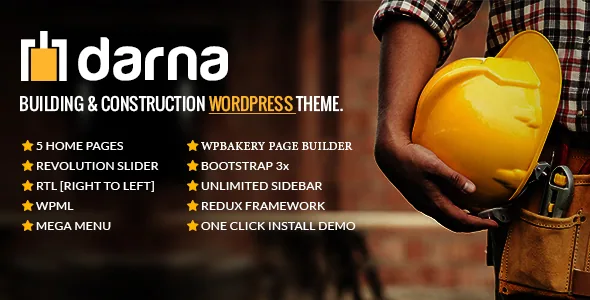
A construction theme whose substance is the bundle, not a signature look
Plenty of themes argue about colour rules or spacing philosophy. Darna's marketplace description argues about what arrives with it. The feature list puts WPBakery Page Builder and Revolution Slider first among the extras and says both are "included for FREE", then adds a mega menu, four header and menu styles, and a one-click import that moves an entire demo — pages, posts, slider, widgets and theme options — into a fresh install.
That tells you where the effort went. If your construction site needs a project gallery behind a strong hero slider, Darna arrives with the usual paid extras already wired into the demo content rather than leaving you to buy and configure them.
One boundary worth stating clearly: the vendor's bundle claims describe the marketplace product. They say nothing about which plugin versions sit inside any particular copy, so treat your own installed plugin list as the authority.
What the one-click import actually moves
The vendor spells the import out item by item: pages, posts, Revolution Slider, widgets, theme options and more. That is a fuller list than most "one-click demo" lines, and the pieces matter differently. Slider content is the one people forget — without it a homepage rebuild looks flat, because the hero is the demo's visual anchor. Widgets and theme options are the other two that usually get skipped, and skipping them is what makes an imported demo look broken.
The vendor also says individual pages can be imported from the documentation. That second option is the more interesting one for an existing site: you can pull a single layout — a services page, a contact page — without replacing what is already published. It also tells you the import tool is not all-or-nothing, which is the usual worry with demo installers.
Neither claim describes what happens when your site already has content with the same slugs, so test the single-page route on a staging copy rather than on the live site.
The builder and slider determine your editing day
WPBakery is the editing surface here, not a secondary option. The vendor's companion fact — that Darna's framework is a starter theme based on HTML5 Boilerplate and Bootstrap — fits the same lineage, and the marketplace compatibility attributes list Bootstrap 4.x alongside WPBakery and WooCommerce.
Practical consequences follow from that. Row and column structures are composed in WPBakery's back-end editor, and the bundled Revolution Slider is a separate authoring tool with its own interface. Two editors, two mental models, one site. If you plan to hand the site to a client who expects to edit text inside the normal WordPress editor, plan for the training that goes with WPBakery rather than assuming it behaves like the block editor.
The compatibility attributes record WordPress versions from 6.0.x through 6.9.x, and the vendor's last update was dated April 2026. Those are the vendor's stated ranges, not a record of testing performed on your install.
Four home pages and four header styles: how much structure you actually get
The vendor pre-built four home pages and offers four different header and menu styles, with a mega menu built in. Read as a set, that is a reasonable amount of structural choice for a trade business: a construction firm and a materials supplier present differently, and the header decision interacts with the mega menu more than people expect. A mega menu with columns and grouped links needs vertical room; the header style you pick determines whether it drops cleanly or feels cramped.
The count is also a limit. Four home pages is a starting point, not an infinite layout system — you will extend them in WPBakery rather than choosing from dozens of variants.
Coming Soon and 404 pages come with the theme as separate templates. For a company launching a site before its project photography is ready, the Coming Soon page is genuinely useful rather than decorative.
Project content lives in custom post types
Darna's feature list names custom post types and what the vendor calls "Awesome Fortfolio Integration" — the misspelling is theirs. What that gives you is a distinct content type for built work: a case study with its own fields and its own archive, separate from blog posts.
For a building or contracting business this is the content model you need. A completed project page is not an article; it carries location, scope, maybe a duration, and a gallery. Storing those as a CPT keeps the news posts and the portfolio from mixing in search results and in the blog feed.
The vendor does not describe specific portfolio index layouts or filtering in the listing, so how the archive actually presents your projects is something to check on the live demo rather than assume.
Shop features, translation and RTL support
WooCommerce enters the record two ways. The compatibility attributes list WooCommerce 5.x through 9.x, which is a wide stated range. The description says only that the theme is "WooCommerce ready". Neither statement says which demos include a shop or how the product templates have been treated.
If you intend to sell construction materials, that distinction matters: listing a plugin as compatible is not the same as readymade product layouts. Look at what the demo actually contains before you plan a storefront on it.
On the multilingual side, the vendor lists WPML support, translation-ready status with po/mo files, and RTL support. Those are three separate things. WPML support means the theme's strings and templates are expected to work with WPML's translation workflow; po/mo files give you a way to translate theme strings without a multilingual plugin; RTL support handles right-to-left layout for Arabic or Hebrew. None of the three covers translating the project content you write.
The block editor question, stated plainly
The vendor attributes record Gutenberg Optimized as No. That is not the same as saying the block editor is unavailable — WordPress runs it regardless. The honest reading is narrower: this theme was not built with block patterns, block styles or full-site editing in mind. Its layout life happens in WPBakery.
If your workflow is already built around WPBakery and you want the bundled slider and the demo content that comes with them, that fact is neutral. If you or your client expect to compose pages with core blocks and reusable patterns, Darna is a mismatch, and no amount of installing it will change the design assumptions underneath.
One related limit: the file list on the marketplace entry reads PHP, CSS and JS files. A parent theme plus files is a different package from a full-site-editing theme with theme.json block configuration.
Styling controls, forms and the child theme
Global settings sit in a Redux options framework, which the vendor lists as the power behind the theme options. On top of that: unlimited colour choices, Google Fonts, Font Awesome icons, an unlimited sidebar and an advanced Custom CSS field. The Custom CSS field is the one that decides how much fighting you do with the options panel — for a brand with a specific palette, having a direct stylesheet input alongside colour pickers usually shortens the job.
The theme is built with HTML5, CSS3 and LESS. LESS compilation is an older styling convention, so if you customise deeply, expect to work within that toolchain rather than a modern build.
Contact Form 7 readiness and a bundled child theme round out the practical list. The child theme is the part worth using early: once you start editing WPBakery templates and adding Custom CSS, a separate child theme keeps those changes out of the parent when you update. A construction company's site often outlives several redesigns, and that separation is what makes them survivable.
Questions & answers
Can I import just one page instead of the whole Darna demo?
The vendor says individual pages can be imported from the documentation, separate from the full one-click demo import that brings in pages, posts, Revolution Slider, widgets and theme options. Test the single-page route on a staging copy, since the listing does not describe what happens when existing content shares the same slugs.
Does Darna work with WooCommerce?
The marketplace compatibility attributes list WooCommerce 5.x through 9.x, and the description calls the theme "WooCommerce ready". Neither states that the demos include shop layouts, so check what the live demo actually contains before planning a storefront on it.
Is the theme compatible with the block editor?
Gutenberg Optimized is recorded as No. The block editor still runs in WordPress, but Darna's page building happens in WPBakery rather than through block patterns, so treat WPBakery as the editing workflow rather than a fallback.
What WordPress versions does the vendor list?
The compatibility attributes name WordPress 6.0.x through 6.9.x, and the vendor's last update was dated April 2026. Those are stated ranges from the marketplace listing, not a record of testing on your particular install.


