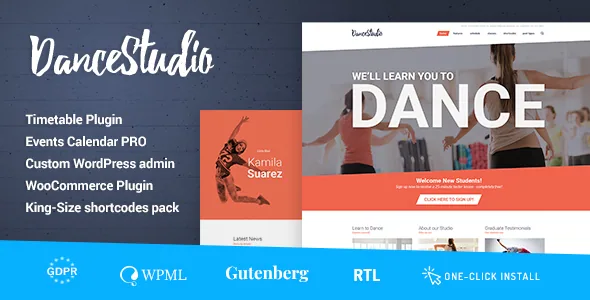
A studio site assembled from shortcodes, not templates
The marketplace description for Dance Studio puts its composition model first. Pages are built from 99+ custom shortcodes placed through a visual content composer with drag-and-drop, so the layout you get is the one you assemble from building blocks rather than the one a demo dictates. The same description says the layout can stretch to any width and that content can be set into multiple columns with animation applied to individual parts of a page.
For a dance school that means class listings, timetables, instructor cards and schedules are pieces you place and restyle per page. The trade-off is the familiar one with composer themes: you are choosing a working vocabulary of shortcodes and then learning which one fits which section, instead of picking a page template and filling fields. cmsmasters also says the WordPress admin itself is extended with its own options panel, which is where global settings sit.
Profiles and Projects as their own content types
Two custom post types in the vendor description do most of the structural work for a studio. Projects and Profiles are described as the theme's means of presenting content, and they are separate from ordinary pages and posts. A profile directory is the natural home for teachers, guest choreographers or members, while a project type suits performances, showcases, recitals or collaborations that need a title, images and a write-up.
Because these are post types rather than page layouts, the same entry can appear in more than one listing view. The description pairs the Projects type with a portfolio that can be set as a grid or as a masonry layout with variable padding between elements, and says the blog has several layout options too. Decide early whether recitals belong in the portfolio or in the blog; mixing the two scatters the same content across two archives.
Sliders and a mega menu come bundled, calendars do not
The description states that Revolution Slider and Layer Slider are included with the theme, along with a custom mega menu plugin. Both sliders are named as no extra purchase, which is worth knowing if your homepage plan depends on a full-width visual banner above the fold. The mega menu plugin handles navigation with more than one level of detail, useful when class styles, locations and levels would otherwise crowd a plain dropdown.
The calendar is a different story. The compatibility attributes list Events Calendar and Events Calendar Pro, but the vendor's own note says the PRO addon must be purchased separately because that plugin is not licensed for third-party distribution. Event listings and class times can therefore be hosted in The Events Calendar, while the Pro features sit behind a purchase from the plugin's own vendor. Nothing in the description says the theme ships a class-booking or enrolment system, so plan the schedule as plugin work rather than a theme setting.
Colour, background and layout controls
The styling controls the vendor names are mostly per-element rather than preset schemes. Backgrounds can be set as a colour or an image for an individual page or post, or globally for the site, with repeat and position options. Menu colours are described as unlimited and settable per menu item, which allows a navigation bar to reflect a school's brand palette without writing CSS.
Typography is handled by Google Fonts, described as hundreds of font choices usable anywhere on the site. Both the layout and the imagery are declared responsive and high resolution, including retina displays. The compatibility attributes add four-plus columns and widget-ready areas, so a footer or class-information sidebar can be composed from widgets. Which of these controls you actually need depends on whether you are matching an existing studio identity or starting clean.
Declared compatibility and what the package holds
The compatibility attributes recorded on the listing on 4 November 2026 name WordPress 6.8.x, 6.9.x and 7.0.x, WooCommerce 9.x.x and 10.x.x, WPML, and the Events Calendar pair, with browsers listed as Firefox, Safari, Opera, Chrome and Edge. The theme is marked as Gutenberg optimised, so the block editor is declared as an editing route alongside the composer; how the two coexist on the same page is something to observe in a test install rather than assume.
The ThemeForest file list for that observation is PHP, CSS and JS files. The vendor description adds one exclusion that affects a dance site more than most: the content images used in the demo are not included in the download, so photography of dancers, studios and classes has to come from your own shoots or a stock licence. The documentation is described as well documented with admin and front-end screenshots.
Where the composer approach helps and where it costs you
A school with several distinct audiences — adult beginners, children's ballet, competitive jazz-funk, zumba fitness — needs varied page composition more than it needs a uniform template, and a shortcode library handles that without a page builder plugin. The bundled sliders and mega menu reduce the number of separate purchases to track.
The cost appears over time. Shortcode-based pages are tied to the theme's own rendering, so the content does not travel cleanly to another theme, and the visual composer is the theme's own layer rather than a plugin you can swap out. If long-term portability or an editorial team already fluent in blocks matters more than layout freedom, weigh that before building dozens of pages.
Questions & answers
Does Dance Studio require a page builder plugin?
No plugin is named as a requirement. The vendor describes its own visual content composer with drag-and-drop shortcodes, and the listing marks the theme as Gutenberg optimised, so the block editor is a declared option too. Whether both can be mixed on one page is not stated.
Is a class schedule or booking system included?
Not according to the supplied description. Events Calendar and Events Calendar Pro appear as compatible plugins, and cmsmasters notes that the Pro addon must be bought separately. No enrolment, payment-for-class or booking module is described as part of the theme.
Can I use the demo photos on my own site?
The vendor explicitly says the content images are not included in the main download. Treat the demo photography as demonstration content and source your own studio images.


