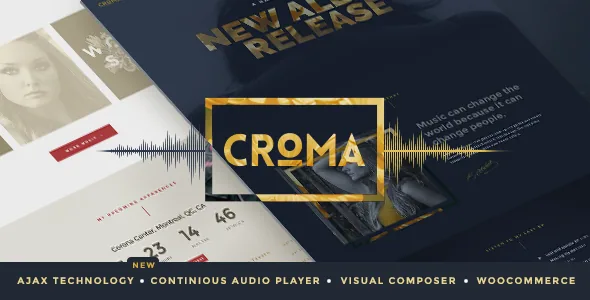
The player outlives the page change
Most music themes treat the audio player as a component that belongs to one page: a track block on an album post, a widget in a sidebar, a player on the discography template. Leave the page and the sound stops. Croma's vendor description builds the theme around the opposite arrangement. A player sits above the site and stays there "no matter which page is viewed," and because navigation happens over Ajax, the page content is replaced underneath the sound rather than reloading it.
For a band site that changes the shape of the visit. Someone can start an album, click into a gig listing, open the contact page and keep listening the whole way. It also changes what a track page has to be for: not the only place you hear something, but a place you read about it while it plays.
That behaviour is what the product name advertises, and it is described by the vendor rather than verified here. Treat the continuous playback as the design premise and confirm it in your own build.
Ajax navigation is the part to test hardest
A persistent player is only one piece of the puzzle; the other is that pages arrive by Ajax. That is a bigger claim on your stack than a normal theme makes, because a page that normally loads with a full HTTP request now has to initialise scripts inside an already-running document. The changelog shows this exact seam needing repairs over time. Version 3.5.9 fixes an "Ajax Conflict with Contact Form 7," and version 3.4.6 fixes the audio player "when multiple instance and Ajax is disabled." Version 3.5.10 lists a footer vertical-alignment issue with Ajax navigation.
Read together, those entries say two useful things. The theme accounts for the case where Ajax is switched off, which is where you would land if a plugin clashed badly enough. And form plugins of the kind that manage their own submission loops have needed explicit fixes alongside the theme's navigation. Neither entry tells you how the current release behaves with any particular plugin — only that the intersection is a known friction point.
If your build already includes a contact form stack, a lightbox library, a chat widget or any script with its own routing, plan a staging pass that walks those interactions. Check that a successful form submission still lands correctly after a page swap, and that any script that binds to document load runs again when the new content arrives.
Gigs, flyers and the ticketing claim
The second content model is the events module, which the vendor describes as built into the theme's back end rather than supplied by a third-party calendar plugin. You can enter future gigs with as much detail as you like, and the vendor pairs that with sections for flyers, posters and artwork.
The attention to artwork matters for a touring act. A gig is not only a date and a venue; it is a visual object with a poster, and the vendor presents those as structured content rather than a plain image you attach by hand.
The vendor also states you can host your own ticketing system. That is a capability claim, not a statement that a payment gateway ships inside the theme. Before you plan to sell tickets through Croma, establish what the ticketing feature actually connects to — an external ticket service, a WooCommerce product, or a link out — and whether it handles inventory and attendee records. If your ticketing needs are modest, the event listing plus a linked ticket URL may cover it; if they are not, verify the mechanism before it becomes a launch dependency.
Nine demos, ready-made pages and hot links
The vendor's description offers nine musician demos as starting points, installed through a one-click demo importer, and describes those layouts as designed to put the artist's work forward first. The demos are the vendor's framing of what a band, DJ or label site should look like; read them as a shape to borrow rather than a set of layouts you are locked into.
Hot links are the smaller idea with real day-to-day use. The vendor describes them as little navigation spots with anchor text that move a visitor from one page or section to another with a click, a link or an icon. On a long artist homepage, that is how a visitor gets from a hero image down to the tour dates without hunting through a menu. The changelog records a fix to hotlink offset alignment on mobile (3.4.8) and a fix for a blinking hotlink icon inside the push menu (3.5.10) — small details, but they suggest the feature is maintained rather than abandoned.
Menus get the same treatment: the vendor lists a menu builder for headers, and the changelog includes fixes for menu-over-content positioning when the menu is set not to be fixed.
Bundled plugins, the framework and what the package holds
The vendor states that WPBakery Page Builder, Slider Revolution and Essential Grid are included with the purchase. The changelog shows those three as living components of the theme, updated on the same schedule: version 3.6.3 (15 September 2026) moves Slider Revolution to 7.1.8, Essential Grid to 3.2.0 and WPBakery to 9.0.1, and fixes deprecated WPBakery CSS animation code for compatibility with version 9 along with PHP code deprecated since 8.1.
What that maintenance record tells you is that the theme's authors track the bundled plugins' major versions, and that they maintain PHP compatibility — 3.6 added PHP 8.2 support. It does not tell you how plugin licences are handled, whether the bundled copies receive updates through your own accounts, or what happens if you already run a licensed WPBakery install. Those are worth settling with the vendor or in a test install, since a duplicate or unregistered builder is an avoidable headache.
Two structural facts from the listing: the theme uses the Unyson framework, and the ThemeForest file types are Layered PSD, PHP, CSS and JS. The PSD inclusion is relevant if a designer needs to match artwork to the site's typography or colour; it is not a functional part of the theme.
Version and compatibility declarations, dated
Marketplace attributes observed on 3 November 2026 declare WordPress 6.0.x through 6.9.x, WooCommerce 6.x through 9.x, and compatibility with WPML, Facebook, WPBakery Page Builder, with Firefox, Safari, Chrome, Edge, Opera and IE10/IE11 as browsers. Gutenberg Optimized is recorded as No. The latest marketplace version was 3.6.3 at the time of observation, and the listing shows 138 ratings at an average of 4.75 across 5,077 sales.
A few readings are worth stating plainly. A "No" for Gutenberg Optimized indicates the theme was not built around the block editor; it does not prove blocks are unavailable, and the vendor's page construction runs through WPBakery. The declared WordPress range and WooCommerce range are vendor claims from a snapshot, not the result of installing the theme here, and both move with releases. If your shop or WordPress install sits outside that range, check with the vendor rather than assuming the closest supported version works.
The honest short version: Croma earns its place on a music site where sound should not stop when a visitor browses. It also asks you to test form plugins and custom scripts against its Ajax navigation, and to confirm what the ticketing feature actually does before a tour announcement depends on it.
Questions & answers
Does the audio keep playing when a visitor navigates to another page?
That is the theme's central design. The vendor describes a player that floats above the site and continues while pages are loaded by Ajax, so the sound is not interrupted. It is a vendor-described behaviour rather than something verified here, so confirm it on your own install with the plugins you intend to run.
How many demos does Croma include, and can I import them?
The vendor lists nine musician demos and a one-click demo importer. Read them as starting points for a band, DJ or label site rather than fixed layouts. If an import stalls, the changelog records a fix in 3.6.2 for a manual import issue, so a manual import path exists.
Do I need WooCommerce to use Croma?
No. The vendor describes WooCommerce integration as the route to an online store, and the marketplace attributes declare compatibility with WooCommerce 6.x through 9.x. If you do not sell anything, the events module, album and artwork pages, and the player work without a shop.


