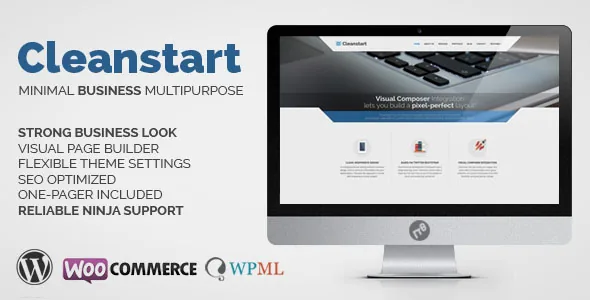
The builder is bundled, customized, and locked to theme releases
Most corporate themes mention a page builder and move on. Cleanstart's description carries a footnote that changes the plan: the vendor says the WPBakery Page Builder included here was customized to fit the theme's layout needs, that only a few of the plugin's general features and shortcodes are incorporated, and that the plugin cannot be updated with new features from the plugin author. Updates arrive through Cleanstart releases instead. The vendor also states there is no front-end builder.
Practically, that means the editing surface is wp-admin, and the element set you see is the set Plethora shipped and then maintained. If you have used stock WPBakery elsewhere, do not assume a third-party WPBakery add-on pack will behave here. It also means builder improvements are tied to the theme's release cadence, which has been slow: the last marketplace version, 2.2.0, is dated 4 October 2022.
The description's own framing is worth holding alongside that. Cleanstart is presented as a corporate foundation with fine typography and large photography, with a post-Flat-UI styling approach. The builder is the vehicle; the design language is the product.
A switch for turning off what the site does not use
The feature list includes a Feature Activation/Deactivation System, described as a way to prevent loading of components you do not use. On a corporate site that might be the portfolio module, the shop elements, the shortcode groups for pages that never get built.
Treat this as housekeeping rather than a performance promise. The vendor frames it as preventing component loading; nothing in the listing documents measured speed gains, so do not buy on that basis. What it genuinely gives you is a shorter admin, with fewer element types in the builder for people who did not build the site to wade through. Decide early which modules stay and note it somewhere, because the same switch that tidies the interface can hide a piece you need in six months.
One header block, set differently on every page
The vendor lists an Enhanced Header Panel supporting color, image, video, slider or map backgrounds, available for all pages and posts. This is the layout decision that will most affect a corporate build, because it sits above the page content and sets the first impression of every inner page rather than just the homepage.
Combined with parallax backgrounds and the One Page feature with smooth scrolling, which the changelog dates to version 1.2, you have two different page models to choose from: a stack of interior pages each with their own header treatment, or a single scrolling page whose sections are navigated by anchors. Pick one before designing anything, since mixing them makes for odd navigation decisions. The vendor's changelog also notes that the media panel's video background dropped every format except MP4 in version 1.6.0, so a video header means an MP4 file, and muted video is the route to autoplay under current browser rules.
Shortcodes that carry the actual page content
Underneath the builder sits the Plethora shortcode collection plus custom row settings. Two entries in the vendor's list say more about the intended content than the rest of the feature list combined: a Before & After Image Compare shortcode and a Portfolio with Grid or Masonry view and Category Filters.
The compare shortcode is a specific tool for renovation, product-change or results storytelling, where readers drag a slider between two photographs. The portfolio side is the standard corporate proof section: filterable project tiles in either a grid or a masonry arrangement, driven by categories. The changelog adds portfolio detail worth knowing — a per-item choice between featured image and slideshow, and category filter ordering options added in version 1.6.5 — which tells you filtering is by category, not by tag or custom taxonomy.
There is also a Posts Grid, a Team Members/Team Grid element set, text helper shortcodes for accordions, tabs and toggles, and a Mailchimp newsletter shortcode with optional name and surname fields. The blog listing is presented as configurable from the blog page edit screen, since version 1.4 moved blog options out of the global settings panel.
Where the styling and settings live
Global controls sit in an Enhanced Theme Settings panel based on Redux Framework. The vendor points at skin and background color combinations without a fixed limit, plus global text and link colors, header and footer colors and a sticky header transparency setting introduced in version 1.3. These are the values you set once so that new pages inherit a consistent palette instead of being restyled individually.
Styling is handled through Bootstrap 3.0 with LESS, and the vendor says style.less compiles automatically. Two practical consequences follow. First, Bootstrap 3 is an old major version, so do not expect the framework conventions you may know from Bootstrap 5. Second, if you plan to change styling in code rather than through the settings panel, the changelog notes that class loading was adjusted to allow easier overrides for child theme development, and a child theme has appeared in the package since early releases. Work in the child theme; the parent's compiled styles are not the place to experiment.
The changelog is also the honest record of what changed over the years. Recent entries are mostly framework and plugin version bumps, PHP warning fixes and styling corrections to admin views — upkeep rather than redesign. If you want to know whether a specific bug was ever addressed, read that list rather than assuming.
What the declared compatibility covers
Marketplace attributes observed on 4 November 2026 list compatibility with WooCommerce 6.x.x, WPML, WPBakery Page Builder and Facebook, with Contact Form 7 support stated in the vendor's feature list, and Gutenberg Optimized marked Yes. The declared WordPress range runs from 6.0.x back to 5.5.x. Files included are PHP, CSS and JavaScript, the theme is widget ready, responsive in a two-column layout, and marked as retina/high-resolution capable.
Read these as declarations. The listing does not document testing against your PHP build, caching layer or plugin stack, and the WordPress range stops at 6.0.x — a ceiling, not a promise about 6.6 or later. The last release, 2.2.0, records PHP 8.x compatibility, which is the most relevant maintenance fact for anyone deploying on a current host.
The shop side is thinner than on themes that lead with commerce: WooCommerce readiness, a Products Grid shortcode, a Latest Products widget and builder management for a set of WooCommerce shortcodes, all added from version 1.4 onward. That supports a simple catalogue or a small shop; it is not evidence of a deeply customized storefront. Likewise, WPML readiness means the theme declares support, not that translation files exist for your language.
Who this suits, and the questions to settle first
Cleanstart fits a project where someone is comfortable working in wp-admin with a fixed element set, where the page count is modest, and where the header treatment and portfolio are the main visual arguments. It fits less well if the plan depends on a builder that tracks upstream releases, on front-end editing for clients, or on a modern block-based workflow — regardless of what the Gutenberg attribute says.
Three things are worth confirming before committing. Whether your host's PHP version and WordPress version fall inside the declared ranges, since the range tops out at WordPress 6.0.x. Whether the demo's imagery is licensed for reuse or must be replaced, as is usual for marketplace previews. And whether the specific shortcode you intend to lean on is one of the incorporated WPBakery features, because the vendor's footnote makes clear that the set is partial by design.
Questions & answers
Can I update the bundled WPBakery Page Builder from the plugin author?
No. The vendor states the theme's WPBakery incorporation is customized, only a subset of the plugin's features and shortcodes is included, and the plugin cannot be updated with new features from the plugin author. Changes come through Cleanstart releases.
Does Cleanstart have a front-end page builder?
The vendor says the builder is a backend page builder and that a front-end builder is not included. Pages are composed in the WordPress admin.
Can I edit pages with the block editor instead?
The marketplace marks Gutenberg Optimized as Yes, but that attribute does not describe how theme templates and shortcodes behave alongside blocks. The vendor's documented editing model is the backend builder with Plethora shortcodes.