The 300 salon icons are the part other themes do not have
Most beauty themes hand you a general icon font and leave you to find something for a blow-dry versus a colour treatment. Freevision's feature list for Coiffeur names two libraries instead of one: over 1600 font icons overall, and a separate set of 300 icons drawn for hair salon use.
That matters in a specific place on a salon site — the service cards, price lists and treatment menus where each line needs a small visual marker. Instead of reusing one generic comb or scissors glyph for every entry, you have a niche library to assign one symbol per treatment. The vendor gives the count rather than naming individual glyphs, so the honest check is scrolling the set after activating the theme.
This is a design asset, not a feature toggle. If your brand already has a custom icon style, the bundled library is a convenience; if you are starting from a blank page, it saves a commissioning step.
More than 30 WPBakery elements, and what that number buys
According to the vendor's description, Coiffeur is built on the Whiteboard framework and ships custom and customised WPBakery page builder components — more than 30 of them. Drag-and-drop placement is the stated editing model, and the vendor describes building a homepage with a handful of additions rather than code.
The element count is the figure to weigh, because it decides how much of the demo layout you can rebuild by hand. A page made out of theme-specific elements stays editable in the builder; a page made of generic shortcodes often needs work on the code side. Thirty-plus elements suggests the service grid, pricing blocks and gallery pieces in the demo exist as drag-and-drop objects.
Three plugins are described as bundled: WPBakery Page Builder, Master Slider for touch sliders, and Essential Grid. Each moves part of the page into a third-party tool with its own interface — sliders in Master Slider, grid layouts in Essential Grid, everything else in the builder. The marketplace also lists WPBakery Page Builder under compatible plugins, which points to it being expected on the install rather than optional. Gutenberg Optimized is recorded as No, a note about which editor the theme was styled for rather than a statement that the block editor refuses to load.
Left menu, right menu, or a side panel on mobile
Coiffeur's navigation settings are literal: the vendor says you can place the menu on the left or the right, and separately offers a side navigation with a side mobile menu. A built-in mega menu covers multi-page structures.
A salon with a long service list benefits from the vertical arrangement. Five or six treatment categories stacked in a side column can stay visible while the reader scans prices, which is awkward to do with a horizontal bar that folds categories into dropdowns. The mega menu then carries the second level — cutting, colour, extensions, bridal — without burying anything two clicks deep.
The trade-off is real: a side menu takes horizontal space at every screen size, so plan the content area around fewer columns. Side mobile menu behaviour keeps the same pattern when the viewport narrows, which holds the design together but is worth checking at phone width if most bookings arrive from a handset.
A per-page background inside an otherwise uniform site
The vendor describes custom backgrounds working at two levels: a background for one specific page, and a default for everything else. A seasonal feature page can carry campaign artwork while the rest of the site keeps a plain backdrop.
Backgrounds are also described as accepting a colour, an image or a video, with a parallax option, plus full-screen background sliders and full-screen video from YouTube, Vimeo or a self-hosted file. Typography is handled in a Vafpress options panel with per-element font switching and font previews, drawing on Google Fonts and a library the vendor counts at 600+ families. Colours, fonts, backgrounds and the logo are changed from the WordPress admin, with an RGBA colour picker that includes transparency.
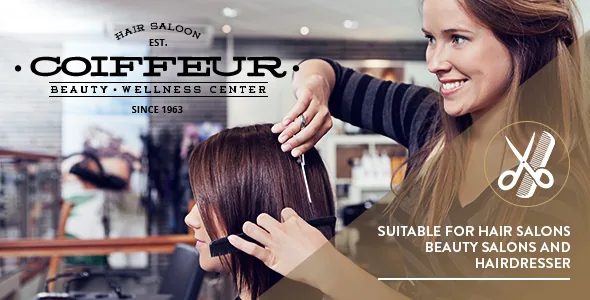
One caution goes with any visual claim here: the vendor states plainly that the demo images — slider images, thumbnails, every conceptual photo — are not included in the package for copyright reasons. A salon site will resemble the demo only once you supply photography of the space, the team and the work.
Announcement popups and a pre-launch mode
Two smaller features sit closer to a salon's calendar than to its design. The vendor lists customizable announcement popup boxes, and a custom coming-soon and maintenance mode.
The popups are the promotion slot — a seasonal offer, a price change, a new stylist joining — shown over whatever page a visitor lands on, without editing that page. Coming-soon and maintenance modes cover the stretch before launch, which for a salon fit-out is often weeks while opening dates move.
Neither is a booking system. The vendor's material describes no scheduling, staff rosters or appointment deposits, and no booking plugin appears in the compatibility list. Treat those as integrations you choose and test separately rather than defaults.
Declared versions, and what the update history suggests
As observed on the marketplace in November 2026, the software version field declares WordPress 6.9.x back through 5.1.x, and the compatible-with field names WooCommerce 9.x.x down to 5.x.x alongside WPBakery Page Builder and WPML. Theme files are listed as PHP, CSS and JS. These are declarations stored with the listing, not results from running the theme on your PHP build, host or plugin set.
The update history reads as a maintenance signal. Recent releases repeat the same lines: WPBakery updated, Essential Grid updated, Master Slider updated, with WooCommerce compatibility checks in most releases through 2023–2026, and PHP 8.3 checked in version 7.7. That pattern says the vendor keeps bundled plugins current and re-checks WooCommerce; it also points to where breakage tends to originate — the bundled third-party tools rather than the theme's own templates.
WPML appears in the marketplace compatibility field, and the feature list mentions .po and .mo translation files with extended WPML support. That is a claim about a plugin you supply, not a bundled licence. If the shop matters to your project, match your WooCommerce version against the declared range before you build product pages.
Questions & answers
Does Coiffeur include a booking or appointment system?
The vendor's description does not name one, and no booking plugin appears in the marketplace compatibility field. The salon-specific assets are the 300-icon set, the service-oriented page elements, and the popup and maintenance modes. Appointments and deposits would come from a plugin you choose and test.
Can I build Coiffeur pages in the block editor?
Gutenberg Optimized is recorded as No on the marketplace, which means the theme's styling and elements were prepared for WPBakery rather than the block editor. It does not mean the block editor is unavailable. Page content assembled with the theme's WPBakery elements is the workflow the vendor documents.
Are the photos from the demo in the theme package?
No. The vendor states that slider images, thumbnails and all conceptual images in the previews are excluded from the package because of copyright. Plan to shoot or license your own salon photography before comparing your site to the demo.