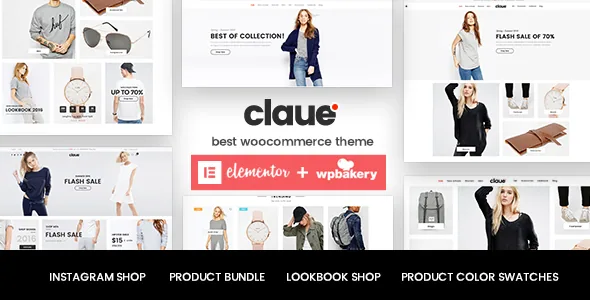
A storefront organised around collections, not homepage variants
Most WooCommerce themes argue about homepages. Claue's feature list argues about the product: how a colour range is presented, how a collection is announced, how two items are sold together. JanStudio's description frames the theme for "online fashion store" use, and the tools that follow fit that brief more closely than a count of demo layouts would.
The clearest example is Lookbook, listed as a bundled plugin. The vendor describes a lookbook as "a combination catalogue and magazine rolled into one" — a page that presents an outfit or a new line with the items alongside it, rather than a grid of products filtered by category. If you publish seasonal drops and photograph them as sets, that page type gives the set its own address. If your catalogue is a flat list of SKUs with no styled imagery, it has little to do.
Four ways to show a variation swatch
The vendor lists swatch presentation as a choice rather than a single pattern: a single image in a gallery, a single swatch, an image swatch, or a gallery swatch. The feature list backs this with separate entries for "WooCommerce Product Color Swatch Gallery Images" and "WooCommerce Product Images Swatch".
The gallery swatch is the one worth understanding before you commit. On a variable product, the swatch a shopper taps can be tied to the gallery for that variation rather than to one flat colour chip. For fabrics with texture, prints or multiple angles, that removes the need to build a separate mockup image for every colour option — the product photography you already have can carry the variant. It also means the quality of the experience depends on your image set: one photo per colour will read thin, however the swatch is configured.
Where the selling happens: bundles, pairing and the add-to-cart
Beyond the swatch, the list accumulates the mechanics of getting items into a cart. "Product Bundle (Save $25)" and "Frequently Bought Together" are two different tools: the first lets you package products and offer the set at a discount, the second suggests a companion item at the moment of purchase. Both assume a catalogue where products naturally group — a top and its matching bottom, a bag and a strap — so they reward a curated store and do little for a shop that sells unrelated items.
Around that sit smaller decisions that affect how the cart feels. Ajax add-to-cart keeps the shopper on the listing page; a sticky add-to-cart bar keeps the button reachable as the product description scrolls; Quick View opens a product without a full page load; badges mark items New, Sale or Sold Out. The bundled values quoted in the description — $25 for Product Bundle, $64 for WPBakery — are the vendor's own figures, and they describe what the author says you would otherwise spend on those plugins, not what any package costs here.
Instagram Shop is listed as a plugin too, described as a page fed by your Instagram feed that updates as you post. Treat it as a content channel that needs an active account and a working connection, not as something the theme can fill on its own.
Masonry listings, three filter types and a sticky detail column
The product listing is described as a masonry layout with a choice between lazy load and infinite scroll. Lazy load pulls in images as the visitor scrolls; infinite scroll keeps appending products. Masonry means items of differing heights pack together, which suits mixed portrait and landscape fashion photography and looks uneven if your images are all cropped to one ratio.
Filtering is split three ways in the vendor's list: a colour attribute filter, a brand filter and an isotope category filter, with Ajax search suggestions on top. Split like that, the filters match how people shop clothes — by colour first, by label second, by category third — rather than offering one generic search box.
The single product page has its own set of choices. Thumbnails can sit left, right or below the main image, and a sticky option keeps the product detail column in place while the rest of the page scrolls. That last one matters on long descriptions: the price and add-to-cart stay visible instead of disappearing above the fold.
The editing layer: an options panel plus two named builders
JanStudio describes customisation as running through a theme options panel in the WordPress backend, with the bundled page builder, MailChimp and Instagram Shop plugins reachable from the same place. The page-building route named in the description and in the changelog is WPBakery Page Builder — previously Visual Composer — which the changelog tracks version by version.
The marketplace compatibility attributes, recorded on 4 November 2026, also list Elementor, and a 2021 changelog entry refers to an "Elementor single product builder", so Elementor appears in the theme's history as well. What the listing does not do is describe the theme as an Elementor-first product, and the theme's own demo documentation is written around the bundled builder. The same attributes mark Gutenberg Optimized as No, which records the vendor's stated optimisation target; it does not mean the block editor is switched off or unusable on the site.
The practical question is which builder your team already knows. If that is WPBakery, the theme's own layout work sits on familiar ground. If it is Elementor or blocks, expect to do more of the page construction yourself rather than inheriting it.
Declared compatibility and what the changelog shows about upkeep
The attributes captured on 4 November 2026 declare WooCommerce 7.x through 9.x and WordPress 6.5.x through 6.8.x, alongside WPML, Bootstrap 4.x, Contact Form 7 and the YITH plugins named in the feature list. RTL support is listed, and the browser list still includes IE11 — a legacy entry that says more about how long the declaration has been carried than about who visits your shop.
Those are vendor declarations, not the results of running the theme on a particular server. The changelog is the better signal of recent activity: through 2025 the releases are dominated by WPBakery version bumps (8.2 in February, 8.4.1 in June, 8.6.1 in August) and a PHP 8.x fix in June 2025, with earlier entries covering a WooCommerce 7.8 mini-cart fix and variation behaviour in Quick View. Nothing in the visible history claims a security patch, so if that is a deciding factor, look at the current release notes rather than inferring from silence.
One planning detail from the description: the demo photography is licensed for preview only and is not part of the purchase files. Budget for your own imagery before you import a demo, or the storefront will look emptier than the preview suggests.
Where the effort actually goes
Claue earns its place when the store's selling logic matches the tool set: a fashion or lifestyle catalogue with colour and print variants, sets worth photographing as collections, and products that pair naturally. The swatch presentations and lookbook pages are the parts you would otherwise build or buy separately, and the listing filters are already shaped around clothing attributes.
The effort sits in three places. Your product imagery has to be good enough to carry gallery swatches and a lookbook. Your page building has to fit whichever builder your team uses, since the theme's own layouts lean on WPBakery. And your catalogue has to suit masonry rather than fight it. Where those three line up, the theme's options panel does most of the configuration; where they do not, no amount of theme settings will close the gap.
Questions & answers
Does Claue require WPBakery to edit pages?
The vendor describes page building through the bundled WPBakery Page Builder (previously Visual Composer), and the theme's own layouts are built that way. Elementor also appears in the marketplace compatibility attributes recorded on 4 November 2026, so it is a supported route, but the description does not present it as the primary one. Check how a specific demo is assembled before assuming either builder.
What is a lookbook page in Claue?
Lookbook is a bundled plugin listed in the theme features. JanStudio describes it as a catalogue and magazine in one: a page that presents a collection or outfit with the items shown alongside, rather than a standard category listing. It is aimed at announcing seasonal lines and styled sets.
Are the demo images included with the theme?
No. The description states that all images are used for preview purposes only and are not part of the theme or the final purchase files. You will need your own product and lifestyle photography, which matters here because gallery swatches and lookbook pages rely on strong images.
Which WordPress and WooCommerce versions does the listing declare?
The attributes captured on 4 November 2026 list WordPress 6.5.x through 6.8.x and WooCommerce 7.x through 9.x, plus WPML and Bootstrap 4.x. These are vendor declarations rather than tested results for your own setup, so confirm against the current release notes before committing.


