A changelog written around other people's plugins
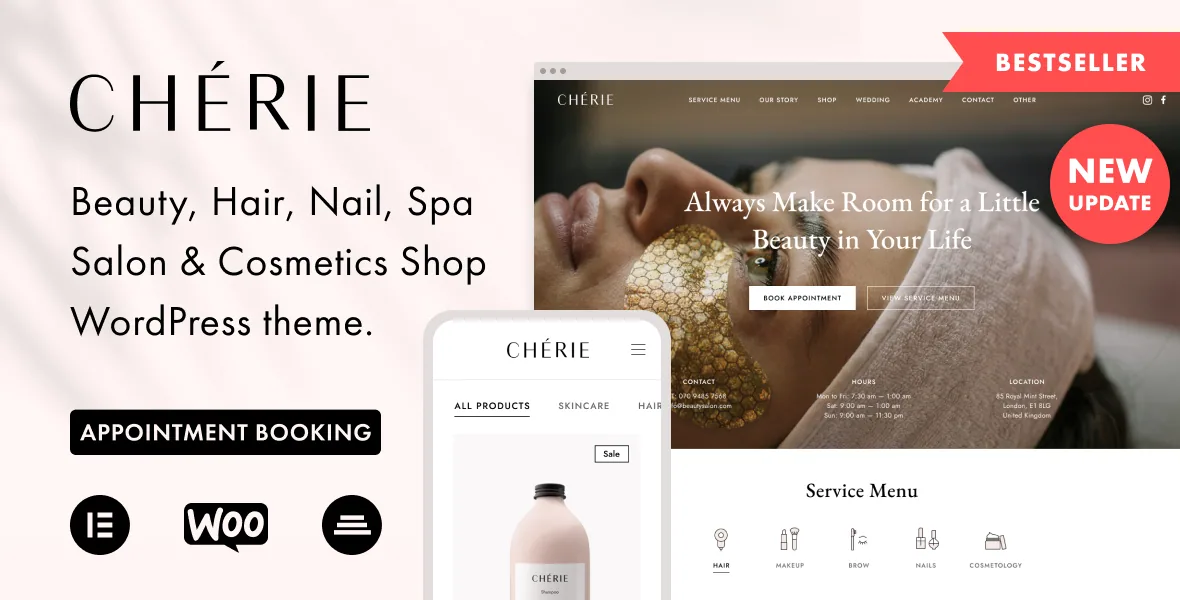
Open the version history of Chérie and you find very little about new looks. Entries like "Amelia plugin was updated to the latest version" recur across 2024 and 2025, WooCommerce template refreshes appear in almost every major release, and a handful of versions exist mainly to repair a plugin clash — one fixed a bug between the Amelia plugin and the Customizer, another fixed deprecated Elementor scheme code inside the Cherie-Core companion plugin.
That tells you what kind of theme this is. Chérie is not a design system that happens to work with plugins; it is a design built around Amelia and WooCommerce, tidied up whenever either moves. If your salon site will not take appointments or sell anything, you are carrying maintenance for machinery you never switch on.
The booking plugin you pay for elsewhere
Amelia is the appointment booking plugin the vendor builds the theme around. Their description says you can use the plugin's full functionality with the theme, and the changelog dates the declared compatibility to version 4.2. The same description is explicit that installation, configuration, maintenance, auto-updates and support for Amelia come from the plugin's authors under a separate licence — so a theme purchase does not put a working booking calendar in your hands.
Booked and Bookme are named only as plugins the theme was tested with, with no detail about which features were exercised. Booking flows touch layout, payment steps and notification email, which is why a staging install with your chosen plugin is the only test that answers the question for your setup.
Widgets the theme does supply
The vendor's own additions are quieter than the booking headline but more immediately useful. A Service Menu widget for Elementor replaced an older version and accepts an unlimited number of sub-items, with PNG and image uploads for its icons. The FAQ page takes up to 20 questions per tab. Contact pages can switch between Mapbox and Google Maps without swapping plugins.
Other entries show where the theme learned from use: a copyright line under the footer, a toggle for the mega menu, a choice of two, three, four or five columns on the shop catalogue, and mobile refinements to the menu tabs and the product category dropdown. None of these are headline features; they are the settings you reach for on the second day of a build.
Styling in one pass, then Elementor for pages
Theme options run through the WordPress Customizer, and the vendor's example is a header style change applying to every page rather than one. Multiple header designs, colour scheme changes and Google Fonts sit alongside it, so the frame of the site is settled globally before individual pages begin.
Page content is composed in Elementor, and the vendor notes that the Pro version of the page builder is not required. A starter child theme is included for changes you do not want overwritten by future releases. One practical caution from the changelog: several fixes shipped inside Cherie-Core rather than the theme, and older entries tell buyers to update the companion plugin manually — so keep the pair in step after each release.
Shop, gift cards, and four named demos
WooCommerce does the selling, with the feature list covering product categories, tags and attributes, reviews on the product page, currency and measurement settings, and sorting by popularity, newness, rating, price or attribute. Gift cards are handled by pointing at the WooCommerce Gift Cards plugin while the theme supplies multiple Gift Cards page layouts. The marketplace compatibility field declares WooCommerce 5.x through 9.x — a range, not a record of testing against your payment gateway.
Demo imports come in four named varieties: Beauty Salon, Nail Salon, Hair Salon and Spa Salon. Choosing between them is a question about the service list you actually sell rather than which grid looks best, since the import brings demo content and widgets but not the imagery.
What the demo import cannot give you
The vendor states plainly that some images and videos are not included, that anything blurred after import is a placeholder without an open licence, and that blurred pictures must be bought separately for a live site. Unblurred images carry an open licence for personal or commercial use.
For a salon — where the photography is largely the marketing — that changes the order of work. Licence or shoot the pictures before the import, otherwise a placeholder set becomes the site by default during a soft launch.
Questions & answers
Does the theme include a working appointment calendar?
No. The vendor builds the theme around the Amelia booking plugin and says you can use its full functionality, but installation, configuration, updates and support for Amelia are purchased from the plugin's authors separately. Booked and Bookme are listed only as plugins the theme was tested with.
Do I need Elementor Pro?
The vendor says no — the free Elementor plugin is enough for the page building and Theme Builder work described.
Why do some images look blurred after the demo import?
The vendor marks those as placeholders without an open licence. They must be purchased separately before use on a live site; unblurred demo images are licensed for personal or commercial use.
Can I translate the site?
The vendor names WPML in the compatibility field and Polylang in the feature list, so both translation routes are declared as supported.


