A side menu that changes with each page
Mikado's feature list treats the side menu as a configurable surface rather than a fixed panel. It can sit on the left or the right, and both its background image and its colour are described as optional and settable from page to page. A homepage and a project page can therefore open with visibly different chrome without a separate template or a second nav.
That is a different proposition from moving a horizontal bar around. A vertical menu gives a design studio room for long project and service lists in a persistent column, and per-page styling means an agency microsite or a campaign page can look distinct while still sharing one menu structure. The vendor also lists several hover effects for side menu dropdowns, so sub-navigation is styled too.
The side area is separate from the menu itself in the feature list, so the theme distinguishes the navigation column from an additional content panel.
Four logo slots, four jobs
The feature list names separate logos for Regular, Sticky and Fixed Advance header types, a further logo for the bottom of the side menu area, and another for the content menu. Read literally, that is up to five upload fields, each doing a different job on the page.
What it buys you is legibility under changing headers. A wordmark that reads on a tall hero image usually flops once the header shrinks and turns solid on scroll, and a sticky logo is exactly the case where a compact or reversed version helps. The side menu's bottom logo sits in a different visual context again. If the studio has a stacked lockup and a single-line version, the theme has a place for each without CSS overrides.
How much of this you need depends on the header variety you actually use. The vendor lists unlimited header combinations, a header top area, and header top and bottom widget areas, so the logo slots are part of a wider header system rather than an isolated extra.
Page transitions, and the choice of how much control to hand over
AJAX page transitions are described as controllable either globally or on individual pages. That means the site-wide setting and the per-page override are both available in the theme's own options, so a heavy animated sequence can be reserved for the landing page while internal pages behave more plainly.
The feature list does not describe what the transitions look like or how they behave under browser back navigation, so treat the wording as a scope of control rather than a promise about the effect itself. Load them on a staging copy and click through a few pages in a normal browser before committing the site-wide setting.
Anchor navigation for the one-page build
Two features sit next to each other in the list: anchor link functionality for one-page sites, and a sticky content menu described as a separate anchor menu created from sections on the page.
The second is the more interesting one. A menu generated from the sections themselves is a navigation that follows the page's structure rather than a separately maintained list of links, which is useful on a long agency homepage with a services block, a work grid, a team section and a contact form. You keep the menu relevant by structuring the page, not by editing links.
Smooth scroll and AJAX page transitions are also listed, so a one-page build and a multi-page build are both meant to be covered by the same theme.
WPBakery, LayerSlider and the demo imagery you cannot keep
According to the vendor's feature list, WPBakery Page Builder and LayerSlider are included with the theme, each given a dollar value in the description. Those are vendor claims about the marketplace product, not a statement about what appears in someone else's copy of the files. The marketplace's own file list records only PHP, CSS and JS files, without naming plugin folders.
Beyond the builders, the list is long and specific: 80+ custom shortcodes, interactive Info Card, Icon Slider, Text Slider, Image Stack and Pie Chart elements, video background sections, full-screen image and video sliders with parallax, mega menu and custom sidebars.
The constraint to plan around is imagery. The vendor states plainly that the demo images are not owned by the theme author, are used for presentation only, and cannot be used on a site unless you license them from a stock library. For an agency whose site is a work sample, that means budgeting for licensed or commissioned photography before launch; the demo look is the design direction, not an asset you inherit.
Declared versions and what the latest release touched
As observed on the marketplace in November 2026, the listing declares WordPress versions from 6.5.x through 7.0.x and WooCommerce compatibility with 8.x.x, 9.x.x and 10.x.x. Those fields are declarations recorded with the product, not a report from a test on your host, PHP build or plugin stack.
The changelog entry for version 3.7, dated 19 June 2026, records an added WPML config file, WooCommerce 10.x compatibility, a WPBakery update to 8.7.3, LayerSlider to 8.2.0, Mikado Core to 2.2, an updated Google Fonts list, improved PHP 8.3 compatibility and improved Google Maps API compatibility. Earlier entries in the same log go back through 2025 and 2022, which shows the theme has been maintained over time rather than released once. Shop styling, a header cart widget and WPML integration appear in the feature list, so a storefront is within the theme's stated scope.
Questions & answers
Can the side menu have a different background image on each page?
The vendor's feature list describes the side menu background image and colour as optional and configurable per page, alongside left and right position options. The listing does not detail the depth of this per-page control, so verify it on a staging install if a page-by-page look is central to your design.
Does the sticky content menu replace the main menu?
The list describes it as a separate anchor menu created from sections on the page, which points to an additional in-page navigation rather than a replacement for the header menu. Anchor link functionality for one-page sites is listed as a related item.
Is the photography shown in the Burst demo included?
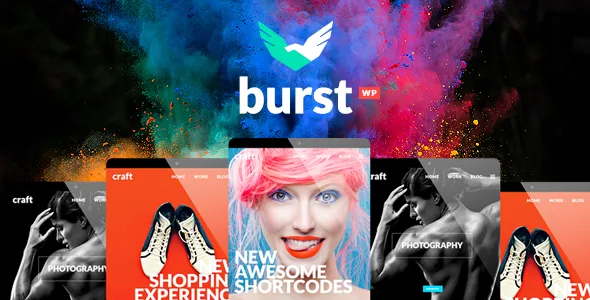
No. The vendor states that the theme does not own the copyright to the demo images, that they are used for presentation only, and that they cannot be used on a site unless licensed from a stock image source.