The scrolling page is the product
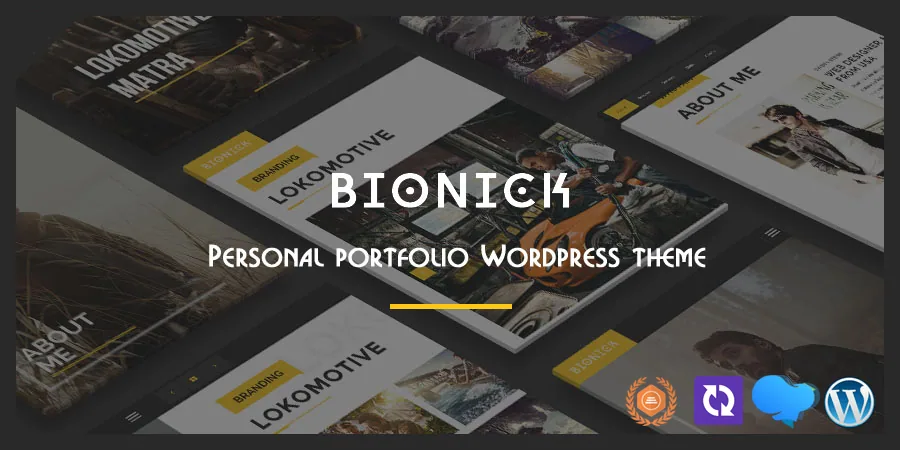
Bionick's marketplace description names one mechanic before anything else: a "Unique Scrolling Page" in which "Background and text is changed depending on the identifier section." As a visitor moves down the page, the section they are in drives the backdrop and the type treatment rather than a fixed background sitting behind everything.
That changes what you have to prepare. A section stops being a heading and a paragraph and becomes a scene whose background must still work behind text passing over it. A photographer or video producer can build a rhythm down the page with that. A portfolio made of screenshots on white will give the effect almost nothing to work with.
Portfolio entries are post formats, not a separate plugin
The vendor lists four portfolio post formats: slider, image, gallery and video, with YouTube and Vimeo named for video. Detail pages get four treatments of their own, including full-screen slider and image backgrounds and a YouTube video background, and three portfolio page styles are offered on top.
So the format you pick per project decides what a visitor sees after the click. That is content planning, not styling: a gallery entry expects a set of images at consistent proportions, a slider entry expects a sequence, and video entries need a hosted URL rather than an upload. Decide per project before loading content.
Filtering is handled inside the portfolio element rather than through an add-on. The changelog for version 7.2, dated 17 August 2022, records an enable/disable switch for the portfolio filter in the WPBakery element plus include and exclude options for filter categories. One grid can therefore show every category while another lists only a chosen set.
Four homepages, told apart by the banner
The four homepage styles differ mainly in what sits at the top: a slider, a slideshow, a static image or a YouTube video, with Revolution Slider named as the slide-building tool.
That makes the choice a media decision first. A YouTube background needs footage that reads well muted and loops without an obvious seam. A static image asks for a single strong high-resolution photograph. Slider and slideshow options multiply the preparation by the number of frames you add, and thin imagery looks thinner with each extra frame.
One-page and multi-page are both stated options
The description says Bionick ships in both versions, so the scrolling presentation is a route rather than a requirement. The changelog shows the menu side catching up: version 6.4, dated 5 October 2021, added support for a separate page in the "Home Page Menu" location and made the One Page Menu location optional for the Home Page template.
In practice a scrolling homepage and a conventional homepage can each carry their own menu assignment. When you set the site up, confirm the menu locations match whichever template you chose; one-page sites usually come unstuck right there.
Two editing surfaces, one handover note
Page content is assembled in WPBakery Page Builder, the plugin named in the marketplace compatibility attribute. The theme also ships a shortcode generator and custom widgets, and version 7.4 added a Blog Carousel as a WPBakery element, so pieces like that are dropped in rather than hand-coded.
Site-wide styling is separate. Bionick uses the Redux options framework, with vendor-described unlimited backend colour selectors and a font selection covering Google Fonts and Font Awesome icons. Colours and typography change once for the whole site; the page layout lives in the builder. If someone else will maintain the site, say plainly which change belongs in which place.
Version 8.0, released 16 September 2023, added Gutenberg editor options to the theme options panel. That gives you block-editor settings, though the described authoring path for pages remains WPBakery.
Blog pages support five post formats — standard, image, gallery, video and audio — so editorial posts do not have to be built the way portfolio entries are.
Companion plugin versions, and where customisations belong
The changelog is more useful than the feature list on one point: several releases state a required Bionick Plugin version alongside the theme release, so the theme and its companion plugin move together. Version 5.6, from 16 February 2020, added a child theme, which is the place for code customisations if you intend to keep updating. Demo content arrives as an XML file, and the vendor describes one-click demo setup.
The marketplace attributes, observed on 4 November 2026, list WordPress 6.5.x through 7.0.x, WPBakery Page Builder, a responsive layout, widget-ready areas, high-resolution assets and a four-or-wider column grid. The listed package files are PHP, HTML, CSS and JS, with the vendor describing extensive documentation. These are vendor and marketplace declarations, not the results of a hands-on test.
Where the scrolling format pays off
Bionick fits a personal site where the portfolio is the argument and the visitor's downward scroll is the presentation: a photographer, illustrator, video producer or architect with strong imagery and a small number of projects worth framing in sequence.
The constraint is the same thing that makes the theme distinctive. Section-by-section backgrounds and text changes need consistently strong media at every step, and the portfolio formats need prepared galleries, slide sequences or hosted video links before the site reads as finished. Without that material the scroll reveals very little, and a plain grid theme would do the same job with less preparation.
Questions & answers
Do I have to use the scrolling page for Bionick's homepage?
No. The marketplace description lists both a one-page version and a multi-page version. The changelog for version 6.4 records that a separate page became supported for the Home Page Menu location and that the One Page Menu location became optional for the Home Page template, so each homepage style can carry its own menu assignment.
Is WPBakery required for page content?
WPBakery Page Builder is the plugin named in the marketplace compatibility attribute, and the vendor describes the theme as built on it. Portfolio filter controls and the blog carousel are implemented as WPBakery elements. Version 8.0 added Gutenberg editor options to the theme options panel, but the described page-authoring workflow is WPBakery.
How is portfolio filtering controlled?
Inside the portfolio element itself. Version 7.2 of the theme added an enable/disable switch for the filter at the WPBakery element, along with include and exclude options for filter categories. That lets different portfolio grids on the same site show different category sets without code changes.
What do the four portfolio formats expect from me?
Slider, image, gallery and video formats, with YouTube and Vimeo named for video. Detail pages have their own four styles, including full-screen slider and image backgrounds and a YouTube video background. In practice that means a prepared image set per gallery, a sequence of images for slider entries, and hosted video URLs instead of uploads.